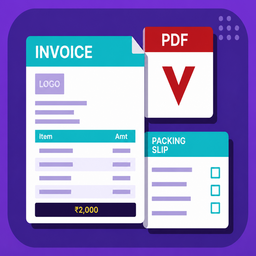
RakeshDhiman Invoice Manager for WooCommerce

RakeshDhiman Invoice Manager for WooCommerce generates clean, print-ready GST invoices for every WooCommerce order — with GSTIN, HSN/SAC columns, and Indian number formatting (amount in words as lakhs/crores) built in from day one. Store owners in India can invoice correctly out of the box, while stores in any other country can just as easily relabel the same field to VAT, ABN, EIN, or CRN and switch to millions/billions formatting automatically.
Store owners can fully customise company details, invoice numbering, branding, Tax ID, HSN/SAC/SKU columns, bank details, notes, terms, and signatures directly from the WooCommerce admin.
The plugin works standalone out of the box. No account required, no nag screens, and no crippled trial — every free feature is fully functional.
Designed to work for WooCommerce stores in any country. The Tax ID field label (GSTIN, VAT Number, ABN, EIN, CRN) and product code column label (HSN, SKU, HS Code, Tariff Code) are fully configurable. Amount-in-words adapts automatically to Indian numbering (lakhs/crores) for INR, BDT, NPR, PKR, and LKR, and uses international numbering (millions/billions) for all other currencies.
Free Features
Invoice generation
- Automatic invoice numbers with configurable prefix, start number, and zero-padding
- Atomic invoice number assignment — prevents duplicate invoice numbers under concurrent orders
- Invoice dates assigned automatically on order creation
- Invoice view and print from the WooCommerce admin order screen
- Invoice view and print from the customer My Account orders page
- Guest invoice access via WooCommerce order key (no login required)
- Invoice PDF download powered by Dompdf
Branding and company details
- Company name, address, phone, email, and configurable Tax ID / VAT Number
- Configurable Tax ID label — set it to GSTIN, VAT Number, ABN, EIN, CRN, or any custom text
- Logo upload via WordPress media library (stored as attachment ID — survives domain changes)
- Signature image and signature label
- Accent colour for invoice headers
Product table
- Optional product code column with fully configurable label (HSN, SAC, SKU, HS Code, Tariff Code, or any custom text)
- Product-level code field on the WooCommerce product edit screen
Bank details
- Bank account name, account number, IFSC / SWIFT / BIC code, and bank name
- Bank details section shown on every invoice when filled in
Notes and terms
- Editable notes and terms and conditions on every invoice
Admin settings
- Card-based settings page with organised sections and live invoice preview
- Live invoice preview panel — reflects unsaved changes before saving
- Required-field validation before settings are saved
- Data Management — optional data removal on uninstall
Compatibility
- Compatible with WooCommerce High-Performance Order Storage (HPOS)
- Compatible with WordPress Multisite
Pro Features
The RakeshDhiman Invoice Manager for WooCommerce Pro add-on extends this plugin with advanced features for businesses that need more:
Custom templates and PDF
- Custom HTML/CSS invoice templates — full control over invoice design using your own markup and placeholders
- Browser PDF engine — Chrome/Edge headless rendering for pixel-perfect PDFs from modern custom templates
- Auto PDF mode — custom templates use the browser engine; the default layout uses Dompdf
Packing slips
- Packing slip view and print from admin order screens
- Packing slip PDF downloads
- Packing slips show shipping details, product names, SKUs, quantities, and packed checkboxes — no prices
Email attachments
- Automatically attach invoice PDFs to selected WooCommerce order emails
- Choose which emails receive invoice PDFs — admin emails and customer emails shown separately
- Attach packing slip PDFs to admin New Order email
- Packing slips are never sent to customer emails regardless of settings
Bulk actions
- Bulk print invoices from the WooCommerce orders list
- Bulk download invoice PDFs as a single ZIP file
- Bulk print packing slips
Pro requires the free plugin to be installed and active.
Invoice access rules
Invoices can be viewed by:
- WooCommerce administrators and shop managers
- The customer who placed the order
- Anyone with a valid WooCommerce order key (for guest checkout links)
Live invoice preview
The invoice settings page includes a live preview panel that:
- Updates while you edit settings, including before saving
- Uses a nonce-protected AJAX request
- Uses the latest WooCommerce order as sample data
- Renders inside a sandboxed iframe
- Is available only to users with WooCommerce management permissions
Preview changes are not applied to real invoices until you click Save Changes.
PDF generation (Free)
The free plugin uses Dompdf to generate invoice PDFs. Dompdf works well for the built-in default invoice layout.
The Pro add-on adds a browser-based PDF engine (Chrome/Edge headless) for custom HTML/CSS templates that use modern CSS such as flexbox, grid, and gradients.
Product code column
The product code column is optional and works for any country. Admins can:
- Hide it completely
- Rename it to any label — HSN, SAC, SKU, HS Code, Tariff Code, Product Code, or anything else
COD due amount behaviour
- For Cash on Delivery orders, due amount follows WooCommerce paid status.
- For non-COD orders, due amount shows as zero once payment is received.
Required settings
The following fields must be filled before settings can be saved:
- Invoice Title
- Company Name
- Company Address
- Company Phone
- Company Email
- Logo URL
Optional settings
All other fields are optional. Empty optional fields are hidden cleanly in the default invoice layout.
Custom template placeholders (Pro)
Invoice and company
{{invoice_title}}{{invoice_number}}{{order_number}}{{invoice_date}}{{payment_method}}{{order_status}}{{order_currency}}{{company_name}}{{company_phone}}{{company_email}}{{company_gstin}}{{company_gstin_label}}{{signature_label}}{{accent_color}}{{currency_code}}{{currency_symbol}}{{hsn_label}}{{show_hsn_column}}
Totals
{{taxable_amount}}{{shipping_amount}}{{total_payable}}{{received_amount}}{{due_amount}}{{total_words}}{{total_quantity}}{{notes}}{{terms}}
Billing address — individual fields
{{billing_first_name}}{{billing_last_name}}{{billing_company}}{{billing_email}}{{billing_phone}}{{billing_address_1}}{{billing_address_2}}{{billing_city}}{{billing_state}}{{billing_postcode}}{{billing_country}}
Shipping address — individual fields
{{shipping_first_name}}{{shipping_last_name}}{{shipping_company}}{{shipping_address_1}}{{shipping_address_2}}{{shipping_city}}{{shipping_state}}{{shipping_postcode}}{{shipping_country}}
HTML blocks (prebuilt)
{{logo_html}}{{signature_html}}{{company_address_html}}{{billing_lines_html}}{{products_rows_html}}{{products_table_html}}{{tax_rows_html}}{{bank_details_rows_html}}{{bank_details_table_html}}{{notes_html}}{{terms_html}}
Note: {{products_rows_html}} returns only the inner <tr> rows. Wrap it in your own <table><tbody>...</tbody></table>. Use {{products_table_html}} for the complete table including headers.