StudioFAQ Accordion Builder
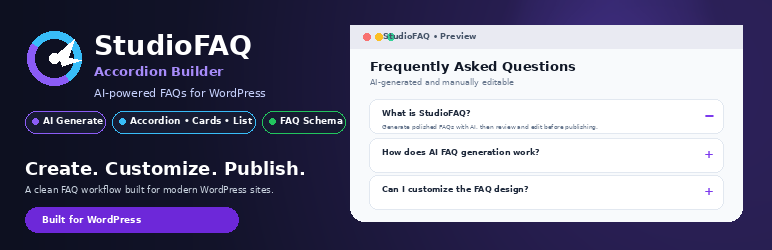
StudioFAQ adds a «StudioFAQ Builder» panel to the Post and Page editor so you can build a clean, accessible FAQ accordion in minutes. Add questions and answers manually, or — if you choose to enter an API key — click one button to have an AI provider read your post content and draft 3–5 relevant FAQ pairs for you to edit, reorder, or delete. Display the result anywhere using the [studiofaq-accordion-builder] shortcode or the native «StudioFAQ» Gutenberg block.
Key features
- Three display styles: Accordion, Minimal Cards, and Clean List.
- Full color controls (header background, hover/active states, text, content background, border, and icon colors) — set globally or overridden per post/page.
- Optional FAQ section title with a selectable heading tag (H2–H6).
- Manual FAQ editing with a drag-and-drop repeater UI — no API key required to use the plugin.
- Optional AI-generated FAQ drafts from your existing post/page content (OpenAI GPT-4o mini, Google Gemini, Kimi AI / Moonshot, or Groq) — entirely opt-in. Generated FAQs are always drafts you review and edit before saving; nothing is auto-published.
- Optional FAQPage JSON-LD (schema.org) markup, off by default — see «Does this add structured data for search engines?» below for exactly what it does and doesn’t do.
- Native Gutenberg block with a live in-editor preview, plus a
[studiofaq-accordion-builder]shortcode for Classic Editor and widgets. - Per-user cooldown and daily request limits to keep optional AI API usage predictable.
- API keys are encrypted (AES-256-GCM) before being stored in the database; the plugin refuses to save a key in plaintext if your server can’t do this.
AI generation is entirely optional. You can build FAQs by hand with no external service and no API key at all. The AI «Generate FAQs» button only becomes active once you enter a key for one of the providers below.
External services
This plugin can optionally connect to one of several third-party AI providers to help you draft FAQ questions and answers from your post content. No data is sent to any of these services unless you (a) enter an API key for that provider under StudioFAQ → Settings, and (b) click the «Generate FAQs with AI» button inside a specific post or page.
When you use this feature, the plain-text content of the post or page you are editing (truncated to roughly 8,000 characters) is sent to the provider you selected, along with a fixed instruction prompt asking it to return 3–5 question/answer pairs as JSON. No personal visitor data, comments, or site configuration is transmitted — only the content of the post you are actively editing.
The providers supported are:
- OpenAI (ChatGPT /
gpt-4o-mini) — used only if you enter an OpenAI API key and select OpenAI as the active provider. Terms of Use | Privacy Policy - Google Gemini — used only if you enter a Gemini API key and select Gemini as the active provider. Terms of Service | Privacy Policy
- Moonshot AI (Kimi) — used only if you enter a Kimi/Moonshot API key and select it as the active provider. Terms of Service | Privacy Policy
- GroqCloud — used only if you enter a Groq API key and select Groq as the active provider. Terms of Service | Privacy Policy
Only one provider is contacted per «Generate FAQs» click — whichever one is selected as the active model under StudioFAQ → Settings. If no API key is entered, no external request is ever made and the plugin functions purely as a manual FAQ accordion builder.
Requirements for AI generation
You will need an API key from at least one of:
Enter your key(s) under StudioFAQ → Settings.