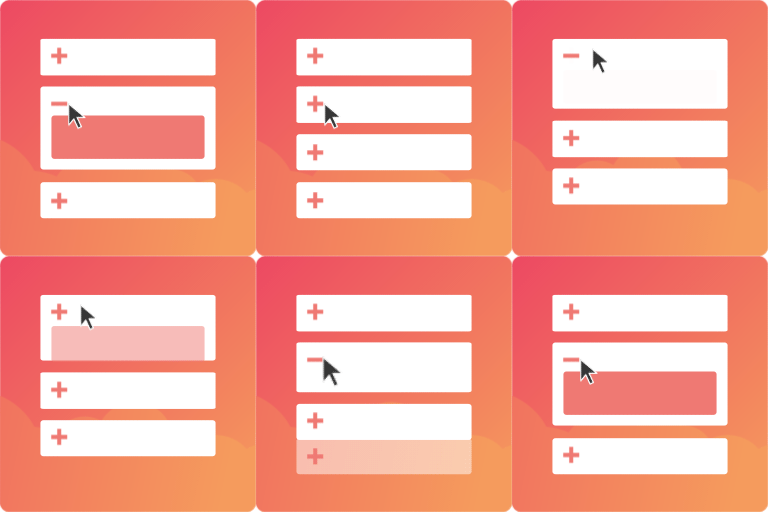
Easy Accordion – AI-Powered FAQ & Accordion Blocks, Product FAQ

🚀 Explore Powerful 15+ FAQ & Accordion Blocks 📚 Start with 200+ Ready FAQ & Accordion Patterns 🌐 Visit the Official Website Easy Accordion ❤️ 134+ ⭐⭐⭐⭐⭐ Reviews & 4.8/5 Happiness Rating on Trustpilot
Create beautiful, responsive FAQs and stylish accordions in minutes with Easy Accordion, the most popular WordPress FAQ & Accordion Builder – in 3 simple steps:
- Choose a ready design from the rich library
- Add your content or generate FAQs with AI
- Customize visually, and publish in minutes
The plugin powers up 100k+ WordPress sites and WooCommerce stores built in Gutenberg, Elementor, Classic, and many popular page builders, and becomes the most popular FAQ & Accordion solution with the highest Reviews and Ratings (4.9) ⭐⭐⭐⭐⭐.
Ready Patterns | Blocks | Documentation | Support | Upgrade to Pro!
Ready FAQ & Accordion Templates
Choose from beautifully designed, ready-to-use templates to create engaging FAQs and accordions in minutes– no design skills needed.
✅ FAQ Patterns (Vertical Accordion) ✅ General Text Accordion Patterns (Horizontal Accordion) ✅ Image Accordion Patterns 🔥 ✅ Accordion Slider Patterns ✅ Media Accordion Patterns ✅ Post Accordion Patterns ✅ WooCommerce Product Accordion Patterns ✅ WooCommerce Product FAQ Patterns ✅ Sidebar Accordion Patterns ✅ User FAQ Forms Patterns ✅ Category or Menu Accordion Patterns
Key Features of Easy Accordion
- AI-powered visual FAQ & accordion builder
- Generate FAQs instantly with AI 🔥
- Reusable custom FAQ & accordion templates
- FAQ schema markup for better SEO
- Multi-level/nested accordions
- Manage FAQs with categories
- Responsive design with custom breakpoints
- Multiple toggle icons with rotation control (left/right, 90°)
- Accordion activation (click, hover, autoplay)
- Control initial accordion display state
- Set HTML tags for titles & descriptions
- Advanced query builder for dynamic content
- Display latest posts & WooCommerce products
- Show post meta (author, category, date)
- Import / Export FAQs & accordions
- Optimized for speed & performance
- Multisite compatible & RTL supported.
Easy Accordion Pro Features
- Advanced AI-powered FAQ generation 🔥
- Auto layout switch on mobile (horizontal → vertical)
- Timeline, Q\&A, and numbered accordion layouts
- FAQ forms to users feedbacks
- Real-time analytics to track performance and popular FAQs
- Customizable “Toggle All” button
- Ajax pagination
- Ajax live search within FAQs & accordions
- Elegant accordion slider with hover effects
- Customize accordion items individually
- Smart image control (flip, focal point)
- Advanced image lightbox (15+ icons) & effects
- Custom or ready-made icon collections
- Scroll the active accordion to the top on toggle
- Keep specific accordion items always open
- Shareable accordion anchor links
- Quick close button for better navigation
- Disable or hide specific accordion items
- Add prefix & suffix badges to titles
- Display icons & titles on collapsed items
- Smooth animations & transition effects
- Advanced query builder
- Customizable featured icons & buttons
- Numeric, Roman & alphabetical FAQ numbering
- Multiple accordion content positions
- Frontend live filters for FAQ categories
- Link accordion titles to URLs
- Make icon, title, or full header clickable
- Show/hide featured images & product attributes
- Flexible customization with full control and more.
FAQ & Accordion Blocks for Gutenberg
Create elegant, interactive FAQs and accordions with 15+ specialized Gutenberg blocks designed for more engagement and a higher conversion rate.
FAQ Block / Vertical Accordion
The classic collapsible layout format that stacks content vertically– perfect for FAQs, step-by-step guides, and any content where users need to browse topics sequentially with an intuitive top-to-bottom flow.
Unique side-by-side expansion that reveals content horizontally– ideal for timeline presentations, comparison displays, or creating unique visual experiences that stand out from typical vertical layouts.
Stunning visual accordions where images expand on hover or click– perfect for portfolios, before/after comparisons, product showcases, or any content where imagery tells the story better than text alone.
Accordion Slider (Pro)
Combines accordion functionality with slider navigation– letting users both expand/collapse sections and slide through multiple content sets, ideal for feature tours, product walkthroughs, or multi-step processes.
Media Accordion (Pro)🔥
Use images and texts together within collapsible sections– keeping media-rich pages organized without overwhelming visitors, perfect for tutorials, testimonials, or multimedia content libraries.
Automatically display your latest blog posts in a sleek accordion format with featured images, excerpts, and metadata– keeping pages fresh with dynamic content that updates automatically as you publish.
Easy accordion offers two post accordion blocks with enhanced filtering, custom queries, and styling options– perfect for news sites, magazines, or blogs needing sophisticated control over which posts appear and how they’re presented. Post Accordion 02
WooCommerce product display in collapsible format showing prices, images, and add-to-cart buttons– ideal for comparison pages, category showcases, or compact product listings that drive sales without clutter.
Easy accordion offers two product accordion blocks with advanced filtering– perfect for stores with complex product catalogs needing organized, conversion-focused displays that guide purchase decisions. Product Accordion 02
Collapsible navigation for categories, menus, or taxonomies– essential for sites with deep content hierarchies, helping visitors explore without overwhelming sidebars or endless dropdown menus.
Combine tabs and accordions in sidebar-friendly format– maximizing sidebar utility with organized, expandable content that doesn’t dominate layout or force visitors away from main content focus.
User FAQ Forms (Pro)
Let visitors submit their own questions directly through an accordion interface– building comprehensive FAQs crowdsourced from real customer inquiries while reducing support ticket volume automatically.
Toggle All Button (Pro)
One-click expand/collapse all accordions simultaneously– giving users a choice between focused reading (one section) or a comprehensive overview (all sections open), respecting different browsing preferences.
Ajax FAQ Search (Pro)
Instant accordion search that filters and highlights matching content as users type– eliminating frustrating scrolling through irrelevant FAQs, getting customers to answers in seconds instead of minutes.
Live Frontend Filter (Category-wise)
Let users quickly find what they need by filtering FAQs or accordions by category in real time—no page reload required.
Enhance user experience with smooth animations, transitions, and interactive effects that make your accordions more engaging and visually appealing.
Smooth, no-reload pagination for accordion content– load more items without page refresh, maintaining user context while browsing extensive FAQs, posts, or product collections efficiently.
❇️ Generate FAQs & Accordions Instantly with AI 🔥
Stop spending hours writing FAQ content manually. Let AI generate professional, relevant questions and answers in seconds, then customize as needed for instant, expert-quality accordions that engage visitors and answer objections automatically.
Add WooCommerce Product FAQs to Boost Sales
Answer common customer questions directly on product pages with structured, scannable FAQs that eliminate buying hesitation, build instant trust, and drive sales– while dramatically reducing support tickets and cart abandonment from unanswered objections.
Schema Markup for SEO & AIO 🔥
Easy Accordion automatically generates FAQ schema markup (structured data) that helps search engines, AI assistants (ChatGPT, Gemini, Claude), and answer engines understand and feature your content in rich snippets. It helps boost visibility, powering AI-generated responses, increasing click-through rates, and maximizing your chances of appearing in Google’s ”People Also Ask” sections.
Create Reusable Templates for Any Page Builder 🔥
Build FAQ and accordion templates once, then deploy them instantly across your entire site– works seamlessly with Elementor, Divi, WP Bakery, Gutenberg, and all major page builders, saving hours of repetitive work while maintaining FAQ section or FAQ page perfect consistency.
Custom Responsive Breakpoints
Create perfectly optimized FAQs and accordions for every device with custom responsive breakpoints. It ensures flawless display from desktop monitors to mobile phones, controlling exactly how content adapts at each screen size for maximum readability and engagement across all devices.
Let Users Ask Their Own Questions
Add a simple FAQ form to your site after the FAQs section or page, so visitors can submit questions directly. This helps you see what people are actually confused about, so you can build a better FAQ over time — based on real questions, not guesses.
Get Real-Time Insights with Live Analytics
See which FAQ topics get the most attention and how users interact with your content. Use that data to focus on what matters most, answer more questions up front, and reduce support requests.
Customize Visually with Full Flexibility
Enjoy full flexibility to customize your FAQs and accordions with the visual editor and make them exactly how you want. Adjust everything, including colors, dimensions, and styles.
🧩 Fully Compatible with Page Builders & Themes
No compatibility worries! Easy Accordion works flawlessly with your existing setup. It seamlessly integrates with:
- Gutenberg Block Editor
- Popular Page Builders: Elementor, Divi, WPBakery, Beaver Builder, and more
- Top WordPress Themes: Avada, X Theme, BeTheme, Astra, OceanWP, and others
- Multilingual Plugins: WPML, Polylang, Loco Translate, qTranslate, etc. You can translate Easy Accordion on translate.wordpress.org.
- WooCommerce and other essential tools
👨🏻💻 Author
Easy Accordion is developed by ShapedPlugin LLC, a team with over a decade of experience in building WordPress plugins, focused on quality, performance, and ongoing improvements.
🛟 Documentation & Support
Although Easy Accordion is beginner-friendly with a minimal learning curve, it is well-documented. It provides dedicated support whenever you need.
👉 Read well-organized Easy Accordion Documentation
👉 Watch Easy Accordion YouTube Playlist
👉 Join the plugin’s Forum or Contact Us for support.
👉 Join the ShapedPlugin Community for tips from users and experts
👉 Learn more about the Easy Accordion at https://easyaccordion.io/
🔥 Explore More Solutions from ShapedPlugin
Discover our powerful WordPress and WooCommerce plugins designed to save time, boost performance, and enhance your website experience:
Real Testimonials – Showcase authentic customer reviews with stylish layouts to build trust, boost credibility, and increase conversions effortlessly on your website.
WP Carousel – Create responsive carousels for posts, images, and content with smooth navigation to engage visitors and beautifully highlight your key content.
Smart Tabs – Organize content into clean, responsive tabs to improve user experience, reduce clutter, and present information in a structured, engaging way.
Location Weather – Display real-time weather updates for any location with customizable layouts, enhancing user engagement and adding dynamic, useful content to your site.
Smart Post – Smart Post is a next-generation Post Grid and Gutenberg Page Builder Blocks plugin designed to help you build stunning blogs, magazines, news portals, and content-driven websites with ease.
Smart Team – Showcase your team members with stylish, customizable layouts to build trust, highlight expertise, and present your organization professionally.
Logo Carousel – Display client, partner, or brand logos in responsive carousels to build credibility, strengthen brand identity, and showcase partnerships effectively.
WooGallery – Create beautiful, responsive product galleries for WooCommerce to showcase images attractively, improve user experience, and increase product engagement.
Smart Swatches – Replace default WooCommerce variation dropdowns with color, image, and label swatches to improve product selection and enhance the shopping experience.
Product Slider (Smart Store) – Build modern, conversion-focused WooCommerce store layouts with advanced features to improve product visibility, user experience, and sales performance.
WooCategory – Display WooCommerce product categories in stylish grids or sliders to improve navigation, highlight collections, and enhance store browsing experience.