
E-cab Taxi Booking Manager for Woocommerce
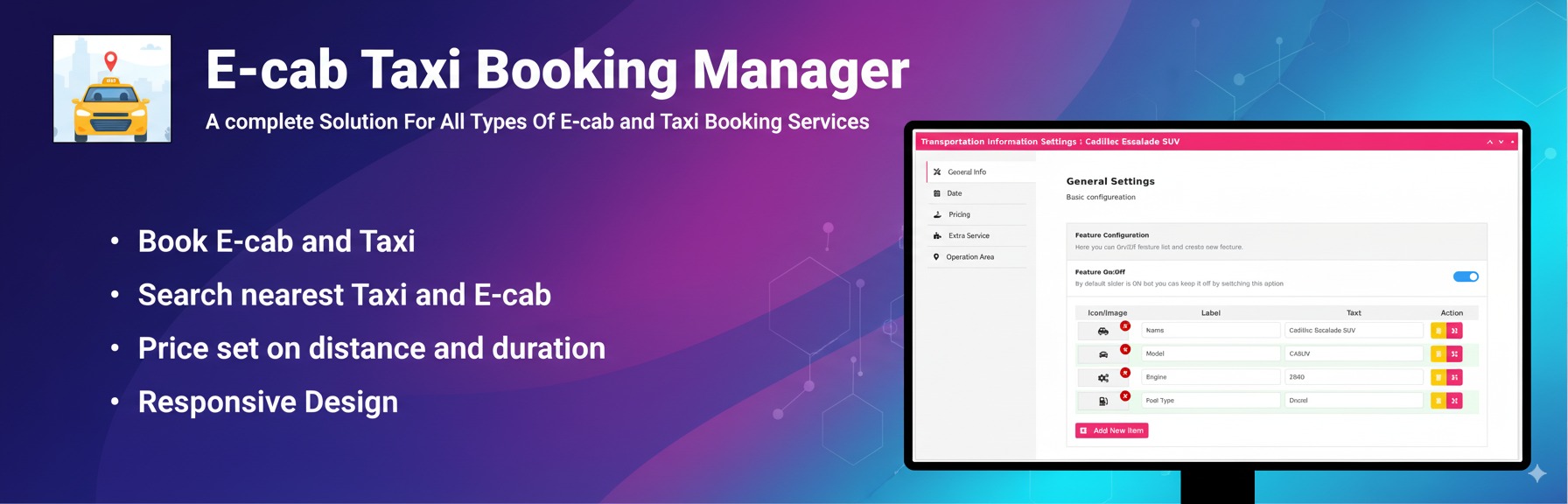
E-cab is a professional Taxi Booking and Chauffeur Service plugin for WooCommerce. Automate your business with a precise fare calculator, distance-based pricing, and integrated map support (OpenStreetMap and Google Maps). Whether you offer airport transfers, luxury chauffeur services, or local cab bookings, this system handles everything from ride scheduling to secure checkout. Give your customers a seamless way to book rides online with real-time price estimation and automated dispatch management.
See E-cab in Action
Note: This video demonstrates the full ecosystem. Advanced features like the Driver Panel, Geo-Fencing, and Google Calendar Sync are available in the Pro Version: https://mage-people.com/product/wordpress-taxi-cab-booking-plugin-for-woocommerce/
Make Yourself Comfortable With:
🧶 View Live Taxi Booking Demo 👉 Plugin Documentation
Why Choose E-cab? (Key Features):
🗺️ Multiple Map Providers OpenStreetMap Integration (FREE): Use OpenStreetMap with no API costs or Google API key required! Includes full route mapping and distance calculation. Google Maps API: Integration with faster place search and global address autocomplete. Choose your preferred provider in settings.
💵 Smart Fare Calculation Automatic fare calculation based on distance, time, or custom criteria. Automate your pricing and eliminate manual quoting.
⏱️ Flexible Booking Options Provide customers with the flexibility to choose immediate pickups or pre-scheduled rides according to their travel plans.
🛠️ Pricing Model Tabs Easily switch between different pricing models (Hourly, Distance, or Manual) using a sleek tabbed interface for a better user experience.
💰 WooCommerce Integration Fully integrated with WooCommerce. Securely accept payments using any gateway like Stripe, PayPal, or local providers.
🛠️ Gutenberg & Elementor Support Easily add booking forms using the dedicated Site Editor (Gutenberg) block or Elementor widget. No coding required.
📍 Google Address Autocomplete Enhance the booking experience with auto-suggestive address suggestions for customers to ensure location accuracy.
📰 Customizable Rates Set up custom rate plans, allowing you to tailor pricing based on different zones, distances, or vehicle types.
⌚ Establish Operating Hours Define specific operational schedules for your transportation services or opt for 24-hour availability.
🤹 Efficient Booking Management Manage all taxi bookings directly from your WordPress dashboard, with the ability to view, modify, or cancel orders instantly.
💦 Fully Responsive Design Designed to be mobile-first, offering a smooth and professional booking experience across smartphones, tablets, and desktops
Pro Features (Available in Pro Version):
**📧 📅 Google Calendar Integration ** Automatically sync booking details to the admin’s Google Calendar. Customers also receive a link to add the trip to their own personal calendars.
📧 Email & PDF Customization Receive professional order confirmations and automatically deliver PDF receipts/invoices to customers after successful payments.
⏳ Paid Wait Time Option Offer extra waiting time for users with automated pricing. Perfect for airport pickups where flight delays or luggage collection take extra time.
🛒 Advanced Checkout Fields Customizable checkout fields let you add, edit, or delete personal info fields, ensuring you collect specific data (like flight numbers) before the ride.
🚩 Operation Areas & Geo-Fencing Designate specific transport operation areas on the map. Use Geo-Fencing to set different pricing for intercity and intracity zones.
🚍 Driver Management Panel A dedicated panel for admins to assign vehicles to drivers. Drivers can track service status, and automated emails notify all parties of any changes.
🔢 Quantity & Interval Booking Set the quantity of available transport with specific booking time intervals to prevent overbooking and manage fleet availability.
✈️ Specialized Airport Transfer Shortcodes
Fixed Route Shortcode: Show fixed pickup and drop-off points from specific operation areas (e.g., Downtown to Airport).
Zone-to-Point Shortcode: Allow pickups from an entire operation area with drop-offs at specific designated places.
🏷️ Hybrid Pricing Logic Use a specialized shortcode to charge a fixed price within an operation area, manual pricing for specific destinations, and distance/duration pricing for all other locations.
📋 Comprehensive Order Management An advanced order list view that allows you to edit orders, manually change drivers, and manage the full lifecycle of every booking.
Available Addons:
⏰ Peak Hour Addon Set peak hour pricing by date range and specific time range
🚗 Distance Based Tier Pricing Addon Add distance-based tiered pricing to your E-Cab rides. Automatically adjust fares by trip length for flexible and fair ride costs.
Third-Party Services: OpenStreetMap (Default – FREE): The plugin uses OpenStreetMap by default, which is completely free and requires no API keys. OpenStreetMap provides route mapping, distance calculation, and address search functionality at no cost.
Google Maps API (Optional): If you choose to use Google Maps, this plugin relies on the Google Maps API, a service provided by Google, Inc. Google Maps offers faster place search and more places than OpenStreetMap. Please note that your usage of Google Maps constitutes acceptance of Google’s terms and policies.
Link to Google Maps API: For more information about the Google Maps API, visit: Google Maps API Link
Terms of Use: Review the Google Maps API terms of use: Google Maps API Terms of Use Link
Privacy Policy: Understand how Google handles your data through the Maps API: Google Privacy Policy Link
Guideline
Shortcode: [mptbm_booking price_based=’dynamic’ form=’horizontal’ progressbar=’yes’ map=’yes’]
Parameters:
– price_based: Determines the pricing model.
– Options:
– dynamic (default): Pricing is based on Google Map distance.
– manual: Fixed pricing between two locations.
– fixed_hourly: Price by hour/time.
– Example: [mptbm_booking price_based=’manual’]
-
form: Sets the form layout.
- Options:
horizontal(default): Standard form layout.inline: Minimal single-line form.
-
progressbar: Controls the display of the progress bar.
- Options:
yes(default): Progress bar is visible.no: Progress bar is hidden.
-
map: Toggles the map display.
- Options:
yes(default): Map is displayed.no: Map is hidden.
-
tab: Enables or disables tabbed options.
- Options:
no(default): Tabs are disabled.yes: Displays tabs for different booking types (hourly, distance, manual).
-
tabs (used when
tabis set to ’yes’): Specifies which tabs to display or exclude.- To show all tabs: [mptbm_booking tab=’yes’ tabs=’hourly,distance,manual’]
- To show specific tabs: [mptbm_booking tab=’yes’ tabs=’hourly,distance’] (hides ’manual’)
- To show only one tab: [mptbm_booking tab=’yes’ tabs=’manual’] (hides ’hourly’ and ’distance’)
Examples: – Display all tabs: [mptbm_booking tab=’yes’ tabs=’hourly,distance,manual’]
-
Display only ’hourly’ and ’distance’ tabs: [mptbm_booking tab=’yes’ tabs=’hourly,distance’]
-
Display only the ’manual’ tab: [mptbm_booking tab=’yes’ tabs=’manual’]
Legal Protection
This transparency is crucial for legal protection. By using this plugin, you acknowledge and accept the reliance on the Google Maps API. Review the terms of use and privacy policy for both this plugin and the Google Maps API to ensure a comprehensive understanding of the services and how your data is handled.