
Exchange Rates Widget
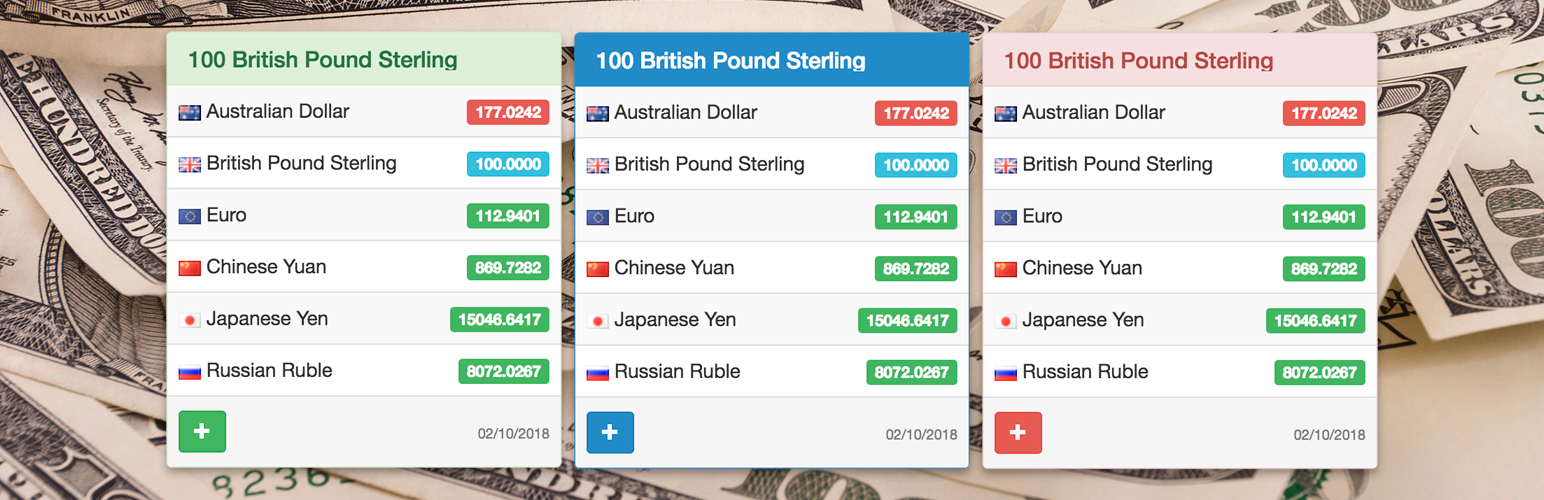
Exchange Rates Widget helps visitors compare live exchange rates without leaving your WordPress page. Add clean live exchange rates to finance articles, tourism and travel guides, news websites, pricing pages, business blogs, and sidebars with a shortcode or classic widget.
Visitors get instant context for 190+ currencies, crypto assets, and metals. Site owners get a lightweight setup: no API key, no local rate database, and no exchange-rate processing load on WordPress.
⭐ What makes it useful
- 🌍 190+ currencies and assets, including popular cryptocurrencies and metals.
- 🧩 Add rates with a shortcode, the Shortcode block, or a classic WordPress widget.
- ⚡ No API key, local exchange-rate database, or exchange-rate processing load on your WordPress site.
- 📱 Responsive layout for posts, pages, sidebars, and footers.
- 🎨 Multiple color themes for matching different site designs.
- 🌐 Multilingual widget labels for international audiences.
- 🕒 Time zone setting for the displayed update date.
- 🔒 SSL-ready CurrencyRate.Today service URLs.
🎯 Where it works best
- Finance blogs that need a quick EUR, USD, GBP, JPY, or crypto reference.
- Tourism and travel websites where readers compare destination prices in familiar currencies.
- News websites that cover markets, business, travel, inflation, or international stories.
- Pricing and comparison pages that need a simple exchange-rate reference nearby.
- Business websites that want always-visible rates in a sidebar or footer.
- Multilingual sites that need exchange-rate labels in the visitor’s language.
👀 Demos
- Official demo: Exchange Rates Widget
- Product demo: Exchange Rates Widget on Yuri.ws
🚀 Quick start
- Install and activate Exchange Rates Widget.
- Paste the shortcode into a post, page, or Shortcode block.
- Choose the base currency, target currencies, language, theme, and amount.
- Optionally add the classic widget to a sidebar or footer.
Important: this plugin provides a classic WP_Widget.
On modern WordPress installations with the block-based widget screen, install and activate Classic Widgets to manage the widget in Appearance > Widgets.
Shortcodes work without Classic Widgets.
🧩 Shortcode examples
Market widget example:
[erw_exchange_rates_widget lg="en" tz="0" fm="EUR" to="USD,GBP,AUD,CNY,JPY,RUB" st="info" cd="0" am="100" size_width="100%"][/erw_exchange_rates_widget]
Travel widget example:
[erw_exchange_rates_widget lg="en" tz="0" fm="USD" to="EUR,JPY,GBP" st="success" cd="1" am="100" size_width="100%"][/erw_exchange_rates_widget]
🔧 Shortcode attributes
lg– language. Supported values:en,ru,it,fr,es,de,cn,pt,ja,id,hi.tz– time zone offset.fm– base currency code, for exampleEUR.to– comma-separated target currency codes, for exampleUSD,GBP,AUD,CNY,JPY,RUB.st– theme. Supported values:primary,info,danger,warning,default,success.cd– display mode. Use1to show currency codes only or0to show currency names.am– amount shown by the rates widget, for example100.size_width– widget width, for example100%,240px, or300px.
Currency codes are listed at https://currencyrate.today/different-currencies.
Donations
Official website and data source: CurrencyRate.Today
You may also like these plugins: