
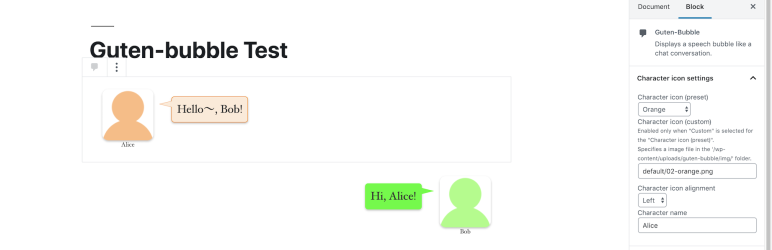
Guten-bubble can create a speech bubble display like a chat conversation.
Features
- It’s easy to create speech bubble using Guten-bubble block for Gutenberg editor in WordPress 5.0 or later.
- Pick from 24 color themes for speech bubble.
- You can use it as an icon image by importing image files from WordPress’s media library. Let’s make interesting articles by using icon image on hand!
How to use in block editor
- Add a Guten-bubble block where you want to add a speech bubble.
- Enter serif in the balloon in the block ( the part where ’Enter serif here …’ placeholder is displayed ), select character icon and set the balloon in the inspector.