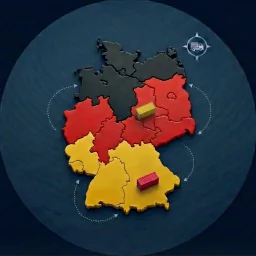
ingenidev Germany Zones and Bundeslander for WC
This WooCommerce plugin by ingenidev allows you to select each German Bundesland (federal state) as a configurable shipping zone with its own options.
WordPress and WooCommerce already have a feature called ”shipping zones” that helps online stores manage their shipping logistics. However, this feature is not configured for Germany’s specific delivery requirements, where deliveries are often organized by Bundesland (federal state). The Germany Zones and Bundesländer for WooCommerce plugin specifically adds all 16 German Bundesländer to the system, allowing store owners to easily configure delivery rules within the German context. It integrates seamlessly with the existing system, providing precise control over shipping costs and delivery times for each Bundesland.
Simplify Shipping in Germany with the Germany Zones and Bundeslander for WooCommerce Plugin
Simplify your WooCommerce checkout process for German customers with the Germany Zones and Bundeslander for WooCommerce plugin. This plugin replaces standard address fields with a user-friendly Bundesland selection, ensuring accurate and efficient delivery throughout Germany.
WordPress and WooCommerce already have a feature called ”shipping zones” that helps online stores manage their shipping logistics. However, this feature is not configured for Germany’s specific delivery requirements. The Germany Zones and Bundesländer plugin adds all 16 federal states to the system, allowing store owners to easily configure delivery rules per Bundesland.
Why Optimize German Addresses in WooCommerce?
Using standard address fields can lead to specific challenges for German customers. By implementing Bundesland-specific fields, you can:
✓ Improve Checkout Experience: Provide localized address input. ✓ Reduce Delivery Errors: Ensure accurate address data. ✓ Enhance Customer Satisfaction: Offer a checkout process tailored to German users. ✓ Optimize Delivery Logistics: Simplify address management. ✓ Handle Regional Shipping: Configure different rates for different Bundesländer (e.g., island surcharges).
Features
✅ Replaces Standard Address Fields: Replaces default address fields with a Bundesland dropdown. ✅ Easy Bundesland Selection: Customers can select their Bundesland from the list of 16 German federal states. ✅ WooCommerce Integration: Works directly with WooCommerce Shipping Zones. ✅ Simple Configuration: No complex settings required. ✅ Lightweight: Designed for minimal impact on performance. ✅ Complete Coverage: All 16 Bundeslander included.
How to Use This Plugin?
- Install and activate the Germany Zones and Bundesländer for WooCommerce plugin.
- The plugin automatically replaces standard address fields with Bundesland selection.
- No additional configuration is usually necessary unless you need specific rules per Bundesland.
- Go to WooCommerce > Settings > Shipping to configure your shipping zones by Bundesland if needed.
Who Is This Plugin For?
- WooCommerce store owners who ship products within Germany.
- Businesses looking to improve the checkout experience for German customers.
- E-commerce stores aiming to improve delivery efficiency and accuracy.
- Shops that want to provide localized address input.
- Stores needing different shipping rates for different Bundesländer.
Included Bundesländer
The plugin includes all 16 German Bundesländer (federal states):
Germany (16 Bundesländer) – Baden-Württemberg (BW) – Bayern (BY) – Berlin (BE) – Brandenburg (BB) – Bremen (HB) – Hamburg (HH) – Hessen (HE) – Mecklenburg-Vorpommern (MV) – Niedersachsen (NI) – Nordrhein-Westfalen (NW) – Rheinland-Pfalz (RP) – Saarland (SL) – Sachsen (SN) – Sachsen-Anhalt (ST) – Schleswig-Holstein (SH) – Thüringen (TH)
Optimize Your Shipping in Germany Today!
Enhance your WooCommerce store’s shipping capabilities for German customers with the Germany Zones and Bundesländer for WooCommerce plugin. Ensure accurate and efficient deliveries with localized address selection.
Privacy Notice
This plugin, by itself, does not:
- track users;
- write any user personal data to the database;
- send any data to external servers;
- use cookies.