
RankLite – Fast, Clean SEO
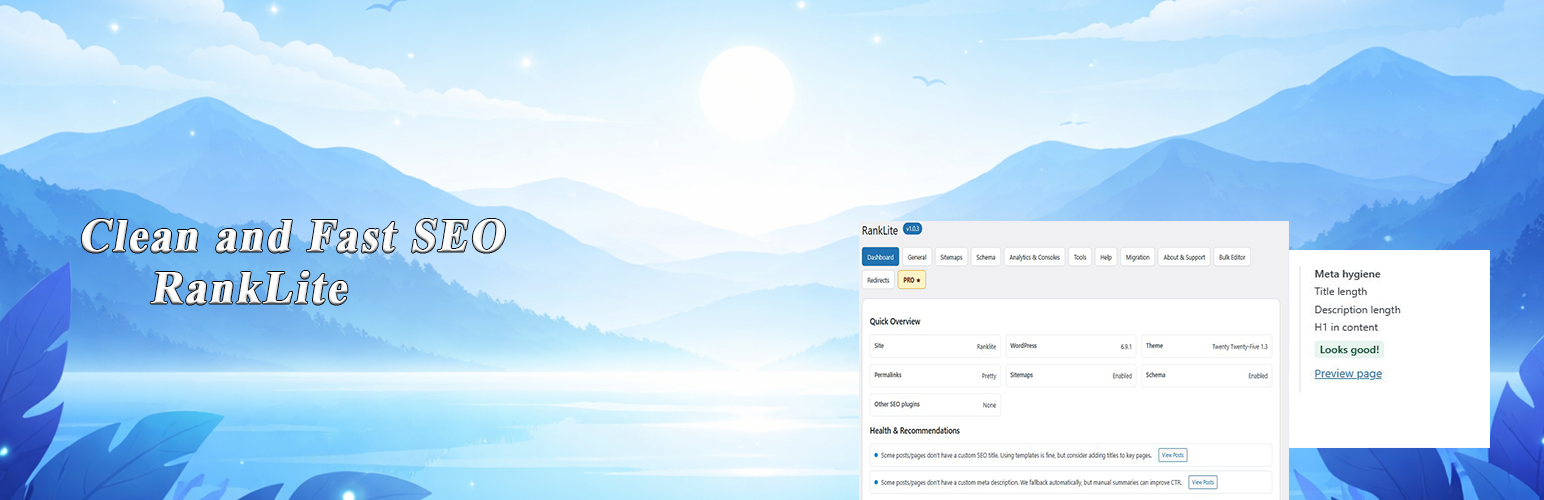
RankLite focuses on the essentials of on-page SEO. It’s intentionally small, fast, and easy to configure. You get all the core tools—without the kitchen sink:
- Titles & Meta Descriptions per post/page with live counters
- Global defaults with smart fallbacks
- Open Graph & Twitter Cards (title, description, image)
- Canonical and robots meta (index/noindex, follow/nofollow)
- XML Sitemaps (
/sitemap.xml) with pretty permalink support and pings to Google & Bing - JSON-LD Schema for Website, Article, Breadcrumbs + FAQ/How-to blocks (basic)
- Breadcrumbs output helper
- Manual 301 Redirects
- Analytics helpers (Google Analytics/GTAG & Google Tag Manager passthrough)
- Optional data wipe on uninstall
- Multisite-aware and performance-minded
No telemetry. No ad pixels. No phone-home calls—everything stays on your site.
Why RankLite?
- Performance first. Lightweight code, minimal queries, no admin nag spam.
- No lock-in. Uses standard WordPress fields/meta so you can switch any time.
- Clean UI. Sensible defaults and clear controls that won’t overwhelm you.
What’s included in the Free version?
- Titles/meta with counters and fallbacks
- Canonical, robots
- Open Graph & Twitter Cards
- Website/Article/Breadcrumbs + FAQ/How-to schema (basic, JSON-LD)
- XML sitemaps with Google/Bing pings
- Breadcrumbs helper
- Manual redirects (301)
- Analytics & GTM helpers
- Tools page with wipe on uninstall option
Pro add-on
A separate Pro add-on (not required) can extend RankLite with AI-assisted titles/descriptions/alt-text/articles, advanced schema & sitemaps, a 404 monitor, and auto-redirects. The free plugin is fully functional on its own and does not require Pro.
Features
- Meta box on posts/pages for custom SEO Title & Description
- Smart fallback to site title/tagline or post excerpt
- Open Graph/Twitter image fallback
- Robots (index/noindex, follow/nofollow) per post and global
- Sitemaps: index + post types; pretty
/sitemap.xmlwith:- Fallback query route for non-pretty permalinks
- Automatic pings to Google and Bing when content changes (with safe throttling)
- Schema: Website, Article, Breadcrumbs + FAQ/How-to via blocks (basic) with safe defaults
- Breadcrumbs: simple template function/filter to output a trail
- Redirects: add simple 301 manual redirects from an admin screen
- Analytics: GA4/gtag and GTM helpers (paste ID and go)
- Developer-friendly (filters/actions documented below)
- Privacy-friendly: no data leaves your site
Privacy
This plugin does not:
- Collect personal data
- Send usage data to third parties
- Set cookies on the front end by itself
If you enable Analytics or GTM helpers, you are integrating external services—ensure you have the proper disclosures/consent (e.g., via your cookie banner).
Performance
- Minimal queries and safe caching behavior
- No assets loaded on the front end unless necessary
- Short timeouts and safe throttling for sitemap pings to Google/Bing
External services
This plugin can optionally connect to the following external services:
- Google Search and Bing (sitemap ping)
– What it does: When sitemap pinging is enabled, RankLite can notify search engines that your sitemap has been updated. – What is sent: The public URL of your sitemap is sent as a query parameter to: – https://www.google.com/ping?sitemap= – https://www.bing.com/ping?sitemap= – When: Only when sitemap pinging is enabled in the plugin settings and a sitemap is generated/updated. – Terms / Privacy: – Google: https://policies.google.com/privacy / https://policies.google.com/terms – Microsoft (Bing): https://privacy.microsoft.com / https://www.microsoft.com/servicesagreement
- Google Analytics / Google Tag Manager (optional)
– What it does: If you choose to enable Analytics or Tag Manager in RankLite, the plugin outputs the official tracking/snippet code provided by Google. – What is sent: Standard analytics/usage data as defined by Google, associated with your own property IDs (e.g. GA4, GTM). No additional data is sent by RankLite beyond what Google’s scripts normally collect. – When: Only when you explicitly enable these features and enter your own tracking IDs. – Terms / Privacy: – Google Analytics / Tag Manager: https://marketingplatform.google.com/about/analytics/terms/us/ – Google Privacy Policy: https://policies.google.com/privacy
Developers
Filter the final title string
`php
/** * Filter the final value RankLite outputs. * * @param string $title Final title string. * @param array $parts Parsed parts (h1, site_name, brand, etc). * @param WP_Post|null $post Current post object (or null). * @param string $type Detected type: ’news’ | ’product’ | ’default’. */ add_filter( ’ranklite_meta_title_final’, function( $title, $parts, $post, $type ) { return $title; }, 10, 4 ); `
Add extra sitemap index entries (e.g. news/video)
`php
add_filter( ’ranklite/sitemaps/index_items’, function( $extra, $opts ) { $extra[] = array( ’loc’ => home_url( ’/news-sitemap.xml’ ), ’lastmod’ => gmdate( ’c’ ), ); return $extra; }, 10, 2 ); `
Tweak the breadcrumb trail before output
`php
add_filter( ’ranklite_breadcrumb_trail’, function( $trail ) { // $trail is an array of arrays like [ ’name’ => ’Blog’, ’url’ => ’https://example.com/blog/’ ]. return $trail; } ); `
Programmatic redirect registration
`php
do_action( ’ranklite/register_redirect’, ’/old-path’, ’/new-path’, 301 ); `
See inline docs for more hooks and parameters.