
Version Info – Server Health Monitor, PHP & MySQL Version Display, Environment Indicators
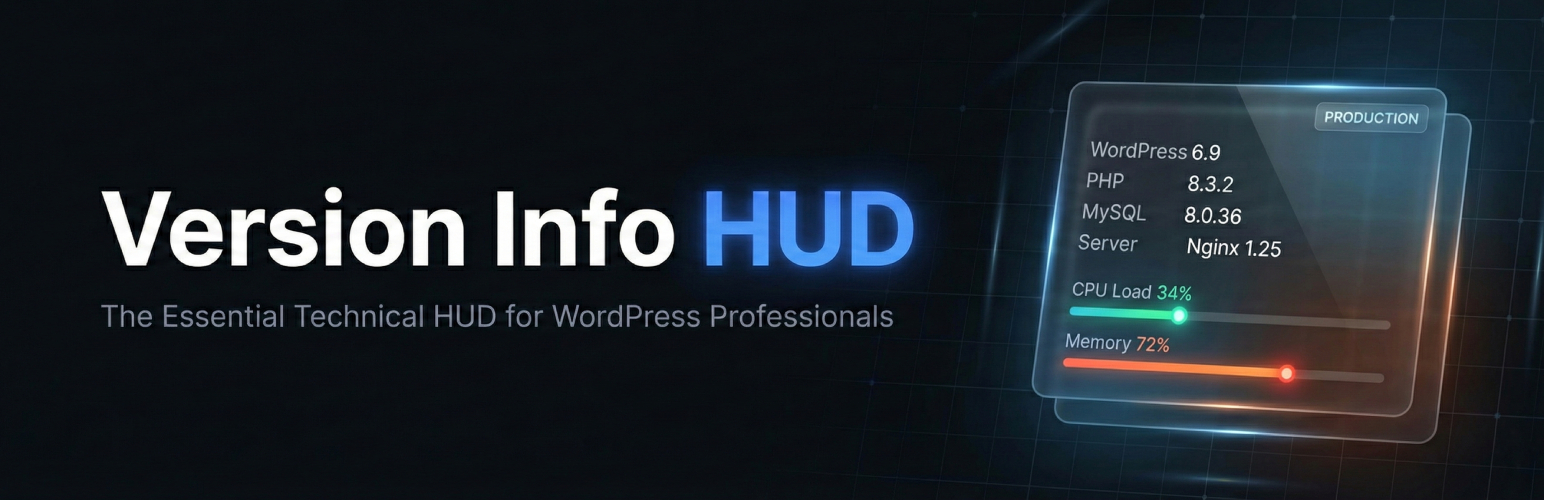
🛡️ THE ESSENTIAL TECHNICAL HUD FOR EVERY WORDPRESS PROFESSIONAL
Stop digging through hidden menus or leaving insecure phpinfo() files on your server. Version Info is the essential technical dashboard that brings your site’s most vital environment data directly into your daily workflow — the admin footer, the admin bar, or a dedicated dashboard widget.
Whether you’re a freelancer managing dozens of client sites, a developer debugging a complex plugin conflict, or an agency maintaining a portfolio of high-value properties, having instant access to your PHP version, MySQL version, WordPress version, and web server type is a mission-critical utility.
Version Info has been trusted by WordPress professionals since 2015 and is now supercharged with a complete PRO + Agency suite for serious site monitoring. Learn more at versioninfoplugin.com.
✨ What Makes Version Info Different?
Most server info plugins show you a wall of data you don’t need. Version Info is designed around the data you actually use every day, placed exactly where you need it — no extra pages, no bloat, no performance impact.
- Zero Configuration — Install, activate, done. Versions appear in your footer immediately.
- Surgical Precision — Only shows WP, PHP, MySQL, and Server versions. No fluff.
- Performance First — Uses native WordPress APIs. Literally zero impact on page load.
- Developer Hooks — Every data point is filterable for custom integrations. See the developer docs.
🚀 Core Features (100% Free, Forever)
These features will always be free. No bait-and-switch.
- 🛠️ Admin Footer Display — See WordPress, PHP, MySQL, and Web Server versions at the bottom of every admin page. Includes a one-click update link when a new WP version is available.
- 🚦 WP-Admin Bar Nodes — Pin your version stack to the admin bar for instant visibility while navigating between pages, posts, and settings.
- 📊 Dashboard Widget — A dedicated ”At a Glance” style widget showing your complete technical stack. Enable it via Screen Options.
- 🔄 Core Update Alerts — Automatically compares your WP version with the latest available and shows an update link right in the footer.
- 💻 Server Detection — Instantly identify Apache, Nginx, LiteSpeed, or any other server software without leaving WordPress.
- 🌐 Translation Ready — Fully localized with translations in 13+ languages including Spanish, German, French, Japanese, Chinese, and more. Help translate.
🔥 PRO Plan — Advanced Site Intelligence
Unlock real-time performance monitoring, environment safety, and proactive health checks. Built for developers who take their stack seriously.
Upgrade to PRO → Starting at $19/year.
🖥️ Live System Resources HUD in the Dashboard Widget
Turn your dashboard widget into a full server-health command center. One toggle lights up 30+ live stats in clean groups:
- Identity — Environment, Server Location, OS, Hostname, IP, Port, Document Root, Uptime
- Live Resources — CPU + Memory bars with sparklines, PHP memory, Disk usage
- Database — Size with data/index split, tables, max connections, max packet
- PHP — Runtime limits, loaded modules
- WP Status — Core / plugin / theme updates, cron, Health Advisor counts
- Diagnostics — HTTPS, WP_DEBUG, object cache, timezones
The modern replacement for the abandoned wp-server-stats plugin.
📈 Live CPU & RAM Sparklines
Visual bars plus inline sparklines showing the last ~7.5 minutes of activity — direction-of-travel at a glance, not just current values. Recolors green → orange → red at 70% / 90% thresholds. Works on Linux, Windows, and every managed host we’ve tested.
🌍 Server Location — 4 Pluggable Providers
Know exactly which datacenter your site lives in. Pick the provider that fits your privacy needs:
- Version Info Geolocation (anonymous) — our own Cloudflare Worker, logs nothing, richest data
- Cloudflare cdn-cgi/trace — country-only, zero auth
- ip-api.com — free legacy provider
- MaxMind GeoLite2 — best ASN accuracy (license-key)
30-day cache + a one-click ”Detect now” button. Provider comparison →
💾 Database Size + Connection Limits
Know how bloated your database is before it becomes a problem. Tracks data vs index size for every WP table, plus DB max connections and max packet — critical for WooCommerce stores hitting connection caps during Black Friday. 12-hour cache + ”Scan Now” for fresh data.
🛰️ wp-server-stats Parity — and Beyond
Closes the feature gap with the abandoned 2017-era wp-server-stats plugin — without inheriting its shell_exec() dependency that breaks on managed hosts. Adds:
- Server OS, Hostname, IP, Port, Document Root (path-masked)
- Server Uptime (formatted)
- PHP Modules accordion (every loaded extension with version)
- Disk Usage bar
- One-click ”Purge VI Caches” button
🚨 Smart Environment Indicators
Never accidentally run a destructive query on production again. High-visibility color badges in the admin bar:
- 🔴 Red — Production
- 🟠 Orange — Staging
- 🟢 Green — Development / Local
Auto-detects Bedrock, Kinsta, WP Engine, Pantheon, Flywheel, and core WP_ENVIRONMENT_TYPE. Optional admin-bar border highlight matches the environment color.
📜 Version History Audit Log
A persistent timeline of every shift in your WordPress core, PHP, MySQL, plugin, and theme versions. Know exactly when and what changed for fast troubleshooting. Last 50 entries; auto-pruned.
🛡️ Health Advisor
Proactive alerts that predict problems before they happen. Checks your PHP and MySQL versions against known End-of-Life dates and flags critical security risks. Integrates with the native WordPress Site Health screen.
📤 JSON System Info Export
One-click download of your entire technical stack as structured JSON. Perfect for support tickets, host conversations, and pre-migration archives. Includes WordPress config, PHP + extensions, database details, active theme, and every active plugin with version.
See the full PRO feature documentation →
🏛️ Agency Plan — The Command Center for Client Portfolios
Everything in PRO, plus enterprise-grade tools for agencies, freelancers, and hosting companies managing multiple sites.
Upgrade to Agency → Starting at $49/year.
🏷️ Full Agency White-Labeling
Make it your plugin. Replace ”Version Info” and ”Gaucho Plugins” everywhere — plugins list, widget, admin bar, footer, settings page. Hide Freemius branding. Optionally:
- Lock the White Label tab to a single admin so clients can’t undo your branding
- Hide every in-plugin docs link sitewide
👥 Role-Based Admin Visibility
Keep client dashboards clean. A checkbox matrix controls exactly which WordPress roles see version info in the admin bar, footer, and widget. Default: administrators only.
🌐 Multisite Network Dashboard
A single page under Network Admin → Settings showing WP / PHP / MySQL versions and database size for every site on the network. Cached, capped at 100 sites for performance.
📧 System Change Email Alerts
Get notified the instant something changes — PHP version flips, WP core updates, any plugin or theme version shift. Configurable recipient list, per-component toggles, sensible defaults.
🔍 PHP Error Log Dashboard
Debug without FTP or SSH. View the last 100 lines of your debug.log directly inside WordPress. Efficient tail reading, automatic path masking, ZIP download for offline analysis.
See the full Agency feature documentation →
🎯 Real-World Use Cases
”The Support Hero” A client reports a bug. Instead of asking for their login credentials, you ask them to screenshot their admin footer. You instantly know their PHP version, MySQL version, WordPress version, and web server — without ever logging into their site.
”The WooCommerce Specialist”
Black Friday is coming. You use Database Tracking to monitor table size growth during the high-traffic event. When wp_options grows 300% overnight, you catch the autoloaded transient bloat before it takes down the store.
”The Agency Owner” You hand over a beautifully built site to a high-ticket client. With White-Labeling, the client never sees ”Gaucho Plugins” — they see your agency name everywhere. With Role-Based Visibility, the client’s editors see a clean dashboard without confusing server information.
”The Safety-First Developer” You manage staging and production environments for the same client. The bright red ”Production” badge in your admin bar prevents you from ever accidentally running a migration script on the live site. The admin bar highlight makes the environment unmistakable.
”The Managed Hosting Reseller” You run 40 sites on a Multisite installation. The Network Dashboard gives you a single page showing WP, PHP, and MySQL versions across every site — perfect for planning bulk upgrades. When a host updates PHP overnight, the Email Alert hits your inbox before the first support ticket arrives.
”The Remote Debugger” A client’s site throws a white screen. You open the Error Log Dashboard directly in wp-admin — no FTP client, no SSH terminal. The last 100 lines show a fatal error from a plugin update. The Version History tab confirms the plugin updated 10 minutes ago. Root cause found in under 60 seconds.
”The wp-server-stats Replacer”
You’ve been using the abandoned WP Server Health Stats plugin since 2017 because nothing modern replaced it — until now. The Version Info PRO dashboard widget gives you CPU/RAM bars with live sparklines, disk usage, database size with data vs index split, server OS / hostname / IP / port / uptime / location — all in one widget, on every dashboard load, refreshed via the WordPress Heartbeat API. No shell_exec() (so it works on Kinsta, WP Engine, Cloudways), no abandoned dependencies, no rebuilds required.
⚡ Performance & Architecture
Version Info is built with performance as the #1 priority:
- Transients API — All resource-heavy metrics (CPU, RAM, DB size) are cached. CPU/RAM uses 60-second TTL; database size uses 12-hour TTL.
- Heartbeat API — Live resource updates use the native WordPress Heartbeat, ensuring data refreshes only when the admin page is active.
- Provider Pattern — A
ProviderInterfaceabstracts all detection logic, making it trivial to add custom providers for AWS, Kinsta, or any host-specific API. - Hook-First Architecture — Every data point fires a WordPress filter (
version_info_wp_version,version_info_php_version, etc.) and every render point fires an action. Extend anything without editing core files. See the hooks reference. - Broad Compatibility — The codebase deliberately avoids language features that would lock out legacy hosts, so the plugin still installs on PHP 5.6+ and WordPress 4.7+ (which is, after all, who this plugin is built for). Modern PHP is auto-detected and used where available.
- WordPress Coding Standards — Follows WPCS, uses proper escaping, nonce verification, capability checks, and prepared SQL queries throughout.
🌍 Works With Your Stack
Version Info auto-detects and works seamlessly with:
- Hosts: Kinsta, WP Engine, Pantheon, Flywheel, Cloudways, SiteGround, and any standard LAMP/LEMP host
- Environments: Bedrock, Trellis, Local by Flywheel, MAMP, WAMP, Docker, DevKinsta
- Servers: Apache, Nginx, LiteSpeed, OpenLiteSpeed, IIS
- Multisite: Full network-level support with dedicated Network Admin page (Agency)
- Translations: 13+ languages with full RTL support
📣 What WordPress Professionals Are Saying
”I install this on every client site. It saves me at least 5 minutes per support ticket.” — ★★★★★
”The environment badges alone are worth the upgrade. I’ll never accidentally nuke production again.” — ★★★★★
”Finally, a server info plugin that isn’t bloated with stuff I don’t need.” — ★★★★★
🔗 Resources & Links
- Version Info Website
- Documentation & Guides
- PRO & Agency Pricing
- Developer Hooks Reference
- Support Forum
- Translate Version Info
🆘 Support
Free support is available in the WordPress.org support forum. PRO and Agency customers can use priority support through versioninfoplugin.com.
GAUCHO PLUGINS PORTFOLIO
Payment Page: Start accepting payments in a beautiful payment form in less than 60 seconds
Split Pay Plugin: Split WooCommerce payments across multiple connected Stripe accounts.
Login for Stripe Customer Portal: Create an Account login area for your Stripe customers.
Gyta Buyback: Create a trade-in / buyback business using WooCommerce.
Version Info: Show WP, PHP, MySQL & Web Server Versions in the WP-Admin Dashboard.
China Payments Plugin: Accept WeChat Pay and Alipay payments from Chinese customers.
Blocked in China: Check if your website is available in the Chinese mainland.
Speed in China: Check your website’s speed in the Chinese mainland.