
WP Coder – Insert & Manage Code Snippets
·
Snippets made simple — easily insert and manage custom PHP, CSS, JS & HTML without coding in theme files.
Betyg
Version
4.5
Aktiva installationer
10K
Senast uppdaterat
May 20, 2026
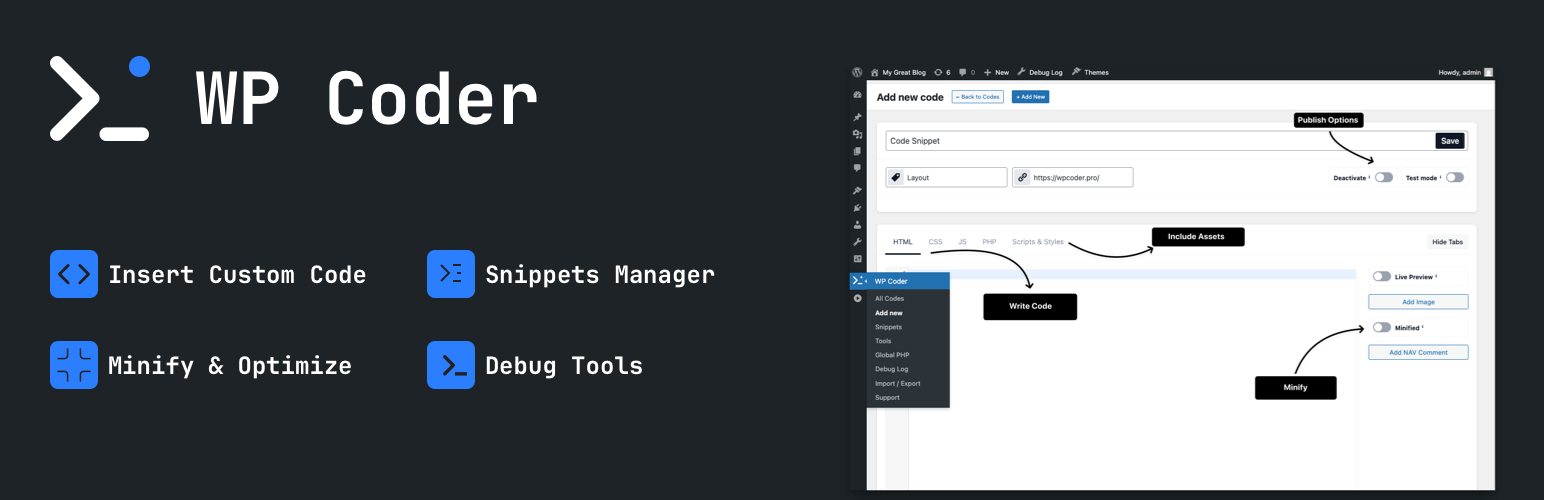
Tired of editing theme files to add custom scripts or styles? WP Coder lets you insert custom HTML, CSS, JavaScript, and PHP snippets directly from your dashboard — no coding in theme files required. Gain full control and flexibility over your site.
Documentation | Upgrade to Pro
Why WP Coder?
- All-in-One Code Editor: Tabbed editor for HTML, CSS, JS & PHP with CodeMirror syntax highlighting.
- Gutenberg Block: Insert snippets directly in the block editor with live preview and custom attribute support.
- Shortcode Integration: Use
[wp_code id="X"]to embed snippets anywhere. - Live Preview: Instantly preview HTML & CSS without reloads in both the backend and Gutenberg.
- Performance Ready: Minify CSS/JS, obfuscate JavaScript, and control script loading with
async/defer.
Ideal For
- Developers: Test snippets, hooks, and debug quickly.
- Marketers: Insert tracking pixels, analytics, and ad scripts.
- Designers & Bloggers: Customize layouts, styles, and enhance engagement.
Key Features
- Insert HTML, CSS, JS, and PHP via powerful shortcodes.
- Smart PHP handling: run in admin, front-end, everywhere, or only where inserted.
- Include external libraries (Google Fonts, CDN scripts & styles).
- Test Mode: Preview snippets safely before going live.
- Import/Export snippets and settings between sites.
- JavaScript Obfuscation: Protect your scripts with Dean Edwards’ Packer.
- Customizable Interface: Hide unused editor tabs (HTML, CSS, JS, etc.) for a cleaner workflow.
- NAV comments: Add inline navigation markers for faster code editing.
- Lightweight & secure — built for performance.
Included Tools:
Integrations
- Google Tag Manager (GTM) integration with user role controls.
- Google Analytics, Facebook Pixel, and Pinterest Pixel integration.
- Google AdSense integration with the option to disable ads for selected user roles.
Content & Templates
- Markdown Editor – Disables Gutenberg and TinyMCE, replacing them with a Markdown editor powered by CodeMirror.
Developer Tools
- Debug Log management (enable/disable and clear log).
- Show Page Debug Info – Display technical info for the current request in the Admin Bar (template, query type, object, body classes). Admins only.
- Theme Switcher – Quickly switch between installed themes directly from the admin bar.
Included Snippets:
Editor & Content
- Disable Gutenberg Editor
- Remove Gutenberg Block CSS
- Disable Widget Blocks
- Enable Shortcode Execution in Widgets
- Enable Excerpt for Pages
- Open External Links in New Tabs
- Change “Read More” Text
Admin Interface Tweaks
- Disable Screen Options Tab
- Disable Welcome Panel
- Duplicate Posts
- Disable Admin Bar
Login & User Access
- Disable Login Page Language Switcher
- Disable Login by Email
- Disable Admin Password Reset Emails
- Custom Login Logo
- Custom Login Redirect URLs
- Change Redirect After Login
- Change Redirect After Logout
Media & Embeds
- Enable SVG Upload
- Force Lowercase Filenames
- Default ALT Text for Avatars
- Enable/Disable Lazy Load
- Disable Embeds
- Adjust oEmbed Max Dimensions
Core Functionality
- Disable XML-RPC
- Disable REST API
- Disable Automatic Updates
- Disable Automatic Updates Emails
- Disable Emojis
- Disable Shortlinks
- Limit Post Revisions
Comments & Feedback
- Disable Comments Globally
- Disable Comment URL Field
- Disable Self Pingbacks
- Disable Trackbacks & Pingbacks
- Disable HTML in Comments
- Limit Comment Length
Cleanup & Optimization
- Remove WP Version
- Disable Attachment Pages
- Disable RSS Feeds
- Disable Built-in Search
- Disable wlwmanifest Link
- Disable Automatic Trash Emptying
- Redirect 404 to Homepage
WP Coder simplifies your WordPress development workflow and makes customization safe, fast, and flexible!
Get started today and simplify your WordPress development workflow with WP Coder!
Quick Start Video
Plugin Demo:
Support
Need help? Ask questions and get quick answers in our support center.