
Dynamic Team Manager – Team Member Showcase with grid, slider, table Elementor widget & shortcode
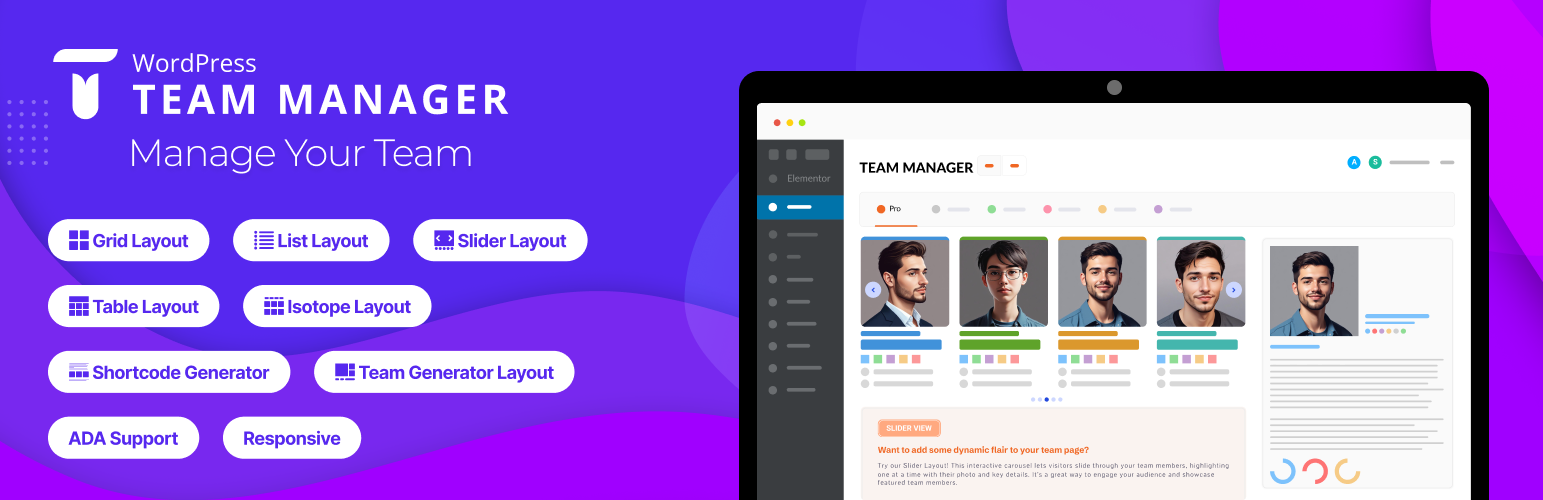
WP Team Manager helps you create professional team displays. With fully customizable layouts, responsive design, and Elementor integration, it lets you showcase team members in grid, list, slider, table or isotope pro formats. Highlight names, roles, bios, and social media links to create a team section. Suitable for businesses, nonprofits, sports teams, and creative agencies with performance and SEO optimization.
NEW: Dashboard Mode Presets – Switch between Corporate/Business mode and Sports League mode with one click! Field labels automatically adapt to your use case (e.g., ”Job Title” becomes ”Position”, ”Location” becomes ”Jersey Number”, ”Departments” becomes ”Teams”).
The plugin offers five layout presets and styling options. Create team member sections on your site. Whether you’re displaying corporate staff, sports rosters, or creative portfolios, the plugin adapts to your needs!
For displaying and managing the members of your staff, team, sports roster, or workforce.
👉 Live Demo | Documentation | Support | Go Pro 👈
🏆 How To install Dynamic Team Manager:
Why Dynamic Team Manager is Important?
Your visitors want to know more about the people who make up your company or organization because it matters. Showcase your team members to build trust and credibility between your business and your customers. Enhance your team members page design with Dynamic Team Manager.
We believe that you shouldn’t need to be a programmer or hire a developer to create a beautiful team members page on your WordPress site. That’s why we built the ultimate WordPress Team Manager plugin that’s both EASY and POWERFUL.
🏆 How To add new team Member:
🏆 Fields available for input:
- Team/Member name – Member Name
- Short Bio – A brief description of the team member.
- Long Bio – A detailed description of the team member with a rich text editor.
- Job Title – The official role/designation of the team member.
- Email Address – The professional email contact.
- Telephone (Office) – Office contact number for business inquiries.
- Mobile (Personal) – Personal mobile number for direct contact.
- Location – The geographical location or office branch of the team member.
- Years of Experience – Number of years the team member has been in their profession.
- Social Profile – Show all popular social profile links.
- Member Skill – Show member skills with Skill Name and Percentage.
- Member gallery – Display additional images of a team member.
You can easily show/hide and customize every field.
🏆 Available Shortcode Builder Layouts:
👉 Grid Layouts: The WordPress Team plugin’s grid layout arranges your posts in a responsive and visually appealing grid format, making it easy for visitors to browse through multiple posts at once while maintaining a clean and organized presentation on your website.
👉 Slider Layout: The plugin provides a list layout option that displays your posts in a clean and structured format, allowing readers to easily scan through titles, excerpts, and meta information in a familiar and user-friendly layout.
👉 List Layouts: For an engaging layout, the plugin incorporates a slider feature that displays featured posts or categories in a rotating carousel format, allowing visitors to easily navigate through highlighted content.
🏆 Elementor Widget
You can display team members with Elementor widget with customization options.
🏆 Elementor Table layout
With Table layout display team members’ details, such as names, photos, designations, and social media links, in an organized layout.
**🏆 Elementor Isotope layout (Pro) **
The Isotope layout in the WP Team Manager plugin offers a dynamic, filterable team showcase for WordPress. Ideal for large teams, it allows visitors to sort members based on categories or roles. Fully responsive and optimized for SEO, this interactive layout enhances user experience with smooth filtering animations and custom styling options.
🏆 League Manager
You can display League Manager with customization options.
🏆 Features of The Team Plugin
- NEW: Dashboard Mode Presets – Switch between Corporate and Sports League modes instantly.
- Create unlimited teams, members, or player rosters.
- 5 Unique layouts (Carousel, Grid, Table, list and Isotope).
- Fully responsive and mobile-ready.
- Shortcode Generator.
- Multiple team shortcodes on one page.
- Clean design and fast performance.
- Simple and intuitive settings panel-no coding required!
- Select Team Group
- Control columns in different devices.
- Control total members to display.
- Display random order & order by members.
- Display show this ids only (Example:1, 2, 3)
- Display remove ids from list (Example:4, 5, 6)
- Margin or space between members.
- Member border, radius, and background color.
- Show/hide every element of a member.
- Social icon position, margin, and color.
- Choose the image size from the available crop sizes.
- Photo/Image box background color.
- Image hover effect.
- Customizable options.
- Touch enabled carousels.
- Fully translatable
- Multisite supported.
- Accessibility for disabled people.
- Custom CSS options.
- Cross-browser supported.
- Compatible with any theme.
- AJAX-powered live search and taxonomy filtering (Pro).
- Dynamic pagination with compact layout and ellipsis.
- Multi-widget support with scoped search/filter per instance.
- WPML-compatible translatable labels and settings.
- Caching support for large datasets with automatic clearing on post updates.
- New developer action hooks for customizing output and extending templates.
- And many more options.
👉 Carousel controls:
- Enable AutoPlay
- Slide scrolling speed
- Slide to scroll
- Pause on hover
- Show/hide navigation
- Navigation color
- Show/hide pagination bullets
- Pagination color and active color
- Auto height etc.
👉 Page Builders Ready
- Gutenberg
- Elementor
👉 Free AI & Automation Features: * Telegram Notifier – Notify your group/channel when team members are added or updated. * Profile Sync Agent – Send updates to Google Sheets/Airtable via n8n automation.
👉 AI & Automation Pro Features: * Slack Agent – Send updates directly to Slack channels. * FAQ Bot – AI assistant to answer questions about your team. * Onboarding Guide – Auto-generate an onboarding page for each new hire.