
xSpeed – AI Cache & Performance Optimizer
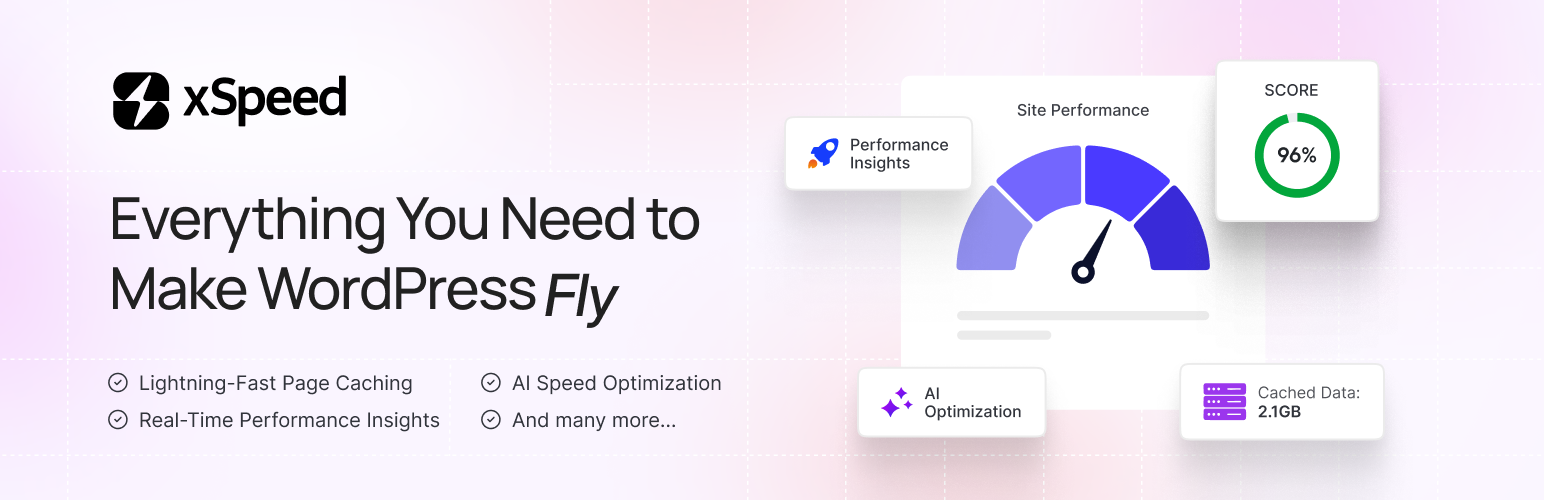
Your visitors decide to stay or leave in under 3 seconds. xSpeed makes sure they stay.
Most caching plugins bury you in settings, charts, and upgrade popups. xSpeed does the opposite — install it, flip one switch, and your site loads faster. No bloat, no upsells nagging you, no PhD required.
Built by the team at WPDeveloper — trusted by over 7 million WordPress users worldwide.
What Does xSpeed Do?
xSpeed is a full-site performance plugin. It caches your pages, shrinks your code, compresses your files, and serves everything as fast as your server physically can — including an AI-powered audit that tells you exactly what’s slowing your site down.
The result: pages that load in milliseconds, not seconds. Better Google PageSpeed scores. Happier visitors. Better SEO rankings.
The Speed Advantage No Other Free Plugin Offers
When xSpeed caches a page, it doesn’t just save it — it serves it directly from the server, bypassing PHP entirely.
That means:
- With xSpeed static cache: 5–15ms response time
- Without it (PHP-served cache): ~85ms response time
That’s up to 17× faster page delivery on cache hits. No other free caching plugin does this across Apache, nginx, and LiteSpeed automatically.
Features at a Glance
Page Caching
Your pages are saved as static HTML files and served instantly to visitors — before WordPress even loads. The cache rebuilds itself automatically whenever you publish a post, switch themes, or update a plugin. You never have to think about it.
- Static-file rewrite path (bypasses PHP entirely — 5–15ms TTFB)
- Auto-purge on publish, update, comment, theme change
- One-click cache purge from the admin bar
- Exclude specific URLs (e.g.
/cart,/checkout,/my-account) - Set your own cache expiry (1–720 hours)
- Separate mobile cache for phone and tablet visitors
- Per-post cache rules — custom expiry or disable caching for individual posts
Code Minification
Strips all the unnecessary whitespace, comments, and characters from your HTML, CSS, and JavaScript without breaking anything.
- Minify HTML, CSS, and JavaScript
- Combine CSS and JS files to reduce HTTP requests
- Defer or delay JavaScript so it doesn’t block page rendering
- Async CSS loading
- Removes
?ver=query strings from asset URLs - Safe-minify: automatically skips already-minified files and falls back if anything looks off
GZIP Compression
Makes every file your server sends smaller — so browsers download them faster.
- Auto-configures GZIP on Apache and LiteSpeed
- Shows a ready-to-paste config snippet for nginx and IIS
- Detects if your server already has GZIP active — no double-configuration
Lazy Load
Images, videos, and iframes load only when a visitor scrolls to them — not all at once on page load.
- Lazy load images, iframes, and videos
- Automatic CLS (Cumulative Layout Shift) fix so your layout doesn’t jump
Fonts Optimization
Web fonts are one of the most common causes of slow-loading pages.
- Adds
font-display: swapso text is visible immediately while fonts load - Preloads above-the-fold font files for instant rendering
- Removes the blank-text flash caused by slow Google Fonts responses
Browser Cache
Tells browsers to remember your static files (images, CSS, JS) so returning visitors load your site even faster.
- Sets proper
Cache-ControlandExpiresheaders - Works automatically — no manual configuration needed
Cache Preloader
Warms up your cache automatically so the very first visitor after a purge still gets a fast page.
- Sitemap-driven cache warmer
- Auto-warms cache when you publish or update content
Object Cache (Redis / Memcached)
Speed up database-heavy WordPress installs with server-side object caching.
- Connect Redis or Memcached in seconds
- View status and flush cache from the dashboard
CDN Support
Serve your static files from a CDN for faster global delivery.
- Pull-zone URL rewriting for any CDN provider
- Built-in Cloudflare integration: connect your zone, auto-purge on publish, toggle dev mode
Database Optimization
A bloated database slows down every page load. xSpeed keeps yours clean.
- Optimize database tables
- Remove post revisions, spam, trash, transients, and orphaned meta
- Schedule automatic cleanup so it runs on autopilot
Disable Bloat
Turn off WordPress features you don’t use — each one is a request your server doesn’t have to make.
- Disable dashicons on the frontend
- Remove oEmbed, RSS feeds, XML-RPC, jQuery Migrate, REST API authentication headers
AI-Powered Site Audit (Pro)
xSpeed Pro scans your specific site and tells you exactly which performance features will help the most — with severity ratings and concrete reasons, not generic advice.
Smart Enough to Stay Out of Trouble
xSpeed handles the edge cases other plugins miss:
- Multisite ready — each site in the network gets its own cache and settings.
- LiteSpeed server? — xSpeed detects LiteSpeed Cache’s server module and steps back to avoid conflicts.
- WooCommerce? — logged-in customers and checkout pages are never cached.
- WordPress Site Health — xSpeed adds its own health check under Tools → Site Health so you always know your cache config is working correctly.
- Works on any server — Apache, nginx, LiteSpeed, IIS, and any standard PHP host.
Designed for Everyone
Non-technical users: A 3-step setup wizard walks you through first-time configuration in under 2 minutes. Settings auto-save — there’s no Save button to forget.
Developers: REST API at /wp-json/xspeed/v1/, developer filters (xspeed_skip_minify, xspeed_cache_skip_for_post, xspeed_cache_expiry_for_post), WP_DEBUG awareness, and a React 18 + TypeScript admin UI under 80 KB gzipped.
Agencies: Use the xspeed_branding filter to white-label the dashboard for clients.
Completely Private
xSpeed never collects personal data, stores IP addresses, uses tracking cookies, or contacts any third-party server. Every optimization runs locally on your server. The only external request it makes is a quick check to your own site’s home URL to confirm GZIP is active — and even that is rate-limited to once per hour. (See ”External services” below.)
Backed By a Team You Trust
xSpeed is developed by the trusted team at WPDeveloper, a leading WordPress marketplace used and loved by millions of users.
Loved xSpeed?
If xSpeed makes your site faster, please leave a review on WordPress.org — it really helps!
External services
xSpeed contacts exactly one external endpoint, and only your own site:
Self-hosted gzip probe
- What it does: Issues a single
GETrequest to your site’s home URL (home_url('/')) with anAccept-Encoding: gzipheader to detect whether your web server is already serving gzipped responses. The response body is discarded; only theContent-Encodingheader is read. - When it runs: On demand when the admin dashboard loads server status, throttled to once per hour via a transient (
xspeed_gzip_active). - Where the request goes: Your own site (
home_url()). xSpeed does not contact any third-party server, analytics endpoint, license server, or telemetry collector. - What is sent: No personal data, no site identifiers, no payload — just a standard HTTP
GETfrom your server back to your server.
Third-party libraries
This plugin bundles the following GPL-compatible third-party libraries:
matthiasmullie/minify
Used for CSS and JavaScript minification.
- Source: https://github.com/matthiasmullie/minify
- License: MIT
matthiasmullie/path-converter
Dependency of matthiasmullie/minify.
- Source: https://github.com/matthiasmullie/path-converter
- License: MIT
React / React DOM / Scheduler
Used for the xSpeed admin interface bundle.
- Source: https://github.com/facebook/react
- License: MIT
lucide-react
Used for admin interface icons.
- Source: https://github.com/lucide-icons/lucide
- License: ISC