
Doctor Appointment Booking & Clinic Management – Alnora
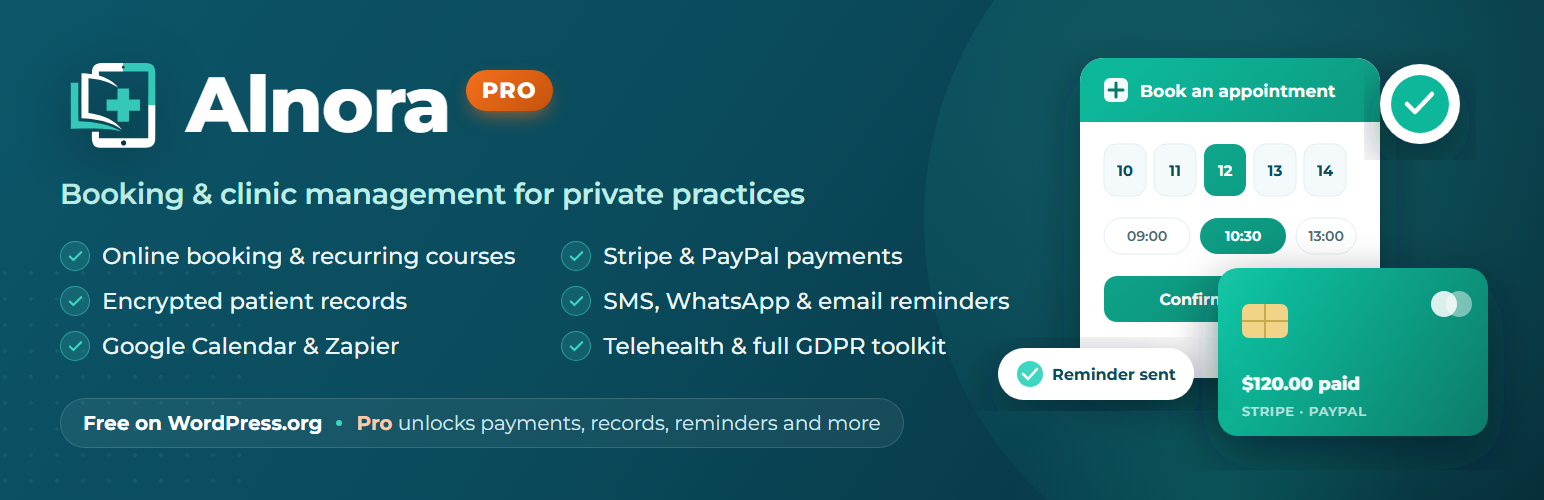
Alnora is the all-in-one doctor appointment booking and clinic management plugin for WordPress — built exclusively for private medical practices.
Turn your WordPress site into a complete booking platform in minutes. Whether you’re a solo practitioner or a busy multi-doctor, multi-location clinic — dentists, psychologists, physiotherapists, dermatologists, cosmetic clinics or GPs — Alnora gives your patients a beautiful, multi-step booking experience and gives your front desk one calm place to manage it all.
No generic salon plugin bent into shape. No spreadsheets. No five add-ons duct-taped together. Just one focused product that understands doctors, services, patients and privacy.
👉 Live demo · See Pro pricing · Documentation
Why private clinics choose Alnora
- 🏥 Built for medicine, not retail. Every screen assumes doctors, services and patients — so setup is fast and nothing feels like a workaround.
- 🔒 Your data stays yours. Everything runs on your own WordPress site and database. Patient contact details are encrypted at rest (AES-256).
- 🛡️ GDPR-ready from day one. Consent is captured with a timestamp and IP, and inactive records can auto-delete on a schedule you choose.
- 💚 Free forever, unlimited. Unlimited doctors, services and bookings — no per-booking fees, no artificial caps.
🩺 Free features — everything you need to start taking bookings
- Unlimited doctors — full profiles with photo, bio, email and per-doctor weekly working hours and breaks.
- Unlimited services — rich descriptions with an optional “Read more” popup, plus duration, buffer time, price and colour.
- “Offered by” control — assign each service to specific doctors, or leave it available to every doctor.
- Doctor & service categories — organise your team and your menu; doctor categories appear on the booking form.
- Beautiful multi-step booking wizard — patients choose doctor → service → date & time → details. Drop it anywhere with the
[alnora_booking]shortcode or the Gutenberg block. - Smart availability engine — respects working hours, breaks, buffers, existing bookings and your booking window, so double-bookings simply can’t happen.
- Patient self-service cancellation — a secure link in every confirmation lets patients cancel within the notice period you set.
- Encrypted patient records — email and phone encrypted at rest (AES-256) with a hashed lookup, all on your own server.
- GDPR consent & retention — timestamped consent with IP, plus optional automatic deletion of inactive records.
- Automatic emails & reminders — booking confirmations, clinic notifications, status updates and timed reminders, all sent for you.
- A clean, branded admin — a stats dashboard, a searchable appointment list with inline status control and an at-a-glance details popup, plus doctor, service, patient and settings screens.
- Dedicated clinic roles — built-in Clinic Doctor, Receptionist and Patient roles, so every team member signs in with the right level of access.
- Works with your formats — dates, times and the clinic timezone follow your WordPress settings and show on the booking form.
- 13 built-in languages — set the patient-facing language independently of your site language (see below).
- Developer-friendly — dependency-free vanilla JavaScript (no build step) and a REST API under the
alnora-clinic/v1namespace.
⭐ Alnora Pro — turn booking into a complete clinic system
Upgrade to Alnora Pro and add everything a growing private practice needs:
- 💳 Payments & deposits — take card (Stripe) and PayPal payments at booking, require a deposit, and issue full or partial refunds — all inside WordPress.
- ✉️ Email a payment link — send patients a secure link to pay a deposit, the balance or the full amount for phone and walk-in bookings, and it’s marked paid automatically.
- 🧾 Branded invoice PDFs — a professional, logo-headed invoice for every appointment, marked paid automatically.
- 🔁 Recurring appointments & waitlist — let patients book a whole course of visits in one step, and fill cancellations automatically.
- 🔄 One-click rescheduling — move any booking to a new time; the patient is automatically re-notified and calendars and reminders update to match.
- 🔔 SMS & WhatsApp reminders — cut no-shows with automated text and WhatsApp messages (via Twilio), alongside email.
- 📅 One-way calendar sync — push bookings to Google Calendar and Microsoft Outlook, with events removed automatically on cancellation.
- 🎥 Telehealth — auto-generate Zoom or Google Meet links for online consultations.
- 🗂️ Encrypted medical records — clinical notes with one-click prescription and diagnosis PDFs, in any language.
- 👤 Patient portal — patients log in to view, cancel, rebook and download their documents.
- 🔑 Doctor self-service login — doctors sign in to a read-only view of their own profile, services and diary, seeing only their own appointments.
- 📍 Multiple locations — run several branches, each with its own doctors, availability, photo and contact details.
- 🎨 Full branding & templates — match the booking widget to your site and edit every email template.
- ⚡ Automation & reporting — Zapier webhooks, CSV import, revenue reports and a complete GDPR toolkit (export, erasure, audit log).
👉 Upgrade to Alnora Pro » — 30-day money-back.
🌍 Speak your patients’ language
The booking form and every patient email are available in 13 languages out of the box — English, German, French, Spanish, Italian, Dutch, Polish, Czech, Swedish, Danish, Norwegian, Ukrainian and Russian — chosen with a single Patient language setting, independent of your site language. Every string is translation-ready via the alnora-clinic text domain and standard .mo/.po files, so you can add or refine languages with tools like Loco Translate. (Localised month names in email dates additionally require the matching WordPress language pack under Settings → General → Site Language.)
Notes for developers
- The booking form and admin tables are dependency-free vanilla JavaScript (no build step required). The optional Gutenberg block uses
wp.elementand also needs no build step. - For production, define a fixed encryption key in
wp-config.php: define( ‘ALNC_ENCRYPTION_KEY’, ‘your-32-char-random-key-here’ ); If omitted, a key is generated and stored once in the options table so the plugin works out of the box.
External Services
This plugin connects to Freemius, a third-party service we use for software licensing, update delivery and — only if you opt in — anonymous usage analytics and diagnostics.
When and what data is sent: on activation the plugin shows an opt-in screen. If you click “Allow & Continue”, it sends your site URL, your WordPress and PHP versions, and the email address of the admin who opts in, so we can deliver updates, verify licences and provide support. If you click “Skip”, no data is sent and the plugin remains fully functional. If you later purchase or activate a Pro licence, licence and site-activation details are exchanged with Freemius to validate it.
Service provider: Freemius, Inc. — Terms of Service: https://freemius.com/terms/ — Privacy Policy: https://freemius.com/privacy/
Aside from Freemius, the plugin does not connect to any other external service. All assets (fonts, scripts and styles) are bundled with the plugin and served from your own site.