
Elementor Website Builder – more than just a page builder
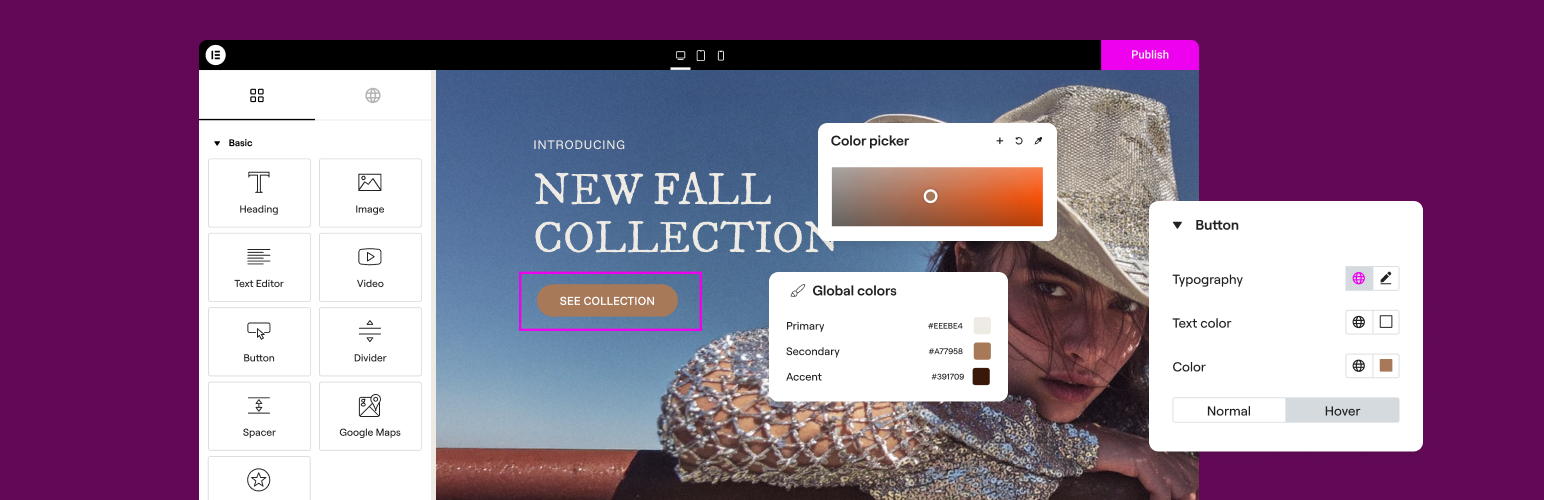
THE #1 NO CODE DRAG & DROP WORDPRESS WEBSITE BUILDER POWERING 22M+ WEBSITES WORLDWIDE, NOW WITH AI.
Elementor, the leading WordPress website creation platform, empowers you to build professional, pixel-perfect websites seamlessly with its no-code, drag-and-drop Atomic Editor.
Supporting the full website lifecycle, Elementor enables you to confidently build, optimize, and manage your website with extended capabilities such as AI-powered creation, image optimization, transactional email delivery, accessibility tools, performance boosters, and more.
Now in version 4 – the Atomic Editor! Introducing a new generation of performance-first atomic building blocks that allow you to control every atomic part with no limits or locked layouts. Define your global design systems and reusable components once, and they apply everywhere instantly – turning hours or even days of work into single clicks.
Unlock all features with Elementor One.
Need fast and secure cloud hosting for your Elementor site? Try out Elementor Host Powered by Google Cloud & Cloudflare. 4.9/5 TrustPilot score.
🌟 Create professional stunning websites
- Intuitive drag & drop builder: Build any website with our no-code, drag-and-drop Editor. Achieve design precision with full control over layout and style.
- Pixel-perfect design tools: Upload SVGs, apply masks, gradients, box shadows, headline effects, shape dividers, and use built-in CSS controls for advanced customization.
- Template Library: Apply complete website kits for instant setups, or choose from a vast library of single pages, blocks, and pop-up templates.
- Advanced widgets: Access over 40 FREE widgets, including heading, image, text editor, video, button, gallery, carousels, and more.
- AI capabilities: Revolutionize your design and content creation process with native AI integration. Instantly create sections, text, code, and images.
🗝️ Key features
- Design system: Use Variables and Classes for consistent colors, typography, and design elements, ensuring a cohesive, professional look that updates everywhere globally.
- Responsive design: Optimize your design for every device with custom breakpoints, ensuring a seamless desktop, tablet, and mobile experience.
- Mask shapes: Turning any element, like an image or video, into whatever shape you desire to create standout designs.
- CSS transform: Use CSS Transform to rotate, scale, and skew elements, adding dynamic styling to your site.
- Entrance animations: Add entrance animations to elements to create engaging and interactive user experiences.
- Revision history: Elementor’s Revision History feature enables users to track and revert to previous versions of their designs, providing peace of mind and flexibility during the creative process.
- Developer-friendly: Equipped with extensive documentation, API, developer tools, and custom code areas, Elementor offers a conducive environment for developers to extend its capabilities and create custom solutions.
- Floating buttons: Enhance user interaction with customizable, floating action buttons that stay in view as users scroll.
- Components [Pro]: Reuse the same building blocks across pages and sites, and update them everywhere they appear. Including controlled content editing, allowing collaborators and clients to update only exposed content properties without breaking layout or styling.
- Theme Builder [Pro]: Design every part of your site—headers, footers, posts, and archives—for complete control over appearance.
- Popup Builder [Pro]: Create eye-catching popups with Elementor’s Popup Builder, equipped with advanced targeting and triggering options to optimize user engagement and conversions.
- Formlar [Pro]: Gönderimleri etkili bir şekilde yakalamak ve yönetmek için gelişmiş özellikleri ve entegrasyonları kullanarak özel formlar tasarlayın ve entegre edin.
- WooCommerce Builder [Pro]: Integrate Elementor with WooCommerce to design custom product pages, shop layouts, archives, carts, checkout pages, my account, and more, enhancing your store’s visual appeal and functionality.
- Dinamik İçerik [Pro]: Tasarımlarınızı çeşitli veri kaynaklarına bağlayarak kişiselleştirilmiş ve etkileşimli web deneyimleri oluşturmak için dinamik içerik özelliklerinden yararlanın.
- Notes [Pro]: Enhance team collaboration by using Elementor’s Notes feature to leave feedback and comments directly on the design interface.
- Özel Kod [Pro]: Sitenizin işlevselliğini genişletmek için özel kod ekleyin, gelişmiş özelleştirmeler için esneklik sunar.
- Özel CSS [Pro]: Öğelerin stilinde ince ayar yapmak için Özel CSS uygulayın ve tasarım yönleri üzerinde hassas kontrol sağlayın.
- Motion effects [Pro]: Add advanced motion effects to elements for a more dynamic and engaging user experience.
- Custom fonts and icons [Pro]: Upload and use custom fonts and icons to match your brand’s identity.
😍 Elementor’dan ÜCRETSİZ widget’lar
Web sitesi oluşturma sürecinizi güçlendirmek ve tasarım yeteneklerinizi yükseltmek için tasarlanmış kapsamlı ücretsiz widget ve araç paketimizle Elementor’un potansiyelini ortaya çıkarın:
- Heading: Add eye-catching headlines.
- Image: Control the size, opacity and more.
- Text Editor: Just like the WordPress text editor.
- Video: Add YouTube, Vimeo, VideoPress, Dailymotion or self-hosted videos.
- Button: Create interactive buttons.
- Link in Bio: Build link in bio components to promote your business / services.
- Image Box: A box with image, headline and text.
- Testimonials: Customer testimonials.
- Icon: Place one or more of 600+ icons available.
- Icon Box: An icon, headline, and text with one widget.
- Social Icons: Link to your social pages with the Facebook/X (formerly Twitter) icons.
- Image Gallery: Display your images in a grid.
- Image Carousel: Create rotating carousels or sliders for chosen images.
- Icon List: Use any icon to create a bullet list.
- Counter: Show numbers in an escalating manner.
- Progress Bar: Include an escalating progress bar.
- Nested Tabs: Display content in vertical or horizontal tabs.
- Nested Accordion: Display any type of content in collapsible sections.
- Rating: Display how many stars (or another icon) other visitors gave.
- Alert: Include a colored alert box to draw visitor’s attention.
- HTML: Insert code into the page.
- Shortcode: Insert shortcodes from any plugin into the page.
- Menu Anchor: Link any menu to this anchor.
- Read More: Set the Read More cut-off for the excerpt in archive pages.
- Sidebar: Add sidebars onto the page.
- Google Maps: Embed maps into the page.
- SoundCloud: Add SoundCloud audio bits.
- Divider: Separate content with a designed divider.
- Spacer: Add space between elements.
- Text Path: Attach your text to a path.
- And counting…
🚀 Enhance your website
High-performing websites: Website performance impacts your visitors’ experience and search result ranking. Elementor, in partnership with Google Chrome, continuously enhances performance without compromising design.
Anahtar özellikler şunlardır:
- Reduced DOM output: Streamlined HTML structure for faster rendering.
- Improved media file loading: Optimized loading of images, videos, and other media assets.
- Reduced CSS and JS files: Minimized stylesheets and scripts individually loaded only on demand for quicker loading times.
- Lazy loading: Deferred loading of non-critical resources to improve initial page load speed.
- Faster font loading: Efficient delivery of web fonts to enhance text rendering speed.
- Optimized front-end asset loading: Efficient loading of assets like JavaScript and CSS to minimize render-blocking.
- Element caching: Cache frequently accessed design elements to reduce server response time and enhance overall performance.
🔥 Elementor Editor Pro features
Create unparalleled websites while saving time, money and resources with Elementor Editor Pro’s full website builder. Get access to 100+ professional widgets, features, and tools.
Editor Pro design widgets:
- Yazılar: Blog yazılarınızı özelleştirilebilir düzenler ve stillerle görüntüleyin.
- Paylaşım Butonları: Ziyaretçilerin içeriğinizi çeşitli sosyal medya platformlarında kolayca paylaşmasına izin verin.
- Portföy: Çalışmalarınızı veya projelerinizi çarpıcı portföy düzenleri ile sergileyin.
- Slaytlar: Özel animasyonlar ve geçişlerle dinamik slayt gösterileri oluşturun.
- Form: Kullanıcı etkileşimi ve veri toplama için gelişmiş formlar tasarlayın ve özelleştirin.
- Login: Web sitenize bir giriş formu veya kullanıcı kayıt modülü ekleyin.
- Nav Menu: Customize and style your website’s navigation menu for better user experience.
- Animasyonlu Başlık: Animasyonlu efektlerle dikkat çekici başlıklar oluşturun.
- Fiyat Tablosu: Fiyatlandırma planlarını veya paketleri yapılandırılmış ve görsel olarak çekici bir biçimde görüntüleyin.
- Fiyat Listesi: Özelleştirilebilir stil seçenekleriyle bir fiyat veya hizmet listesi sergileyin.
- Galeri: Çeşitli düzen seçenekleri ve lightbox desteği ile güzel görsel galerileri oluşturun.
- Döndürme Kutusu: İçeriği veya özellikleri vurgulamak için etkileşimli çevirme animasyonları ekleyin.
- Eyleme Çağrı: Etkileyici eyleme çağrı bölümleriyle kullanıcı etkileşimini ve dönüşümleri teşvik edin.
- Medya Karuseli: Görseller veya videolar gibi medya dosyalarından oluşan bir karusel sergileyin.
- Deneyim Karuseli: Sosyal kanıt için müşteri referanslarını bir karusel biçiminde görüntüleyin.
- İç İçe Karusel: Daha karmaşık içerik organizasyonu için iç içe karuseller oluşturun.
- Döngülü Karusel: Sürekli görüntüleme için içeriği döngülü bir karuselde görüntüleyin.
- Table of Contents: Generate a table of contents for longer articles or guides to improve navigation.
- Geri Sayım: Promosyonlar veya etkinlikler için aciliyet yaratmak için geri sayım zamanlayıcıları ekleyin.
- Facebook Sayfası: Facebook sayfanızın akışını veya içeriğini web sitenize yerleştirin.
- Blok Not: Şık biçimlendirme seçenekleriyle alıntıları veya referansları vurgulayın.
- Şablon: Tutarlı marka ve düzen için tasarım şablonlarını kaydedin ve yeniden kullanın.
- Yorumlar: Güven ve güvenilirlik oluşturmak için müşteri yorumlarını ve derecelendirmelerini sergileyin.
- Facebook Butonu: Facebook sayfanızla veya içeriğinizle etkileşimleri teşvik etmek için butonlar ekleyin.
- Facebook Gömülü Kodu: Facebook gönderilerini veya içeriklerini web sitenize yerleştirin.
- Facebook Comments: Enable Facebook comments on your website’s pages or posts.
- PayPal Butonu: Kolay çevrimiçi ödemeler için PayPal butonlarını entegre edin.
- Stripe Butonu: Güvenli çevrimiçi işlemleri kolaylaştırmak için Stripe ödeme butonunu entegre edin.
- Lottie Bileşeni: Görsel çekiciliği ve etkileşimi artırmak için Lottie animasyonları ekleyin.
- Kod Vurgulama: Daha iyi okunabilirlik için kod parçacıklarını sözdizimi vurgulamasıyla görüntüleyin.
- Video Oynatma Listesi: Web sitenizdeki video içeriği için oynatma listeleri oluşturun ve özelleştirin.
- Mega Menu: Customize advanced menus for better navigation and displaying complex content.
- Off Canvas: Create off-canvas areas that slide in to show extra info or menus without cluttering the main layout.
Editor Pro theme widgets:
Build and customize all the key parts of your website including headers, footers, 404 page, global archives, and more…
- Yazı Başlığı: Tek tek blog gönderilerinin veya sayfalarının başlığını özelleştirin.
- Yazıdan Alıntı: Blog yazılarınızın kısa bir özetini veya teaser’ını görüntüleyin.
- Gönderi İçeriği: Blog yazılarınızın veya sayfalarınızın ana içerik alanını özelleştirin.
- Öne Çıkan Görsel: Blog gönderileri veya sayfaları için öne çıkan görselleri ayarlayın ve özelleştirin.
- Yazar Kutusu: Blog gönderilerinde yazar bilgilerini ve biyografilerini görüntüleyin.
- Yorum Gönderimi: Web sitenizdeki yorum bölümlerinin görünümünü ve işlevselliğini özelleştirin.
- Gönderi Gezinme: Kolay gezinme için bitişik gönderilere gezinme bağlantıları ekleyin.
- Post Bilgisi: Blog gönderileri hakkında yazar ve tarih gibi ek bilgileri görüntüleyin.
- Site Logo: Upload and customize your website’s logo for branding purposes.
- Site Başlığı: Web sitenizin başlığını özelleştirin.
- Sayfa Başlığı: Tek tek sayfaların başlığını özelleştirin.
- Search Bar: Add a search bar to allow users to search your website’s content.
- Ekmek Kırıntıları: Daha iyi kullanıcı navigasyonu için hiyerarşik navigasyon yollarını görüntüleyin.
- Site Haritası: Daha iyi arama motoru indekslemesi ve kullanıcı navigasyonu için bir site haritası oluşturun.
- Döngü Izgarası: Blog yazısı arşivleri veya ürün listeleri için ızgara düzenleri tasarlayın ve özelleştirin.
Editor Pro WooCommerce widgets:
Design and customize a complete online shopping experience across your entire website.
- Ürün: Özelleştirilebilir düzenler ve stillerle tek tek ürünleri görüntüleyin.
- Ekmek Kırıntıları: Mağazanızda daha iyi kullanıcı navigasyonu için hiyerarşik navigasyon yollarını görüntüleyin.
- Ürün Başlığı: Tek tek ürünlerin başlığını özelleştirin.
- Ürün Görselleri: Ürün listeleri için görselleri ayarlayın ve özelleştirin.
- Ürün Fiyatı: Tek tek ürünlerin fiyatını görüntüleyin.
- Sepete Ekle: Kolay satın alma için özelleştirilebilir sepete ekle düğmeleri ekleyin.
- Ürün Değerlendirme: Ürünler için derecelendirmeleri ve yorumları görüntüleyin.
- Ürün Stoku: Ürünler için stok durumunu görüntüleyin.
- Ürün Metası: Ürünler hakkında SKU ve kategoriler gibi ek bilgileri görüntüleyin.
- Ürün İçeriği: Ürün açıklamalarının ana içerik alanını özelleştirin.
- Kısa Açıklama: Ürünlerin kısa özetlerini veya tanıtımlarını görüntüleyin.
- Ürün Veri Sekmeleri: Daha iyi organizasyon için ürün bilgilerini sekmeli bölümler halinde düzenleyin.
- Ek Bilgiler: Boyutlar ve ağırlık gibi ürünlerle ilgili ek ayrıntıları görüntüleyin.
- Ürünle İlgili: Ek satın alımları teşvik etmek için ilgili ürünleri sergileyin.
- Üst Satışlar: Ortalama sipariş değerini artırmak için üst satış ürünlerini tanıtın.
- Ürünler: Özelleştirilebilir ayarlarla bir ızgara veya ürün listesi görüntüleyin.
- Sepete Özel Ekle: Belirli ürünler için sepete ekle düğmesini özelleştirin.
- WooCommerce Sayfaları: Sepet ve ödeme sayfaları gibi WooCommerce’e özgü sayfaları tasarlayın ve özelleştirin.
- Ürün Kategorileri: Mağazanızda kolay gezinme için ürün kategorilerini görüntüleyin.
- Menü Sepeti: Alışveriş sepetine kolay erişim için navigasyon menünüzde bir sepet simgesi görüntüleyin.
- Sepet: Alışveriş sepeti sayfasının görünümünü ve işlevselliğini özelleştirin.
- Checkout: Ödeme sayfasının görünümünü ve işlevselliğini özelleştirin.
- Hesabım: Müşteri hesabı alanının görünümünü ve işlevselliğini özelleştirin.
- Satın Alma Özeti: Ödeme işlemi sırasında satın alımların bir özetini görüntüleyin.
- WooCommerce Bildirimleri: Sipariş onay mesajları gibi WooCommerce bildirimlerinin görünümünü ve işlevselliğini özelleştirin.
Build professional websites with Elementor Editor Pro!
🔒 Security and compliance
Elementor places a paramount focus on security, evident through our acquisition of industry certifications such as ISO/IEC 27001, ISO/IEC 27017, ISO/IEC 27018, ISO/IEC 27701, and SOC 2 Type II. These certifications underscore our commitment to implementing robust security measures and highlight our dedication to adhering to recognized industry standards.
Bug Bounty programımız aracılığıyla etik güvenlik araştırmalarını teşvik ediyoruz. Araştırmacılara hizmetlerimizdeki güvenlik açıklarını bildirme fırsatları sağlamak için önde gelen hata ödül hizmetleriyle işbirliği yapıyoruz. Ödül programlarımızda 7/24/365 hizmet veren bir triyaj ekibi bulunmaktadır.
Daha fazla bilgi için: Trust Center.
♿ Accessibility best practices
Elementor, tüm kullanıcılar için daha iyi bir deneyim sağlamanıza yardımcı olacak erişilebilirlik araçları ve geliştirmeleri sunar. HTML 5 semantik, tam klavye navigasyon menüsü, özelliklerin sürekli iyileştirilmesi, widget ve daha fazlası dahil.
🌐 63+ dile çevrilmiştir, RTL desteği içerir
Elementor supports multiple languages, typographies, and RTL, with editor translations in over 63 languages.
It’s also compatible with WPML, Polylang, TranslatePress, Weglot, and more. To contribute, add a new language via translate.wordpress.org. See our guide on how to translate and localize the plugin.
🧩 Use of 3rd-party services
Kullanıcı deneyimini geliştirmek için Elementor, gerekli özellik etkinleştirilirse aşağıdaki 3. taraf hizmetlerini kullanabilir:
- Google Fonts are loaded to add additional fonts to your website. Google’s TOS and Privacy Policy apply.
- Some Elementor features require loading assets from Elementor.com. These assets are not used for tracking unless explicitly stated, and require your approval and manual opt-in. Learn more in our TOS and Privacy Policy.
📧 Related products by Elementor
Image Optimization: Superior image compression for faster, high-quality website performance.
Email Deliverability: Reliable email management without SMTP plugins, keeping your communications streamlined and efficient.
Web Accessibility: Enhances website usability for individuals with disabilities. Ally is designed to help web creators make their websites more inclusive. It scans, detects, and remediates key accessibility violations, working seamlessly on all WordPress and Elementor websites.
📣 See what our users have to say
“Elementor is hands down the best page builder out there” – ★★★★★ Graphicvision1
“An incredibly user-friendly plugin” – ★★★★★ Hyeyoga
“Easily, my most used WP plugin” – …