Plug into possibility
Add new features or connect your favorite tools with thousands of plugins — available on all paid WordPress.com plans.
headings
34 个插件
 Typing Text – Add Animated Typing Effects to Headings or TextAdd stunning animated typing effects to your WordPress headings or text.
 Add Anchor LinksCreates anchor links to heading tags in the content of selected posts, just like Github does within the Readme.md files.
 Advanced HeadingCreate Advanced Heading with Title, Subtitle and Separator Controls
 WP Heading ButtonsOne-click heading buttons (H1-H6) for WordPress Classic Editor and Gutenberg (Block Editor).
 Capitalize Titles and HeadingsProperly capitalize your English post titles, page titles and heading blocks after you type it.
 Notice Boxes with ShortcodesThis plugin allows you to make notice boxes (styled content boxes of different colors) to display different messages via shortcodes.
 Override Post Title with First Content HeadingOn a singular post/page, returns the contents of the first content H1 or H2 instead of the post_title as normally. Facilitates SEO.
 Heading Color OptionsAdd Custom color from customizer to your WordPress website.
 Copy Link to Heading - Easily add Anchor links for HeadingsAdds a copy link icon to headings for easy copying anchor links, that helps to bookmarking, sharing, and navigation within the content.
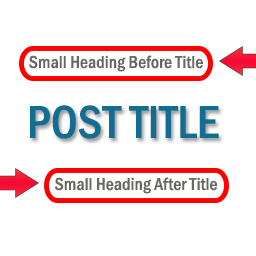 Small Heading For Post TitleThe Small Heading For Post Title is a simple plugin for displaying small headings (subtitles) before or after post title.
 Heading With Description Elementor WidgetHeading & Description with many of the styling options For features of Heading With Description Elementor Widget plugin please check the screenshots
 Identify HeadingsA plugin that adds ID attributes to heading, paragraph, and list elements Identify Headings - Allow visitors to link to parts of your page by automat …

 Heading Block Font ColorThis Plugin is made for setting the Font color for heading blocks which is not available by default for Headign block in Gutenberg.
 Automatic Heading NumberAutomatically assign numbers within blog posts.
 Stimulate Correct HeadingsThis plugin stimulates WordPress editors to use correct headings for accessibility and seo.
 Correct My HeadingsIf your subheadings appear on archive pages, they need to start from H3 (because H2 tags are used by the post titles on archive pages).
 HeadingsMake Styled Note box, Alert box, Help box, Tip Box, Important Box and loads of of other boxes in your posts using classes.
 Supplyist TOC BlockA simple Gutenberg block that automatically generates a nested table of contents from post headings.
 NanoTOC — Fast Lightweight Table of ContentsFast, lightweight TOC for WordPress with nested/flat lists, smooth scroll, and optional offset.
 TOC Builder by RobertIvanA Table of Contents generator for WordPress with admin interface.