
Customize Submit Button for Gravity Forms
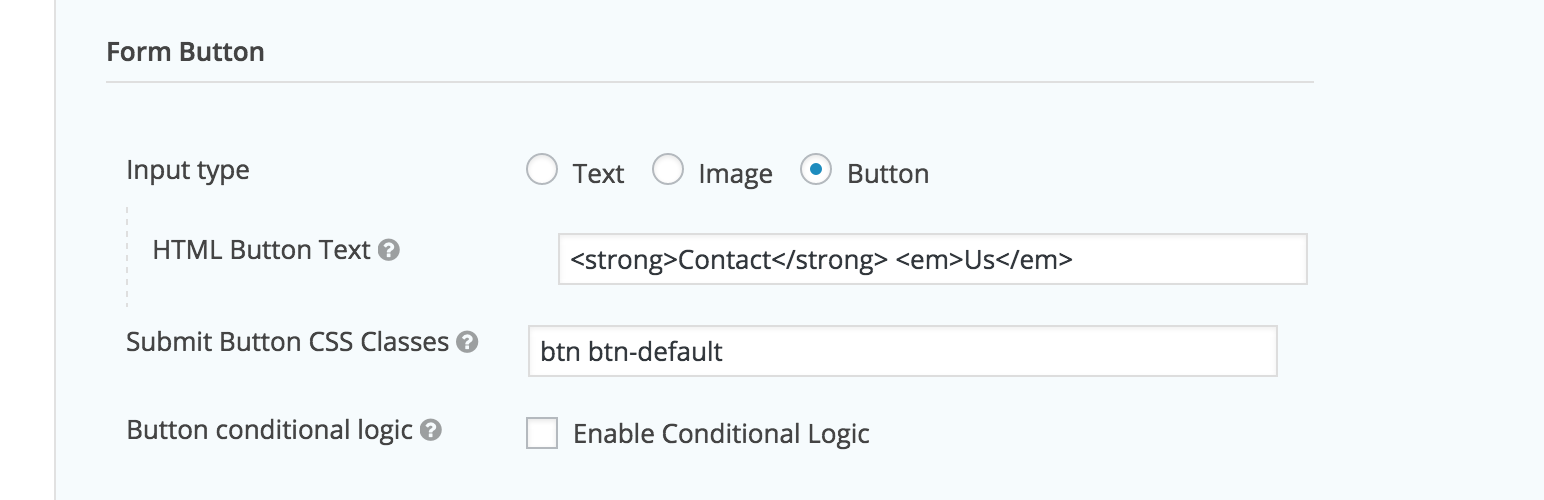
Gravity Forms already lets you customize the Submit Button under its Form Settings for each form; you can change the button’s text and you can select whether the button should be an <input> or an <img> element. However, you can’t add html as part of the button text and you’re restricted to using either an input or image element for the button. With this plugin you can choose to use a <button> tag element instead, which also lets you embed HTML inside it. Moreover, this plugin also lets you conveniently change the CSS classes of the submit button.
There are plenty of use cases for adding HTML into the submit button text. For instance, if your button text is multiple words long and you’d like to bold or italicize some of them by wrapping certain words in strong or em tags.
Likewise, there are many reasons to change the button’s default CSS class. For example, GravityForms automatically adds the ‘button’ class, but, if you’re using the Twitter Bootstrap framework, ‘btn’ would actually be more helpful.
Gravity Forms requires at least: 1.9.12.16
Gravity Forms tested up to: 1.9.15.11
After activating the plugin, please navigate to the form settings of the form that you wish to customize. Scroll down to the ‘form button’ section where, in addition to ‘text’ and ‘image’, you’ll also be given ‘button’ as an input type option. Selecting the ‘button’ option will change the submit button’s markup to a <button> element. You will also be able to embed html in the ‘HTML Button Text’ field.
In the same ‘form button’ section under form settings, there’s an input called ‘Submit Button CSS Classes’. This is where you can change the CSS classes being currently used by the submit button.
Currently you are only able to customize the submit buttons on a per form basis within the form settings and not globally.