
ddosNull Shield — DDoS & Bot Protection
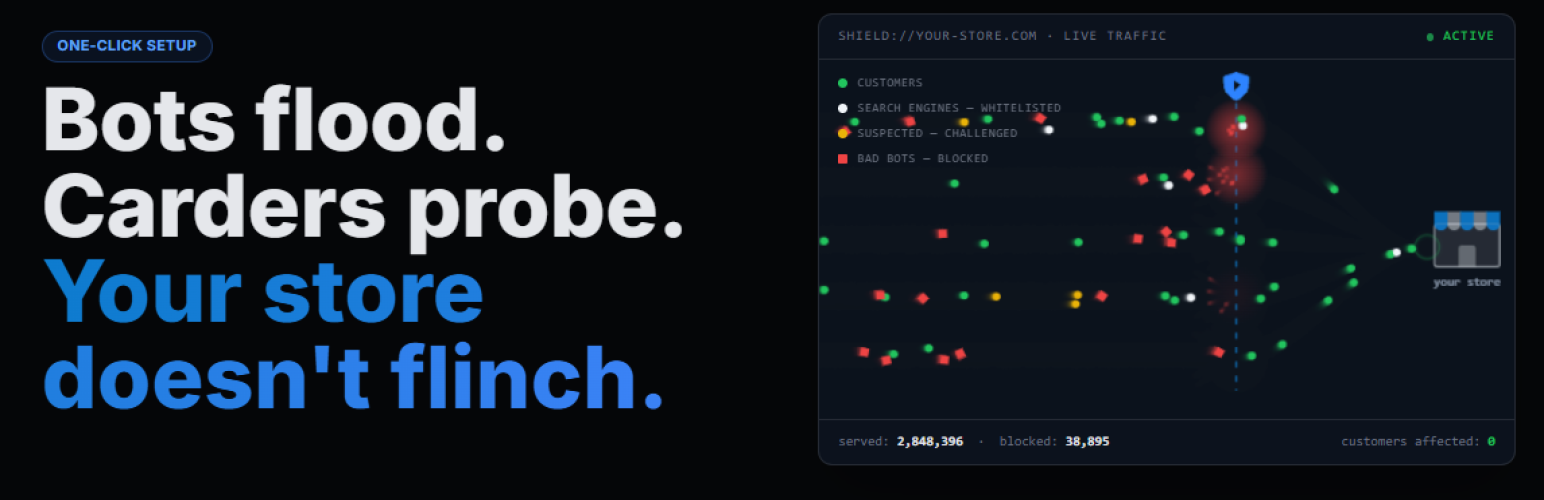
Stop bots and DDoS attacks before they reach your WordPress site — without touching your DNS, hiring a developer, or slowing down your pages.
ddosNull Shield silently monitors your WordPress traffic in the background. Only visitors identified as malicious are intercepted. Real customers never notice it’s there.
Up and Running in Under 60 Seconds
No server access, no terminal, no config files.
- Install the plugin from your WordPress admin
- Click Connect to ddosNull and sign in (or create a free account)
- Protection activates immediately
Why WordPress Stores Get Attacked
Modern attackers don’t try to flood your “pipe” anymore. They send requests that look exactly like real browsers — thousands of them — forcing your server to work 100x harder. Your pages slow down, customers abandon their carts, and your checkout stops processing. It’s called a Layer 7 attack, and standard firewalls let them straight through.
ddosNull’s AI is specifically trained to spot these invisible patterns and stop them before they impact your store.
What ddosNull Shield Protects You From
DDoS & Bot Traffic The ddosNull cloud analyzes your traffic patterns continuously. Malicious IPs are pushed to your site automatically — blocked the moment they show up, with zero performance impact on normal page loads. All analysis runs on ddosNull’s servers, not yours.
Carding Attacks (WooCommerce) — ddosNull Shield Pro Carding bots probe thousands of stolen credit cards on your checkout page, racking up chargeback fees and putting your payment gateway account at risk. ddosNull evaluates each checkout submission against multiple behavioral signals — and blocks bots before any order is ever created. Legitimate shoppers check out without any interruption. Checkout protection is available with ddosNull Shield Pro.
Smart Challenges, Not Hard Blocks Not every suspicious request is an attack. Sometimes it’s a real customer on a slow VPN. ddosNull uses a proof-of-work challenge (ALTCHA) that resolves silently in the background for most real visitors. Only confirmed bots are hard-blocked. Google reCAPTCHA v2 is also supported as an alternative.
Zero Risk — Try It in Dry Run Mode
Install ddosNull Shield and enable Dry Run Mode from your dashboard. Every request is scored, but 100% of traffic is allowed through. You’ll see a detailed log of exactly which IPs would have been blocked — and why. When you’re confident, activate protection with one click.
Works Everywhere WordPress Works
No DNS changes. No proxy. No re-routing your traffic through a third-party network. ddosNull Shield works directly inside WordPress at the PHP layer — compatible with any host, including WP Engine, Kinsta, SiteGround, shared cPanel and Plesk hosting, and Cloudflare.
What Our Customers Say
“DDoSNull saved us during our peak holiday sales season. We were hit by a massive Layer 7 attack and didn’t even notice until we got the notification that it had been mitigated. It’s set-and-forget protection. I sleep better at night.” — Sarah J., CTO of an E-commerce Store
“As a DevOps consultant, I recommend DDoSNull to all my clients running WordPress. The one-click setup is a dream, and it provides enterprise-grade protection without the enterprise-grade price tag or complexity. It just works.” — Mike C., DevOps Consultant
Features
- AI-driven Layer 7 DDoS protection with automatic IP blocking
- ALTCHA proof-of-work challenge (resolves silently for most real visitors)
- Google reCAPTCHA v2 support as an alternative challenge
- Checkout / carding bot protection for WooCommerce — ddosNull Shield Pro (premium)
- Hard-block mode for confirmed malicious IPs (403 response)
- IPv4 and IPv6 CIDR range support
- URL whitelisting with regex support
- User-agent blacklisting and whitelisting
- IP whitelisting
- Dry Run Mode for zero-risk evaluation
- Cloudflare compatible (reads CF-Connecting-IP header)
- Optional early loading for better performance (opt-in)
- Compatible with any WordPress host — no server access required
A free ddosNull account is required. Sign up and connect your site directly from the plugin settings page.
Pricing
ddosNull Shield is free to install and use. Connecting your site requires a free ddosNull account. All paid plans come with a 30-day money-back guarantee and no long-term contracts.
Free — $0/month
- 1 WordPress site
- 15,000 protected requests/month
- Layer-7 DDoS mitigation
Paid plans are available with higher request limits and support for multiple sites. ddosNull Shield Pro adds WooCommerce checkout protection. See https://ddosnull.com/#pricing for details.
External Services
This plugin connects to the following external services to provide its protection features.
ddosNull (https://app.ddosnull.com)
This is the core service that powers the plugin. It provides AI-driven DDoS and bot traffic analysis, maintains a global IP reputation database, and coordinates automatic blocking across protected sites.
Data sent: * Server load averages (1 min, 5 min, 15 min) * Anonymized access-log lines (visitor IP addresses, request paths, HTTP status codes, timestamps) * ALTCHA proof-of-work tokens submitted by visitors, for server-side verification
Data received: blocked IP lists, whitelisted IPs, protected URL patterns, blacklisted/whitelisted user-agents, DDoS mode flag, scan results.
Google reCAPTCHA (https://www.google.com/recaptcha/)
Only used when you choose reCAPTCHA v2 as the challenge type in settings (the default is ALTCHA, which does not involve Google). When active:
- The reCAPTCHA JavaScript library is loaded from
https://www.google.com/recaptcha/api.jsand shown to visitors who need to be challenged. Google may collect device and browser signals as part of this interaction. - When a visitor submits the reCAPTCHA, their response token is sent from your server to
https://www.google.com/recaptcha/api/siteverifyto verify it.
Privacy Policy · Terms of Service
ipify (https://api.ipify.org)
Used once at plugin startup to detect the server’s own public IP address when it is not available in the PHP server environment. The result is cached locally for 12 hours. No personal data is transmitted.
Terms of Service · Privacy Policy
Source Code
The assets/admin.js file is a compiled and minified JavaScript bundle built from React/TypeScript source. The human-readable source code is publicly available at:
https://github.com/disprozzy/ddosnull-shield-js-source
Build tools: Node.js, Vite, React, TypeScript. To rebuild: npm install && npm run build:admin.