
HandL AI Connector Access Control
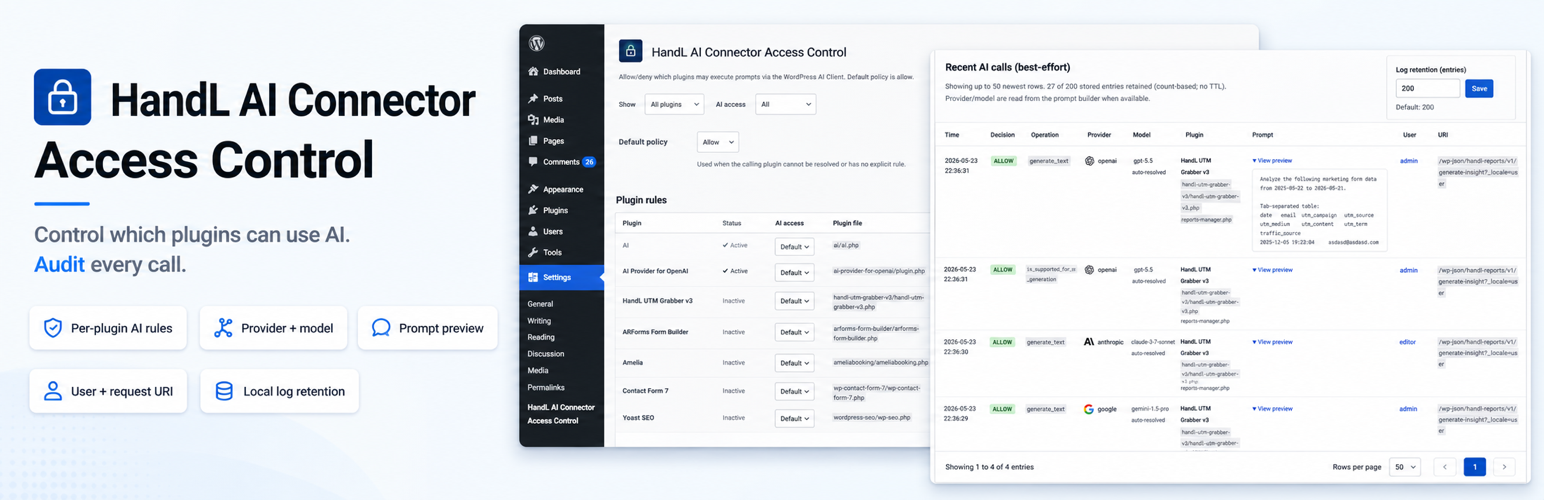
HandL AI Connector Access Control helps you see AI activity from WordPress plugins, decide what each plugin may do, and block unwanted prompts sent through the WordPress AI Client.
The WordPress AI Client is a shared API that plugins can use for AI features. This plugin gives site administrators one place to see and control calls made through that API.
Plugins are allowed by default until you change a rule.
What it does
- Shows which plugin made an AI Client call, what type of AI task it requested, and whether it was allowed or blocked.
- Lets you set a simple rule for each plugin: Allow, Deny, or follow the site default.
- Lets you allow one type of AI task while blocking another. For example, a plugin may use text generation but not image generation.
- Includes Learn mode so you can watch AI Client activity before you start blocking anything.
- Includes an emergency stop for AI Client calls, with exceptions for plugins you choose.
Who it is for
This plugin is for WordPress site owners and administrators who want a clear view of AI activity and simple per-plugin controls. It also supports multisite, but rules are still managed one site at a time.
You do not need to be a developer to use the main controls.
How it works
- Install the plugin and open Settings → HandL AI Connector Access Control.
- Turn on Learn mode to observe AI Client activity without enforcing deny rules.
- Review the Dashboard, then set rules for each plugin on the Rules tab.
- Review the optional logging, alert, and reporting settings. The weekly email option is selected by default, but it sends only while logging or Learn mode is on and can be turned off at any time.
Caller identification is best-effort. Calls made through cron, REST requests, shared libraries, or must-use plugins may appear as unknown.
Everyday controls
- Plugin rules: Allow, deny, or use the site default for each installed plugin. You can also select several plugins and update them together.
- Capability rules: Allow or deny Text, Image, Speech, TTS, or Video separately for the same plugin.
- Learn mode: Log AI Client activity without enforcing deny rules, so you can watch first and block later.
- Emergency stop: Block AI Client calls across the site except for plugins you list as exceptions. Exceptions still follow their normal plugin and capability rules.
- Blocked AI tools: Stop a prompt when it tries to use a blocked WordPress ability or custom tool. The activity log shows which tool triggered the block.
- Role gate: Optionally limit which WordPress roles may start AI Client operations. Off by default (all roles). When enabled, signed-in users whose role is unchecked are denied through the normal deny path. Cron, WP-CLI, and other no-user requests are not affected.
More controls when you need them
- Denial alerts: Send an optional email when a prompt is blocked, either immediately or in an hourly digest. You can also send the same privacy-scoped data to a webhook URL for services such as Slack or Teams.
- Weekly report: Receive a summary of coverage, denials, estimated spend, and model-pin activity. The option is selected by default, sends only while logging or Learn mode is on, and can be turned off at any time.
- Estimated spend: View a rough estimate based on token counts and the rates you provide, including optional rates by provider. This is an estimate, not billing.
- Rules export and import: Download your rules as JSON or replace the current rules by importing a JSON file. The audit log is not included.
- Log retention: Limit the activity history by number of entries and, optionally, by maximum age.
- Multisite overview: Network administrators get a read-only list of sites where the plugin is active, with status and activity links for each site. This release does not provide network-wide enforcement or bulk editing.
- WP-CLI: List and update capability rules from the command line when WP-CLI is available.
Honest limits
- This plugin governs AI calls made through the WordPress AI Client. It does not control every possible AI request made by WordPress code.
- The Shadow-AI detector is observe-only. When logging or Learn mode is on, it can record direct WordPress HTTP requests to a curated list of known AI provider hosts. It does not block those requests, and the host list is not complete.
- Caller identification is best-effort and may be wrong or missing.
- EXPERIMENTAL model force can steer an allowed call toward a provider and model for the detected caller. It is not a spend guarantee and depends on best-effort caller identification.
- If WordPress has disabled AI across the site, the activity log may be empty. The plugin displays a notice when this happens.
Advanced details
For developers and integrators:
- Enforcement uses the WordPress AI Client prevent filter:
wp_ai_client_prevent_prompt. - Capability rules apply the same family rule to support checks and matching generation methods. Unknown operations, such as music or embeddings, use a configurable inherit, allow, or deny fallback.
- The optional role gate denies via the normal policy path with reason
roleand records initiating role slug(s) in the audit log when a user context exists (not usernames). - Experimental model force relies on unsupported shallow-clone behavior in the prevent hook, checks the final provider and model before the provider call, and fails closed on a mismatch. Prefer official WordPress routing filters when they become available.
- Shadow observations store the request host and path only. They do not store the query string, request body, Authorization headers, or API keys.
Privacy
See the Privacy / Data section below for the complete list of information that may be stored locally or sent through optional alerts, webhooks, and reports.
By default, this plugin does not send data to any external service.
Privacy / Data
By default this plugin does not send data to any external service. Features that store or transmit call metadata are opt-in (logging, denial alerts / webhook) or default-on only while logging/learn mode is on (weekly report) — each has an explicit Settings toggle.
If you enable recent-call logging in Settings → HandL AI Connector Access Control, it stores a local log in the WordPress options table containing:
- Timestamp
- Allow/deny decision (AI Client rows) or observe (direct-HTTP AI observations)
- AI Client operation (e.g.
generate_text,is_supported_for_text_generation) — ordirect_httpfor shadow observations - Capability family (text / image / speech / tts / video / unknown) for AI Client rows
- Provider and model when set on the prompt builder (or model preferences)
- In learn mode: whether a configured model pin matched, and the provider/model you pinned
- Truncated prompt preview and selected generation config (best-effort; AI Client rows only)
- Input and output token counts when the AI Client completes a generation (best-effort)
- Best-effort calling plugin (plugin basename) and source file
- Current user id and display name
- Initiating WordPress role slug(s) when a user context exists (role gate / audit; no usernames beyond display name already listed)
- Full request URI (including query string, kept only on this site) for AI Client admin-request context
- For direct-HTTP AI observations only: request host and path (query string stripped). No request body, no Authorization headers, no API keys. Channel label
direct_httpand matched provider id when known.
Logs are kept as a single shared entry-based ring buffer (default 200 entries, configurable 20–1000) for both AI Client rows and direct-HTTP AI observations. An optional maximum log age (days) setting also drops rows older than the threshold on the next read or append; when both the count cap and the time-based TTL apply, the stricter limit wins. Leave maximum age empty for entry-count-only retention. Repeated direct-HTTP calls from the same attributed plugin + host (or the same unattributed file + host) that stay active within ~5 minutes of idle time are collapsed into one row whose count is the number of HTTP calls (same unit as AI Client rows). Active clusters move to the newest slot so a chatty bypass does not erase the rest of the log, and the log does not drop the chatty cluster ahead of idle rows.
If you enable denial email alerts, the plugin sends a message via WordPress wp_mail when enforcement blocks a prompt (immediate rate-limited mail, or an hourly digest). The recipient is the address you configure, or the site admin_email if left empty — that may be any address you enter, and mail is delivered through whatever transport your site uses (core PHP mail or an SMTP / transactional-mail plugin). Alert messages include:
- Timestamp
- Calling plugin (best-effort basename)
- AI Client operation and capability family
- Denial reason and any matched blocked tools
- Provider and model when known (may be labeled inferred)
- Request path only (query string is stripped before mail; full URI stays in the local log if logging is enabled)
Alert mail does not include prompt preview or user identity. Digest rows waiting to send are stored in a local options queue (path-only URI) and are removed when alerts are turned off or the plugin is uninstalled.
If you also set a Webhook URL (Activity → denial alert settings), the plugin POSTs a generic JSON body with the same fields as the email alert to that http(s) URL whenever a denial alert would fire (same alert_on_deny gate, rate limit, and immediate/digest mode — not a separate toggle). Delivery uses WordPress wp_remote_post (timeouts/non-2xx are contained like wp_mail failures and never change allow/deny). The URL is an intentional admin-supplied outbound integration (same trust model as the alert recipient). Empty URL means no webhook POST is attempted. A Send test webhook control posts a sample payload clearly labeled as a test (bypasses rate limiting). Weekly report email is not sent to the webhook in this release.
If you enable the weekly report email (Activity tab), the plugin sends one message per week via WordPress wp_mail with Dashboard-style aggregates from the retained local log. This is the first surface where retained log data can leave the WordPress site (through your site’s mail transport into an inbox). The weekly report includes only:
- Dated window from the oldest and newest retained log timestamps (self-dating so a late WP-cron send stays honest)
- Coverage call counts (through the AI Client vs outside — not governed by these rules)
- Deny count in the retained window; default policy and learn-mode / kill-switch state labels
- Estimated spend total and top plugins by estimated $ (token × rate placeholders — not billing)
- Pin-hold counts when experimental force rules are configured
- Plugin display names (or basenames) for top estimated-spend rows
Weekly report mail does not include prompt preview, user identity, request paths, hosts, denial reason detail rows, or any per-call URI. Recipient is the same address as denial alerts (or site admin_email if empty). Every email includes a link to turn the report off. The weekly cron is cleared when the report is disabled, logging is off, or the plugin is uninstalled.