
WordPress Playground 区块
·
This WordPress block embeds WordPress Playground in your posts and pages. An optional interactive code editor allows readers to learn and explore.
评级
版本
0.2.19
活跃安装
200
最后更新
Dec 22, 2025
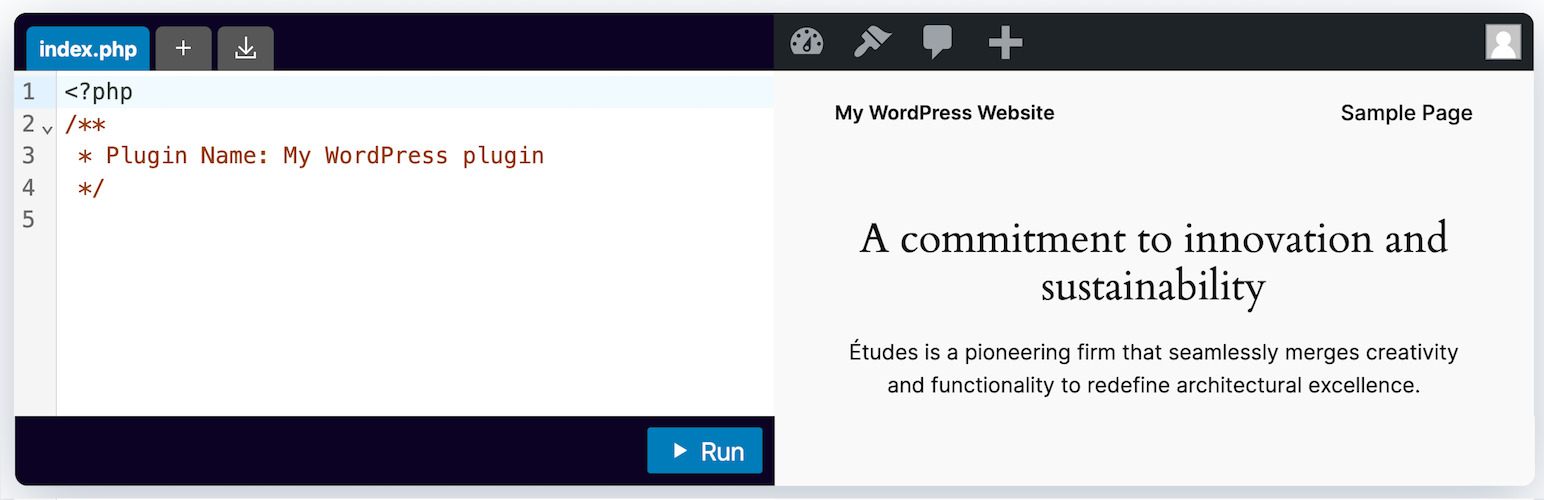
该 WordPress 区块可将 WordPress Playground 嵌入到您的文章和页面中。您还可以加入一个交互式代码编辑器,向读者演示和教授 WordPress 插件是如何构建的。
用法
- 导航到 WordPress 中的任何文章或页面编辑界面。
- Click the ‘+’ button to add a new block and search for ‘WordPress Playground Block’.
- Select the WordPress Playground Block from the list of available blocks.
- 一个新的 WordPress Playground 代码块将被插入到您的帖子或页面中。您可以直接在区块中输入 PHP 代码。
- 单击“运行”按钮执行代码,并在代码块下方的输出区域查看结果。
所有功能
- 嵌入 WordPress Playground
- 自动登录
- 指定着陆页面
- 创建新文章或页面
- 重定向到新建的帖子或页面
- 指定要在启动时应用的蓝图
- 启用/禁用代码编辑器
- 将代码编辑器设为只读
- 允许在代码编辑器中使用多个文件
资源
支持
有关 WordPress Playground 区块的任何问题或疑问,请在 playground-tools 存储库中打开一个 GitHub issue。
这是一个早期预览版,旨在收集反馈并进行改进。该插件还不是一个功能全面的解决方案。
许可协议
WordPress Playground 区块插件采用 GNU General Public License v2.0 许可。这是一种自由软件许可,只要遵守其条款和条件,就可以使用、修改和发布该软件。