
Product Expiry Manager for WooCommerce with Expiry Alerts & Stock Tracking
Help Desk | Feature Request | Learning Center
Product Expiry Manager for WooCommerce is one of the best inventory management WordPress plugins.
In the fast-paced world of e-commerce, maintaining the integrity of your product line is just as important as securing new sales. Nothing damages a brand’s reputation faster than a customer receiving an expired product or stumbling upon a dead listing that should have been removed weeks ago.
For store owners dealing with perishables, time-sensitive licenses, or seasonal collections, standard stock tracking isn’t enough. You need a dedicated, automated WooCommerce stock management plugin that acts as a vigilant guardian of your online inventory.
PRODUCT EXPIRY MANAGER FOR WOOCOMMERCE IS THE STOCK MANAGEMENT WP PLUGIN
How Product Expiry Manager Works
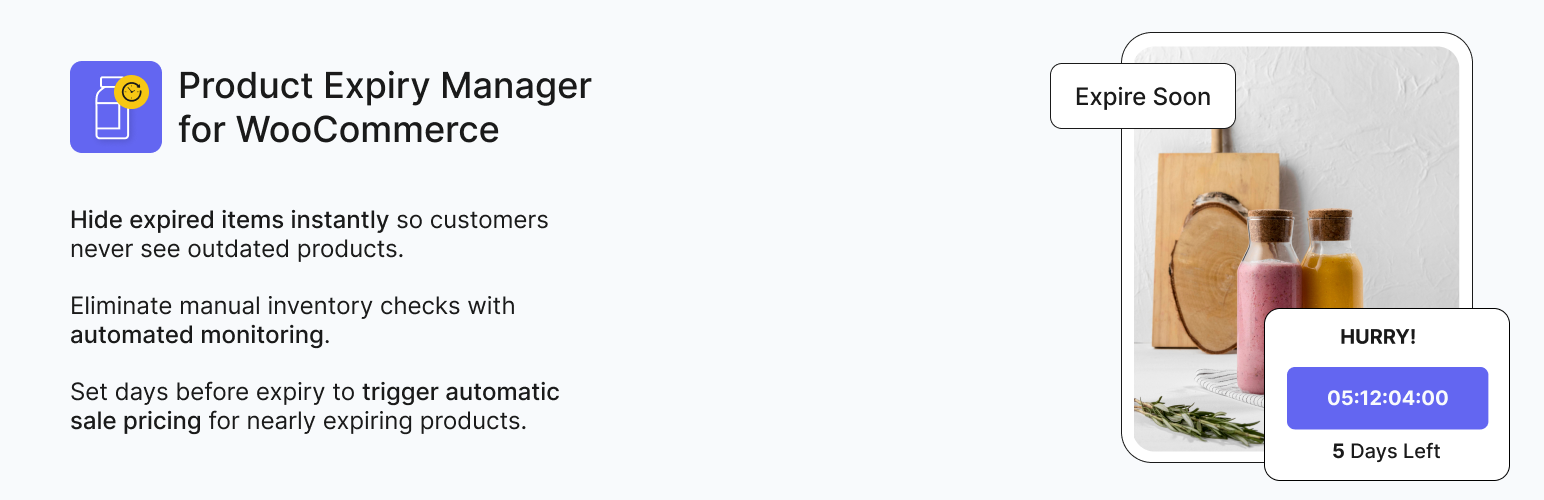
Set expiry rules: Choose fixed periods from publication or schedule specific expiry dates Automated monitoring: Background CRON jobs check product status continuously Instant protection: Expired products automatically change status or hide add-to-cart button Stay informed: Receive unlimited expiry alerts before products expire and regular reports Stock Tracking: Comprehensive logs show all expiry events and upcoming expirations
It is more than just a tool to hide old items; it is a comprehensive WooCommerce product add-ons that automate the entire lifecycle of your perishable products.
From applying emergency discounts to near-expiry items to ensuring expired stock is disabled instantly, this plugin removes human error from inventory management. By integrating advanced expiry logic with robust stock tracking, Product Expiry Manager for WooCommerce ensures your store remains compliant, fresh, and profitable.
So, stop relying on spreadsheets and manual checks! Let the Product Expiry for WooCommerce handle the clock so you can focus on growing your business.
Your suggestions are the most important factors that will make this Woo plugin even better. So, please let us know your valuable opinion on Product Expiry Manager for WooCommerce.
Key Features of Product Expiry Manager
- Automatic expiry status updates: Products move to expired, draft, trash, or delete permanently when expired
- Flexible display options: Hide expired products completely, or show them with “Expired” status and a disabled add-to-cart button
- Flexible expiry options: Set countdown periods (expire after X days) or specific future dates
- Unlimited expiry alerts: Set multiple advance notifications (e.g., 3 days before, 1 day before, on expiry day)
- Smart sale pricing: Automatically apply sale prices or limited-time offers to products nearing expiration based on a threshold
- Expiry threshold settings: Set days before expiry to trigger automatic sale pricing for nearly expiring products
- Advanced CRON scheduling: Reliable background monitoring independent of site visits
- Automated reporting: Weekly and monthly expiry reports sent automatically
- Comprehensive Stock Tracking: Track all expiry events and products approaching expiration
- Complete email logging: Full records of automated emails with delivery status
Why You Need Dedicated Expiry Date Management
Most WooCommerce stock manager tools focus solely on quantity: how many items you have left? But they fail to address the critical dimension of time: when does that stock become unsellable?
If you sell food, supplements, cosmetics, or even tickets, a simple “quantity” counter doesn’t protect you from liability. You need precise expiry date management. Without it, you risk:
- Legal Liability: Selling expired goods can lead to fines and lawsuits.
- Reputation Damage: Trust is hard to build and easy to lose. One bad batch can ruin your reviews.
- Lost Revenue: Expired items are a total loss. If you don’t discount them before they expire, you lose 100% of the value.
- SEO Penalties: Manually deleting pages creates 404 errors. You need a system that handles out-of-stock WooCommerce scenarios intelligently.
Product Expiry Manager for WooCommerce fills the gap and transforms your store into a smart, time-aware sales machine.
Detailed Features: What Our Product Expiry Manager for WooCommerce Plugin Offers
Your inventory is your biggest asset, but without proper inventory management, it can become your biggest liability. With our Product Expiry Manager for WooCommerce WP plugin, you can transform how you handle time-sensitive stock.
1. Advanced Automation & CRON Scheduling
At the heart of our Product Expiry Manager for WooCommerce is a reliable, server-side automation engine. Unlike basic plugins that rely on site visits to trigger updates (meaning an expired product might stay visible if no one visits the site), our plugin uses advanced CRON scheduling.
- Background Monitoring: The system checks your catalog continuously in the background.
- Instant Status Changes: As soon as an expiry date is hit, the plugin executes your pre-defined action immediately.
- Server Efficiency: Optimized to handle thousands of products without slowing down your site.
Product Expiry for WooCommerce bridges the gap between basic stock tracking and advanced stock management. As a result, it provides a suite of tools that protect your reputation and recover sales revenue.
2. Flexible Expiry Rules
Every business is different. We provide two distinct ways of expiry date management:
- Specific Dates: Ideal for food or event tickets. Set a hard date (e.g., July 31st, 2026) for when the item must be removed.
- Relative Periods: Perfect for limited-time offers or content lifecycles. Set a rule to expire a product after a certain number of days of publication.
This also helps you create an automated churn for listings like job postings or daily deals.
3. Smart Revenue Recovery (Sale Automation)
This is where our Product Expiry Manager for WooCommerce outperforms the competition. Instead of just letting your product stock die, this WooCommerce product add-on helps you clear it while it still has value.
- Automatic Discounts: Configure an expiry threshold (e.g., 5 days before expiry). When the product reaches its expiry date, the plugin automatically reduces the price for WooCommerce discounts.
- WooCommerce Sales Badges: It triggers the standard WooCommerce sales badge, signaling a bargain to your customers.
By automating this, you turn potential losses into break-even revenue without lifting a finger.
4. Intelligent Display & SEO Protection
Deleting a product page is bad for your eCommerce SEO. When a URL disappears, you lose the ranking authority it built up. Product Expiry Manager for WooCommerce gives you smarter options:
- Disable Add-to-Cart: Keep the product page visible (preserving SEO juice) but hide the purchase button.
- Custom Messages: Display a clear “This item has expired” message and out of stock notifications. You can change the out-of-stock text WooCommerce settings to inform customers why the item is unavailable, perhaps redirecting them to a newer version.
- Draft/Trash/Delete: If you prefer a clean catalog, you can still choose to auto-draft or delete items.
Whether you need to manage expiry texts on products or simply keep your catalog fresh, this WooCommerce stock manager plugin is the ultimate tool for the job.
5. Proactive Notification Ecosystem
Never be blindsided by a warehouse full of expired products. Our WooCommerce stock management plugin acts as a proactive Stock Manager for WooCommerce by sending unlimited email reminders and out of stock notifications.
- Multi-Stage Alerts: Set alerts for 30 days out, 7 days out, and 1 day out.
- Role-Based Emails: Send notifications to store managers or warehouse staff.
- Reporting: Receive weekly or monthly summaries of all expiry dates on products, helping you plan purchasing and clearance sales effectively.
Use Cases of Product Expiry Manager for WooCommerce
Product Expiry Manager for WooCommerce is versatile enough to handle virtually any industry. Here is how different businesses utilize their power to solve specific problems of Product expiration:
Grocery & Pharmacy For businesses selling food, medicine, or cosmetics, safety is paramount. For them, manually checking the “Best Before” and expiry dates on thousands of SKUs is impossible.
Thankfully, our WooCommerce stock management plugin ensures that the moment a supplement passes its safe date, it is removed from your WooCommerce store.
As a result, zero risk of selling unsafe out-of-stock WooCommerce products and full compliance with health regulations.
For Digital Content Creators Selling courses, license keys, or limited-access digital downloads? Or maybe you want to sell a “30-day access pass” or a “Seasonal Bundle” that shouldn’t exist after a certain date.
With our WooCommerce stock manager plugin, you can set the digital product to expire X days after purchase or publication. Hence, you get a completely automated stock management WooCommerce for digital assets.
The Event Organizer (Tickets & Bookings) Selling tickets for a concert or workshop? But the problem is, selling tickets after the event has started is a customer service nightmare.
To remedy this situation, you can set the expiry date to the exact start time of the event with the Product Expiry for WooCommerce plugin. By doing so, the “Buy Ticket” button disappears the moment the show starts, preventing invalid orders and WooCommerce backorder confusion.
The Daily Deal Site (Scarcity Marketing) Create a sense of urgency to drive sales. Customers delay purchases if they think stock is always available.
The Solution is to make limited-time offers with visible expiry dates. Use our Product Expiry for WooCommerce plugin to enforce the end of the deal strictly. It creates a greater chance of increasing the conversion rates due to the Fear of Missing Out (FOMO).