
Survey Maker by AYS
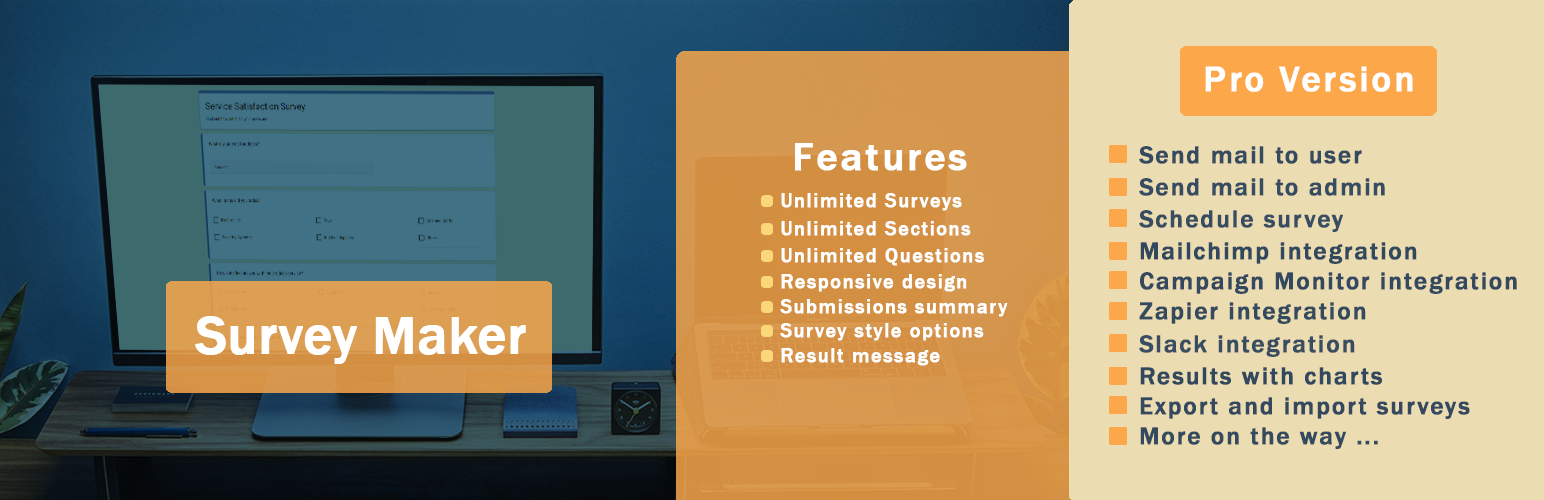
WordPress调查插件
Survey Maker by AYS is a WordPress plug-in for creating surveys, questionnaires, and survey forms on your website. The plugin enables you to create your survey through the built-in survey builder with various question types and publishing through a shortcode. It includes features like multi-page forms, conditional logic, survey analytics, and popup surveys, so you can collect feedback, gather insights, and analyze results without external survey tools.
Create a survey in 3 simple steps:
Create a survey within minutes with the help of our survey builder. There is no need to know anything about coding; you can simply integrate the survey on your website with just a few clicks.
- Add questions / sections
- Customize settings / design
- Add shortcode to any post or page
Survey shortcode
[ays_survey id=’your survey id’]
Survey Builder Features
You can create surveys of any size with unlimited questions, sections, and surveys. This means that you will be able to split your survey into multiple pages by simply dragging and dropping questions to different pages. So you can easily arrange questions and sections without any technical knowledge. You will be able to make the questions required, redirect visitors after form submission, and restrict survey submissions based on IP addresses, user roles, and the number of submissions.
Free Features
Survey Creation & Design
- 无限数量的调查
- 无限数量的部分
- 无限数量的问题
- 14 question types
- 问题图片
- 响应式设计
- 调查样式选项(20+)
- 包含不同数量问题的部分
Survey Behavior & Control
- 随机问题
- 随机答案
- 结果消息
- 提交后重定向
- 弹出调查
- 根据IP和用户ID限制
- 仅限已登录用户
Responses & Results
- 个人提交
- 提交摘要
Pro Features
Advanced Surveys & Logic
- All advanced question types (NPS, Matrix, Ranking, Slider, etc.)
- 逻辑跳转
- 条件结果
- Conditional Mailing
- URL parameters
- Calculation
- 对话式调查
- Multilingual Forms
- Text To Speech
- ChatGPT Integration
Integrations & Automation
- Email notifications & configuration
- Mailchimp, Slack, Zapier, Google Sheets, etc.
- WooCommerce integration
- Payment integrations (Stripe, PayPal)
Analytics, Control & Export
- 带图表的结果
- Export (CSV, PDF, etc.)
- Submission exports
- 调查计划
- Limit attempts
- User roles & permissions
- Password protection
- User history
Didn’t find the feature you’re looking for in the Survey Maker plugin? You’re welcome to suggest a new feature.
调查演示(免费)
调查演示(专业版)
- Conditional Logic Survey (Skip Logic Form)
- Survey with Personalized Results
- Conversational Survey Form (Chat Style Survey)
- Survey with Multiple Question Types
- Net Promoter Score(NPS)调查
- Simple Contact Form Template
- 弹出式调查
- Social Media Survey Template (Modern theme)
- 健康问卷(优雅主题)
- Demographic Survey (Business theme)
- Password-Protected Form
Design & Customization
There are more than 30 options for customizing the look of your survey to fit the theme of your website. The plugin has a number of built-in templates, and you have options to modify the colors, fonts, buttons, and other layout choices to ensure that the survey fits in with your website theme. You can also control how questions and answers are displayed, which helps improve readability and makes the survey easier to complete.
20+种类型的调查问题
Survey Maker提供了用于创建成功问卷的最著名的问题类型:
- 单选按钮
- 复选框
- Dropdown
- 段落
- Short Text
- 数字
- 是或否
- Date (Pro)
- Time (Pro)
- Date and Time (Pro)
- Star Rating (Pro)
- Ranking (Pro)
- Linear Scale (Pro)
- Matrix Scale (Pro)
- Matrix Scale Checkbox (Pro)
- Slider (Pro)
- File Upload (Pro)
- Star List (Pro)
- Slider List (Pro)
- Hidden (Pro)
- HTML (Pro)
- Phone (Pro)
- Net Promoter Score (Pro)
- Name field
- 电子邮件字段 和更多内容即将推出!
Survey Results & Analytics
You can view all survey submissions directly from your WordPress dashboard. The survey plugin gives you survey results along with their stats and charts so that you don’t have to analyze the surveys by looking at each and every response. All data is stored in one place (in your database). The Pro version of the WordPress Survey plugin allows exporting of results so that you can utilize the data outside your website as well.
Conditional Logic (Pro)
You can have your surveys become much more flexible when using the features of Logic Jump and 条件结果.
Logic Jump allows you to dictate the following question based on the respondents’ answers; this way, you can avoid unnecessary questions from popping up in your survey.
条件结果 enable you to specify different results pages, email recipients, and redirects based on AND/OR conditions, giving you the ability to customize the results for each respondent. The plugin also includes a Calculation feature, which allows you to create formulas based on user answers and display calculated results such as scores or estimated values.
Examples:
- Price / quote calculator
- Score-based surveys
- Result calculation forms
- Simple cost estimation
- Service pricing survey
弹出调查
You can display your survey as a popup survey to increase visibility and collect more responses. The popup can be triggered on page load, on click, or on exit intent, determining when the user will get to see the popup. You will have the ability to show the popup only once upon its response, as well as go for full-screen mode.
Anonymous Survey
Create an anonymous survey and allow users to submit responses without sharing personal information. This ensures that more accurate feedback especially for customer feedback, employee feedback, and internal surveys.
NPS 调查(专业版)
Use Net Promoter Score (NPS) surveys for evaluating customer satisfaction and loyalty. These kinds of surveys are used to see how likely your product or service will be recommended by your clients. Based on the responses, users are grouped into promoters, passives, and detractors, giving you a clear overview of your customer satisfaction.
Email Notifications & Integrations (Pro)
Set up email notifications to send survey responses to both the user and the admin. The email content can be customized, and you can include response data in a table format. Also, the administrator can create email summaries with results of surveys sent after predefined time intervals. In addition, Survey Maker integrates with popular tools such as Mailchimp, Zapier, Google Sheets, Stripe, and PayPal, making it easier to manage data and connect your survey with other services.
Easy-To-Use | User-Friendly |
Not a tech person? No problem. The plugin is 100% beginner-friendly and no coding skills are required. You can easily create engaging and at the same time advanced forms that will fulfill all your needs. Also, this WordPress survey plugin is mobile-friendly, so your responders can take the quiz with all types of screens such as mobile devices or tablets. And, most importantly, our support care specialists are easily accessible and always happy to help you and answer any questions you might have!
更多详细信息,请查阅文档。
如有任何问题或即将提出的问题,请随时通过以下免费支持论坛与我们联系。