
Product Table & List Builder for WooCommerce
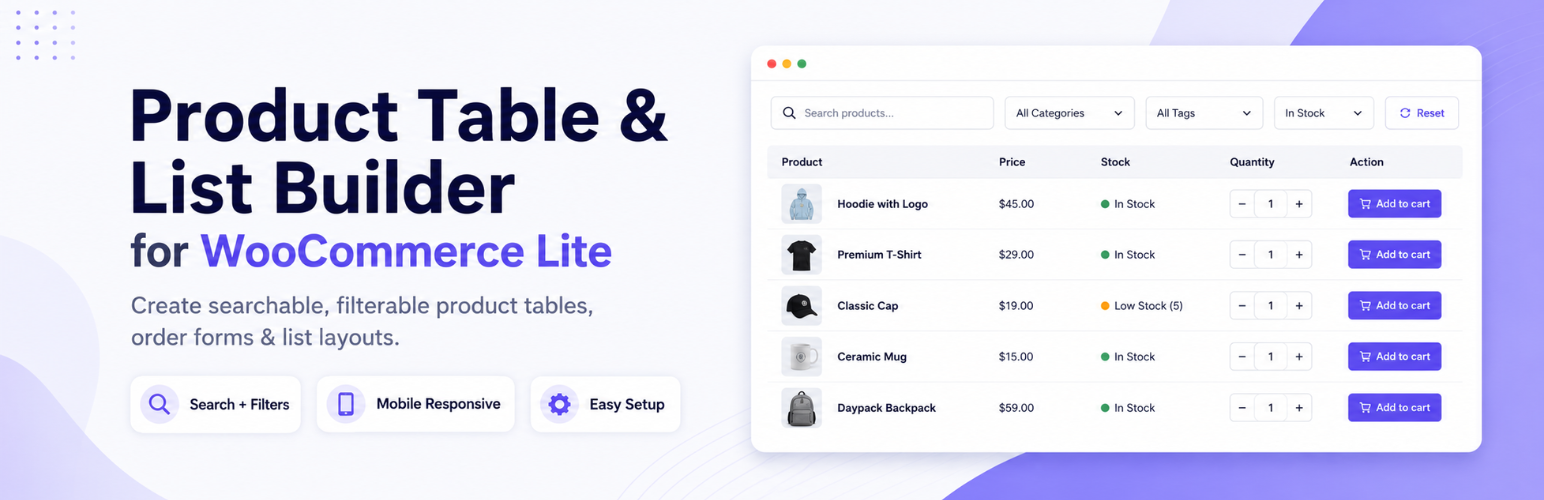
Note: This plugin was formerly called WooCommerce Product Table Lite. It is the free / lite version of the world’s best WooCommerce Product Table PRO plugin.
WooCommerce Product Table plugin helps you display WooCommerce products in a searchable, sortable, filterable product table layout. Create mobile responsive product tables and product list layouts for wholesale order forms, restaurant menus, spare parts catalogs, audio shops, electronics product tables, and large WooCommerce stores.
Plugin Homepage | Table & List Demos | Tutorials | Docs | FAQs | Support | Get PRO version
WooCommerce product table plugin for searchable, filterable product tables
- 🫰 Easily create beautiful, mobile responsive WooCommerce product table and list layouts
- 👩💻 Powerful, intuitive editor to quickly create a table layout specific to your shop needs
- 🦉 Give shoppers instant birds eye view over your products for easier purchase
- 🔍 Add options to search, filter and sort to easily find and compare products
Highly recommended for a variety of online shops including 🔧 online spare part shops, 🎧 audio stores, 🍽️ restaurant food/takeaway menu, 📱 electronics shop, 📦 packaging boxes, 💍 jewellery stores, 🪑 furniture shops, 📋 wholesale catalogs, ⚙️ industrial supplies, 📎 office supplies, 🎨 art galleries, 📚 book stores, 👗 fashion boutiques, ⚽ sports equipment retailers, 💄 beauty products, 🔨 hardware stores, 🚗 auto parts dealers, 🏥 medical supplies, 🐾 pet supplies, and more.
WooCommerce Product Table reviews from real users ⭐️⭐️⭐️⭐️⭐️
- “Couldn’t run my business without this plugin” – Joe Koday | @joekoday (see review)
- “Very solid and comprehensive plugin” – Scholto Bos | @scholtobos (see review)
- “A* Plugin and fantastic support to match” – Kelly Lloyd | @klloyd86 (see review)
How to use this free WooCommerce Product Table Lite plugin
See our step-by-step woocommerce product table walkthrough video below to get started quickly! You can also fully customise the table layout, columns, content and style according to your needs.
WooCommerce table shortcode options to save time
⚡️ No need to create new tables each time you want to show a new set of products! We provide convenient shortcode options like category="slug1, slug2", ids="123, 124", skus="sku1, sku2", etc so you can change the product query while writing the shortcode.
This means you can easily reuse a single table layout across multiple pages and contexts, simply by changing shortcode parameters to fit your needs. All available shortcode options can be found right next to your shortcode in the table editor, so customizing your product lists is always at your fingertips. See our shortcode documentation for complete guide.
WooCommerce Product Table Lite vs Other WooCommerce Table Plugins
Designed to be flexible, visual, and beginner-friendly while still offering advanced control for complex WooCommerce stores.
- ⚡ Get started quickly with table presets and downloadable demos
- 🎨 Advanced styling and layout features for best possible presentation
- 🛍️ Comprehensive list of WooCommerce elements to show any product property
- 📚 Clear documentation with step-by-step video tutorials and guides (see tutorials)
WooCommerce Product Table vs WooCommerce product grid layout
Product tables help customers find, compare, and buy products faster than standard WooCommerce grid layouts.
See [this example] of table vs grid presentation of the same catalog. You will note that:
- A table view gives customers a quicker bird’s-eye view of your products. The information is easier to absorb in table format.
- Tables allow customers to quickly sort and compare along columns which helps with easier judgement and decision making.
- This leads to better chance of landing a sale with the table UI. Also an advantage over competitors.
- A table view of products can also supplement a grid view where appropriate.
- WooCommerce Product Table PRO also has an addon to create grid layout and provide view switcher so shoppers can select table or grid view for products
WooCommerce Product Table PRO
A powerful PRO upgrade for building advanced WooCommerce product tables
Offers a larger, more comprehensive set of (facilities) to create your perfect product tables. More facilities and potential than any other product table plugin.
- Available at a discount right now — only $59 / license [Buy here]
- License provides 1 year of updates and support for 1 site
- NEW: Lifetime license also available at $249 only!
- Your Lite version product tables continue to work with PRO
- Keep the plugin with all facilities forever even after license expires
- Money back guarantee if you are not satisfied!
WC Product Table PRO vs Lite
Take your product tables to the next level and boost sales with better user experience with the PRO version
- See top features exclusive to WooCommerce Product Table PRO [view list]
- Automatically show product tables on shop, category, search archive pages [see documentation]
- 50+ 3rd party compatible plugins [view list]
- 20+ more table elements, more query options, advanced presentation options.
- 20+ downloadable demos to get you started quickly: see downloadable demos
Show product variations in woocommerce product table
- In the Lite version, when a shopper clicks add-to-cart for a variable product in the table, a popup will show the available variations they can add to cart.
- In the PRO version we can show the variation dropdowns directly inside the table for every variable product (see documentation)
Wholesale / Request a quote / Min-Max price
- PRO version is compatible with several 3rd party plugins that offer such facilities [see list]
- In case a popular plugin you need to use is not compatible, please [contact support]
WooCommerce product table translation support
See plugin documentation for changing text and translation support.
* With both WooCommerce Product Table Lite and PRO version you can change any piece of text in the table to anything else you want. No translation plugin is required for this.
* But if you need to provide ‘multiple’ language translations for your site then you can use the PRO version of this plugin which is compatible with the WPML translation plugin.
* Within the table replace any text with the special translation shortcode [wcpt_translate default=“text” en_US=“English text” fr_FR=“French text”] to give it multiple language translations.
Replace the WooCommerce shop page and category page grids with product tables
- You can automatically replace the WooCommerce archive page (shop, category, tag, attribute, search) product grids with tables using the PRO version’s archive override facility. The facility is located in:
WP Dashboard → Product Tables → Settings → Show product table on shop pages - If you are using popular theme builder plugins like Elementor, Divi, Bricks, Visual Composer, Oxygen, Beaver Builder, etc then use the Archive override guide for theme builders. Just place shortcode [wcpt_archive_table] in your theme builder templates.