
ArraySubs – Effortless Memberships, Subscriptions, Content Restriction & Recurring Payments for WooCommerce
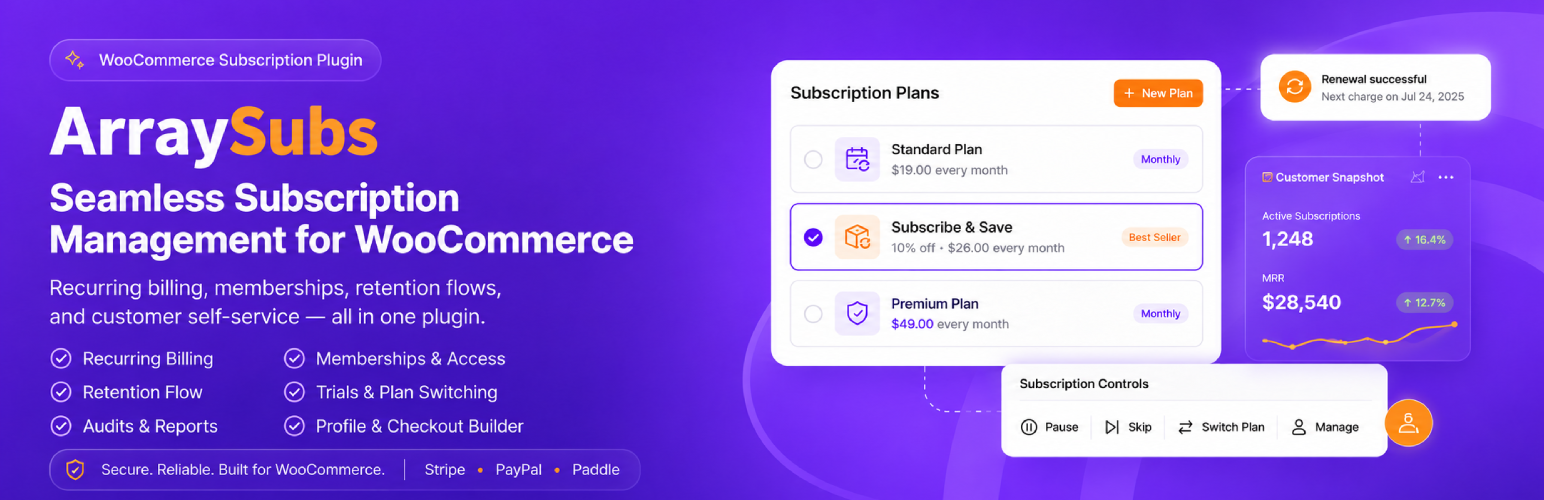
ArraySubs is a free WooCommerce subscription plugin and WooCommerce membership plugin for stores that want subscriptions, recurring billing, gated content, customer self-service, retention offers, and subscription analytics in one system.
If you are looking for a WooCommerce Subscriptions alternative, ArraySubs helps you start without assembling separate plugins for recurring products, memberships, content restriction, cancellation surveys, member discounts, customer portals, and reporting. The current ArraySubs feature catalog lists 67 feature areas: 41 work in the free core, and 26 Pro upgrades add automatic gateway billing, store credit, checkout builder workflows, advanced analytics, gateway health, and revenue automation when your store is ready.
Visit ArraySubs | User Guides & Documentation
ArraySubs turns WooCommerce into a subscription business platform:
- Sell simple and variable subscription products with trials, signup fees, intro pricing, coupons, and one-click checkout URLs.
- Run recurring billing with manual renewal invoices in the free core, or add automatic Stripe, PayPal, and Paddle renewals with Pro.
- Give customers a WooCommerce My Account subscription portal for invoices, details, cancellation, pause, skip, plan switching, and renewal actions.
- Build memberships with content restriction, member-only discounts, URL rules, gated downloads, Elementor container restriction, Gutenberg block restriction, and content dripping.
- Reduce churn with a 3-step retention flow, cancellation reason capture, targeted save offers, and retention analytics.
- Manage subscriptions from wp-admin with lifecycle notes, exports, refund tools, emails, reports, troubleshooting, and HPOS compatibility.
Start Free. Upgrade for Autopilot.
The free core is built for real launches, not a limited demo. You can publish subscription products, collect checkout payments, send renewal invoices, restrict member content, manage subscribers, run retention offers, and report on churn without a license key.
Upgrade to ArraySubs Pro when you need automatic off-session billing through Stripe, PayPal, or Paddle; failed-payment retry automation; auto-downgrade fallback plans; Store Credit; Checkout Page Builder; Feature Manager; Gateway Health; Member Insight; activity audits; scheduled-job logs; and advanced analytics. The website also offers a 10-day Pro trial with no credit card and a 30-day money-back guarantee.
What You Can Build With ArraySubs
- SaaS and digital products – tiered plans, free trials, plan switching, feature entitlements with Pro, and automatic billing with Pro gateways.
- Membership sites – gated communities, premium libraries, role mapping, member-only pricing, content dripping, and self-service account management.
- Online courses and content platforms – restrict lessons, posts, custom post types, page sections, downloads, URLs, Elementor containers, and Gutenberg blocks.
- Subscription boxes and physical products – recurring products, manual renewal invoices, WooCommerce tax, product guardrails, and Pro recurring shipping workflows.
- Agencies and service retainers – recurring service plans, admin-created subscriptions, support impersonation, notes, refunds, reports, and customer portal actions.
- Stores replacing multiple plugins – subscriptions, memberships, retention, profile tools, My Account customization, reports, and access control in one plugin.
Subscription Products and Checkout
Turn WooCommerce simple or variable products into subscription products. Each plan can have its own billing period, interval, trial, signup fee, subscription length, and renewal price behavior. Variable products can model Basic, Pro, Agency, monthly, annual, or other tiered pricing without duplicating product pages.
Core product and checkout features include:
- Simple subscription products with one recurring price.
- Variable subscriptions with per-plan price, billing cycle, and trial settings.
- Free trials before the first recurring charge.
- One-time signup or setup fees at checkout.
- Different renewal pricing after a configured cycle.
- Lifetime deals for one payment and ongoing access without renewal invoices.
- One-click checkout URLs for direct purchase flows.
- WooCommerce coupons on subscription purchases, recurring discounts, and cycle limits.
- Purchase guardrails for one-per-customer, one-per-product, mixed-cart, and migration rules.
- Classic checkout and WooCommerce block checkout support.
- WooCommerce tax handling on checkout and renewal orders.
- Price locking so existing subscribers keep their purchase-time rate.
Recurring Billing: Manual in Free, Automatic in Pro
ArraySubs uses WooCommerce orders for subscription checkout and renewal invoices. In the free core, renewals are manual invoices: ArraySubs creates the renewal order, sends the customer a payment link, and lets the customer pay through the available WooCommerce gateway.
That means the free plugin can work with the wider WooCommerce gateway ecosystem for checkout and manual renewal payments, including offline methods such as bank transfer. For automatic recurring payments, ArraySubs Pro adds supported gateway workflows:
- Stripe – ArraySubs-managed billing with saved payment methods, SCA / 3D Secure handling, card lifecycle events, refunds, disputes, and webhook reconciliation.
- PayPal – gateway-managed billing agreements with webhook sync back to ArraySubs subscriptions and renewal orders.
- Paddle – gateway-managed subscriptions, hosted payment flows, native tax/VAT handling as merchant of record, and webhook sync.
Renewal Recovery, Grace Periods, Skip, Pause, and Plan Changes
Subscriptions should not fail permanently because a payment is late or a customer needs temporary flexibility. ArraySubs includes recovery and self-service workflows designed to keep customers active:
- 2-phase grace period – keep access alive during payment recovery before moving toward cancellation.
- Skip Next Renewal – let eligible customers or admins skip an upcoming billing cycle while keeping the schedule intact.
- Pause / Vacation Mode – temporarily pause a subscription instead of forcing cancellation.
- Plan Switching – support upgrades, downgrades, and crossgrades between allowed plans.
- 3 proration methods – charge immediately, apply at renewal, or switch with no proration.
- Trial conversion – move trial subscriptions into the paid renewal flow.
- Pro failed-payment automation – add automatic retry schedules and auto-downgrade fallback plans.
- Pro Flexible Renewal Sync – align eligible new subscriptions to shared billing-cycle boundaries with full, prorated, or next-cycle first-charge behavior.
Customer Subscription Portal
ArraySubs adds a customer-facing subscription portal inside WooCommerce My Account, so subscribers can handle common actions without opening a support ticket.
The portal can show subscription lists, details, billing cycles, next payment dates, related orders, Pay Now links, refund history, notes, status badges, and available actions. Customer self-service covers cancellation, scheduled cancellation undo, reactivation where available, skip renewal, pause, and plan switching. Pro adds payment-method workflows for supported automatic gateways.
Member Access, Content Restriction, and Member Discounts
ArraySubs combines subscriptions and memberships in one plugin. Member Access can use subscription status, purchased products, purchased variations, categories, lifetime spend, WordPress roles, and nested AND/OR conditions to decide who gets access.
Use ArraySubs to:
- Gate pages, posts, and any custom post type.
- Restrict specific posts, all posts of a type, or taxonomy-based content.
- Protect URL paths by exact match, prefix, contains, or regex pattern.
- Restrict only part of a page with shortcodes, Elementor containers, or Gutenberg blocks.
- Drip content over time by date or member timing.
- Restrict WooCommerce downloadable files.
- Hide products, block purchases, redirect visitors, show access-denied messages, or protect shop areas.
- Create member-only discounts and pricing rules for products, categories, carts, and checkout.
- Map WordPress roles based on subscription status.
- Use advanced nested condition groups for real membership tiers.
Retention Flow Builder and Retention Analytics
The cancellation button becomes a save flow. Before cancellation is finalized, ArraySubs can collect the customer’s reason, show a matching retention offer, and ask for final confirmation only after the save attempt.
The Retention Flow Builder supports 4 offer types:
- Discount offer.
- Pause offer.
- Downgrade offer.
- Contact support offer.
Retention Analytics reports cancellation reasons, offer acceptance, churn trends, product churn, and saved revenue so you can improve pricing, onboarding, plans, and support from real subscriber behavior.
Admin Subscription Management
Store owners and staff can manage subscription operations from wp-admin:
- Central subscription list, search, filters, status views, and detail screens.
- Create subscriptions from wp-admin for migrations, phone orders, support, and manual setup.
- Export subscription data to CSV or JSON.
- Subscription notes and lifecycle timeline.
- Refund management with prorated, full, and partial refund workflows.
- Lifecycle emails for customers and admins across signup, trial, renewal, payment, failure, cancellation, retention, card, gateway, and Pro store-credit events.
- Reports hub and WooCommerce Analytics extensions for subscription revenue, growth, churn, retention, and customer behavior.
- Troubleshooting guides for renewal failures, portal action failures, access conflicts, gateway issues, and scheduled jobs.
- HPOS compatibility for WooCommerce High-Performance Order Storage.
Setup, Profiles, My Account, and Site Access Toolkit
ArraySubs also includes store-building tools that normally require more plugins:
- Easy Setup Wizard – a guided 9-step setup flow with business profiles and settings import/export.
- Profile Builder – custom profile fields, avatars, and account profile controls.
- My Account Page Builder – reorder, rename, hide, and add WooCommerce My Account endpoints.
- Shortcodes – content restriction, login/logout links, visibility controls, and user profile output.
- Admin Bar Visibility – hide the frontend WordPress admin bar for customers.
- Admin Dashboard Access – redirect customer roles away from wp-admin safely.
- WordPress Login Page controls – route login and registration through WooCommerce My Account.
- Login as User – support customers without asking for their password.
Pro Automation and Revenue Upgrades
ArraySubs Pro adds the automation layer for stores that have outgrown manual renewal workflows:
- Automatic Stripe, PayPal, and Paddle recurring billing.
- Failed-payment retry automation and recovery emails.
- Auto-downgrade on failure to preserve the customer relationship.
- Store Credit wallets, credit purchases, refund-to-credit, history, expiry, and credit emails.
- Checkout Page Builder for branded classic checkout flows with conditional fields.
- Feature Manager for per-plan entitlements and “what’s included” product displays.
- Feature-based member access conditions.
- Flexible Renewal Sync.
- Fixed-date subscriptions and subscription shipping workflows.
- Product page redirection controls.
- Multi-login prevention.
- Member Insight customer dashboards.
- Gateway Health, activity audit screens, and scheduled-job logs.
- Advanced analytics and reporting extensions.
Support
For setup help, feature guides, and troubleshooting, visit the ArraySubs User Guides.
For product information, visit ArraySubs.