
Automation Web Platform – Notifications and OTP for WooCommerce and WordPress, Advanced Country Code
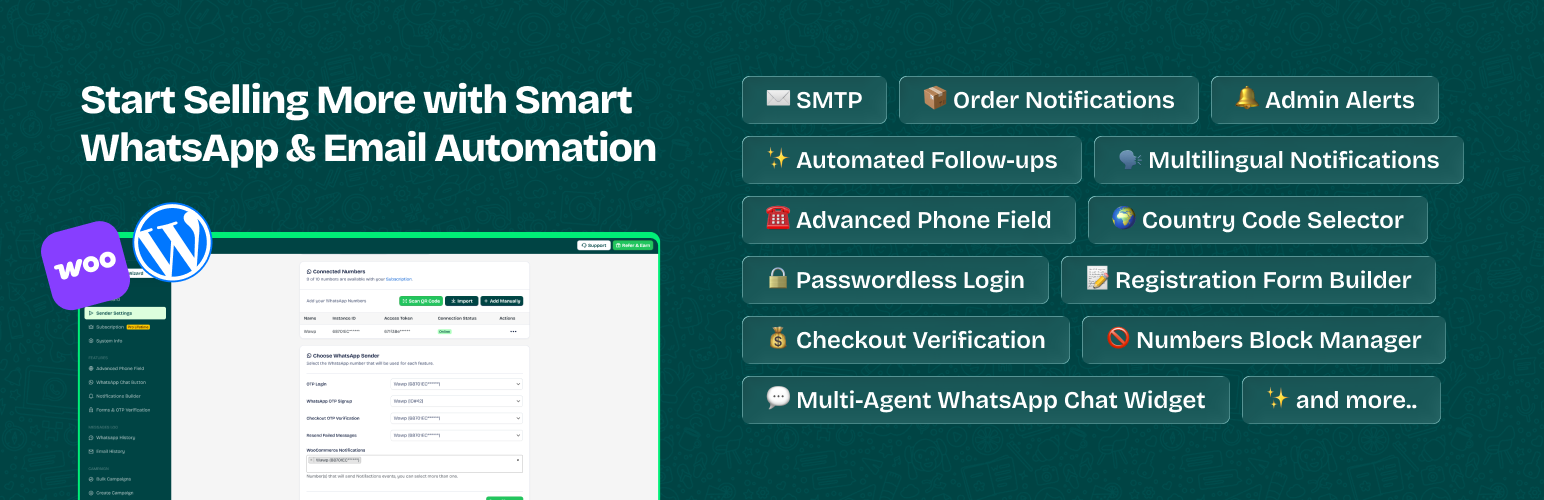
Tired of manually sending WhatsApp order updates, tracking numbers, and payment follow-ups? Let Wawp handle it all on autopilot right from your WhatsApp!
Wawp (Automation Web Platform) is the ultimate all-in-one automation and security toolkit for WooCommerce and WordPress. It bridges the gap between your online store and WhatsApp, helping you boost conversion rates, eliminate fake orders, and retain customers with zero effort.
🚀 What makes Wawp a Game-Changer?
- Smart Automated Notifications: Send instant WhatsApp alerts to customers and admin for new orders, status updates, pending payments, and product reviews.
- Bulletproof Security (OTP Authentication): Secure your forms with Google reCAPTCHA, WhatsApp OTP, and Email verification to stop spam bots and fake registrations.
- WooCommerce Order Verification: Validate checkouts based on payment or shipping methods using real-time gateway checks to drastically reduce Cash on Delivery (COD) fraud.
- Advanced Phone Field & Country Code: Auto-detect visitor locations, format numbers dynamically, and validate prefixes instantly.
- Interactive Chat Widget: Support multi-agent routing, display conditions, and auto-generated QR codes to talk directly with your store visitors.
- Omnisearch & Global Access: Instantly find logs, messages, and configurations across your entire dashboard using the built-in Global Omnisearch Engine.
More automation, less work—sell smarter and grow faster with Wawp! ✨
⚠️ Important Notice (SaaS Integration)
This plugin acts as a gateway and relies on the Wawp.net SaaS service to handle encrypted WhatsApp Web connection, API routing, and cloud delivery. * To unlock all core features, a Wawp account is required. * New accounts get 120 free messages per month out of the box! * Get Started: Create your free account here * Legal: Review our Terms of Service and Privacy Policy.
💎 Unlock Premium Growth (Wawp PRO Features)
Upgrade to our premium plans to unlock enterprise-grade marketing and advanced communication workflows designed to scale your store’s conversions:
- Abandoned Cart Recovery: Automatically target and recover lost sales by sending personalized WhatsApp reminders to customers who leave checkout early.
- Bulk Campaigns & Broadcasts: Send mass marketing campaigns and targeted promotional updates to your customer list with intelligent protection tools.
- Official Meta API (WhatsApp Cloud API): Scale to unlimited messaging with a robust, cloud-based business gateway infrastructure.
- Firebase SMS Integration: Bulletproof backup authentication channel utilizing native Firebase phone tokens for global OTP delivery.
- Custom & Colored WooCommerce Statuses: Take absolute control over your workflow by automating and color-coding custom WooCommerce order statuses.
- Multilingual Notifications Framework: Automatically route and translate WhatsApp triggers based on the customer’s selected checkout language.
- AI-Powered Configuration Assistant: Configure, troubleshoot, and optimize your plugin setup instantly with an integrated AI copilot.
- Custom HTML Email Templates: Go beyond text and design beautiful, high-converting transactional emails to match your store branding.
👉 Check Out Our Premium Pro Plans & Pricing
🤖 Automated Notifications
Manage and deploy targeted transactional messages using our official Automated Notifications Guide to ensure absolute delivery accuracy. Craft your texts perfectly with the Wawp Smart WhatsApp Message Editor Documentation.
- New Order Notification – Send WhatsApp messages to customers with full order details immediately after checkout.
- Order Status Updates – Automatically notify customers about updates or shifts in their order status.
- Admin/Staff Alerts – Receive real-time WhatsApp alerts for new orders, high-value checkouts, and system updates.
- After Purchase Upsell – Schedule automated follow-up messages to re-engage customers and drive repeat sales.
- Pending Payments – Send gentle, automated reminders for pending invoices to recover lost revenue faster.
- Product Reviews – Collect valuable customer reviews on auto-pilot with customized WhatsApp follow-up requests.
Supported Order Statuses:
- Pending Payment – Notify customers immediately about unpaid orders to recover checkout conversions.
- On Hold – Inform clients about orders waiting for custom admin or payment confirmation.
- Processing – Let customers know their order is successfully received and being prepared.
- Completed – Confirm successful order packaging, dispatch, or final delivery.
- Failed – Notify customers instantly of failed or declined transactions to prompt a retry.
- Draft – Keep seamless track of unfinished checkout orders and internal layouts.
- Canceled – Alert customers automatically if an order has been canceled by the admin or system.
- Refunded – Inform clients about successful refunds and financial reversals.
- Customer Note – Send custom notes and manual update alerts directly to the customer’s phone.
- Custom Status – Set up tailored automated notifications for any custom order status on your store.
🔐 User Authentication
Deploy bulletproof access management. Review our documentation on About Authentication Pages Settings to secure and optimize your forms.
- Blacklist Numbers – Block fake accounts, bots, and spam numbers system-wide to prevent SMS/OTP abuse.
- Multiple Login Options – Enable fluid login via WhatsApp OTP, Email OTP, or classic Email & Password. Read the Passwordless Login Guide.
- Signup Verification – Ensure database quality by verifying new user registers via our optimized Registration Form Framework.
- Role-Based Redirects – Automatically route users to custom dynamic pages based on their WordPress role after logging in.
- Google reCAPTCHA – Secure Login, Registration, and Lost Password forms with integrated reCAPTCHA v2/v3 protection.
- Chic Settings UI & Guidance – Manage components inside a modern interface with smart guidance bars and dark/light preview updates.
- One-Click Preview – Instantly view and test your active Login/Signup configurations directly from the backend dashboard.
Shortcodes for Easy Integration
- Login Form:
[wawp_otp_login] - Signup Form:
[wawp_signup_form] - Combined Forms:
[wawp-fast-login]
100% Compatible With
- Page Builders: Elementor, Bricks Builder, Gutenberg Block Editor.
- Forms & Core: Native WordPress Forms, Native WooCommerce Forms & Checkout.
🛒 WooCommerce Order Verification
Eliminate fraudulent accounts and fake orders by forcing a secure WhatsApp OTP verification badge right before checkout.
- Targeted Verification – Restrict and trigger OTP prompts for visitors, members, or everyone.
- Gateway Dependencies – Enable OTP gating based on payment methods (e.g., enable strictly for Cash on Delivery (COD)).
- Shipping Gateways – Trigger phone check verification exclusively for specific shipping options.
💬 WhatsApp Chat Widget
Engage with your visitors directly on their favorite messaging app. Learn how to configure your widget using our WhatsApp Chat Button Guide.
- Multi-Agent Support – Easily assign custom floating contact cards for Support, Sales, or Billing lines.
- Display Conditions – Dynamically control widget visibility based on device criteria or targeted site pages.
- Fully Customizable – Absolute styling control over layout design, coloring, custom icons, and placement.
- Social Integrations – Embed direct social profile shortcuts inside your central floating interface.
- Auto-QR Generation – Instant responsive QR mapping for desktop traffic to scan and chat on mobile.
- Click Metrics Analytics – Track internal widget usage parameters to accurately analyze client engagement.
🌍 Country Code & Validation
Optimize your checkout phone inputs. For step-by-step instructions, read our guide on How to Setup Advanced Country Code.
- Number Validation – Analyze and parse incoming numbers in real-time to avoid entry mistakes.
- Auto-Detect Country – Instantly pre-fill the local country prefix utilizing the visitor’s dynamic location data.
- Country Filtering – Restrict or isolate your dropdown lists to display only the countries your store ships to.
- Auto-Formatting Layout – Numbers adapt, separate, and format dynamically as the end-user types.
- Full Theme Harmony – Works smoothly alongside popular themes without breaking layout styles.
📊 Diagnostics, Privacy & Activity
To protect localized data, geolocation runs 100% locally via internal client parameters without relying on external tracking lookup scripts. This plugin maintains a zero-behavior tracking standard.
Diagnostic metrics and telemetry parameters are monitored locally inside your central analytics logs. Check the official Activity Hub System Guide to track connection parameters. Configure your fallback messaging pipelines using our walkthrough on How to Setup SMTP Email. Data is only shared with the SaaS core if explicit support permission keys are enabled by the administrator.
📜 Messages History
- Central Logging Logs – Track comprehensive delivery profiles including payload, recipient metadata, and timers.
- Advanced Queries – Sort, filter, and isolate specific dispatches using high-performance live search filters.
- Failure Identification – Instantly parse failed logs to quickly troubleshoot and pinpoint delivery network issues.
- One-Click Resend – Manually re-route or retry failed entries instantly with a single dashboard action.
🎨 Personalization
- Dynamic Data Fields – Utilize contextual variables (
{{customer_name}},{{order_id}}) for highly personalized dispatches. - Native Emoji Utility – Complete support for modern layout emojis to craft relatable brand voices.
- Rich Media Payload – Embed custom image assets and dynamic attachments into automated message triggers.
👤 Customer Management
- Status Verification – Verify if an existing user profile is associated with a verified active WhatsApp account.
- Profile Number Linking – Track and link all historic connection accounts assigned for checkout, login, or notifications.
Note: Administrators can assign entirely independent, distinct WhatsApp sender channels to distribute notifications, system status updates, and OTP tokens separately.
External Services
This plugin acts as a gateway to external Software as a Service (SaaS) providers. Use of these services is optional and requires explicit user configuration. To ensure full transparency and compliance, we disclose the following external service integrations:
1. Wawp.net (Core Service)
- Service: Wawp.net API Gateway
- Description: Provides the infrastructure for WhatsApp Web connection, message routing, and phone number validation.
- Compliance: All communication is encrypted via HTTPS. Wawp.net does not store your customers’ data beyond the time required for delivery routing.
- Data Sent: Recipient phone number, message payload, site URL, and authentication tokens.
- Consent: Granted by configuring a Wawp Instance and activating any notification trigger.
- Policies: Terms of Service | Privacy Policy
2. Meta (WhatsApp Cloud API)
- Service: Official WhatsApp Business Platform (graph.facebook.com, connect.facebook.net)
- Purpose: Used for enterprise-grade message delivery via Meta’s official infrastructure.
- Data Sent: Recipient phone number, template parameters, and Meta App credentials.
- Consent: Granted only if the “Meta WhatsApp” channel is explicitly selected and configured.
- Policies: Meta Commerce Terms | Meta Privacy Policy
3. WhatsApp (Direct Chat Interaction)
- Service: WhatsApp Public API (api.whatsapp.com)
- Purpose: Enables the Chat Widget to redirect users to the WhatsApp application with a pre-filled message.
- Data Sent: Recipient phone number and optional message text. No data is sent automatically; redirection happens only upon user interaction (click).
- Consent: Granted by enabling the Chat Widget and a user clicking the chat button.
- Policies: WhatsApp Terms | WhatsApp Privacy
4. Google reCAPTCHA & Firebase
- Service: Security & Authentication Platform
- Purpose: Prevents bot abuse (reCAPTCHA) and optionally provides OTP verification (Firebase).
- Data Sent: Device/application information for fraud analysis and phone numbers for verification.
- Consent: Granted when these features are explicitly enabled in settings.
- Policies: Google Terms | Google Privacy | Firebase Privacy
5. WordPress.org API
- Service: WordPress Core API (api.wordpress.org)
- Purpose: Used internally by the System Info module to verify if the plugin version matches the latest stable version available.
- Data Sent: Standard HTTP headers required for version checking.
- Consent: Automatic when loading the system info.
- Policies: WordPress.org Privacy Policy
6. Geolocation & Privacy
- Local Processing: To protect user privacy, geolocation is handled 100% internally using the browser’s timezone API; no external IP-lookup services (such as ipapi.co or ip-api.com) are used by this plugin.
- Zero-Tracking Policy: This plugin does not collect or track admin behavior. No data is sent to external servers without explicit consent and connection to the respective service.
- Dashboard Analytics: Statistics (message delivery, chat clicks) are generated locally from your site’s database and used only for internal monitoring.
- Assets: All core CSS, JS, and font files are bundled locally to prevent third-party asset tracking.
📃 How to Start
- Install and activate the Wawp plugin.
- Create a free account on Wawp.
- Connect your WhatsApp number using a QR code.
- Insert the API keys into the plugin.
- Customize your selected notification messages.
Note: A Wawp account is required to access all plugin features. Create new account, and send 120 WhatsApp messages per month for Free.
Let’s grow, connect, and thrive together!
👉 Try Wawp for FREE (120 Messages/Month) 📌 Facebook Community – Join other users for support, advice, and tips. 📚 Getting Started Tutorials – Access step-by-step installation guides and setup documentation. ⭐ Rate Us on WordPress – Your feedback helps us grow and improve! 🌍 Help Translate Wawp – Make Wawp localized and accessible globally! 📽 Video Tutorials Channel
Source Code & Build Tools
This plugin uses modern development tools (React, Vite, NPM) to build the administrative dashboard. To comply with WordPress.org guidelines regarding human-readable code:
- Plugin Source Code:
The full, non-minified, human-readable source code for the React dashboard is included within this plugin package in the
app/src/directory.
– Main Entry: app/src/index.tsx
– Components: app/src/components/
– Build Tool: Vite (configuration in app/vite.config.ts)
– Build Instructions: To generate the minified assets in app/dist/, navigate to the app/ directory and run:
npm install
npm run build
- Third-Party Libraries: The following libraries are included in minified form for performance. Their original source code can be found at these public repositories:
– International Telephone Input (intl-tel-input): Source (Used in assets/js/resources/intlTelInput.min.js)
– QRCode.js: Source (Used in assets/js/resources/qrcode.min.js)
– Firebase SDK (Compat): Source (Used in assets/js/resources/firebase-auth-compat.js and firebase-app-compat.js)
– Facebook SDK: Source (Used in assets/js/resources/fb-sdk.js)
– MCP Ready Protocol: Engineered fully in compliance with the cloud structure defined at Wawp MCP Core.