
Conditional Fields for Contact Form 7
這個外掛能為 Contact Form 7 新增條件式邏輯功能。
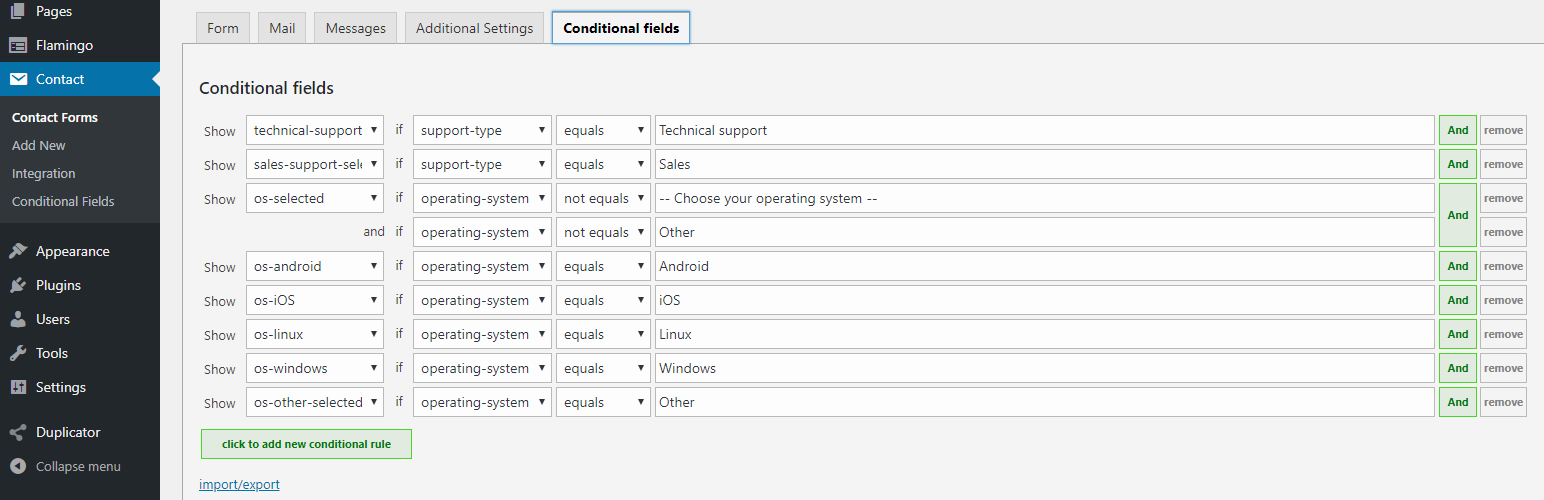
If you edit your CF7 form, you will see an additional tag called “Conditional fields Group”. Everything you put between the start and end tag will be hidden by default. After you have added the field group(s), go to the “Conditional fields” tab to create one or more conditions that will make the group(s) appear.
Conditional Fields for Contact Form 7 is an independent plugin. This plugin is not affiliated with or endorsed by the developers of Contact Form 7.
使用方式
主要功能
Support for required fields
Required fields inside hidden groups will never trigger validation errors.
Hide/show info in emails based on what groups are visible
Conditional groups can now be added to the emails as well.
Just wrap the content with [group-name] ... [/group-name] tags.
Groups can be nested
Groups can be nested, both in the form and in the email
Example form:
[group group-1]
  [group group-inside-1]
    ...
  [/group]
[/group]
Example email:
[group-1]
  [group-inside-1]
    ...
  [/group-inside-1]
[/group-1]
Advanced
Advanced users can code up the conditions as plain text instead of using the select boxes, using the Text View.
Need more power?
Just like WordPress, the power of Contact Form 7 lies in its rich eco-system of extensions that build on top of it. However, it can be difficult to find a set of complex extensions that work well together.
That’s why I created Conditional Fields Pro. It adds some powerful features to Contact form 7 and guarantees that everything will run smoothly with Conditional Fields.
Pro 版功能如下:
- Repeatable fields (repeaters)
- Forms with multiple steps (multistep)
- Calculated fields
- 使用 JavaScript 函式的進階條件
- 多重檔案上傳
Get the PRO version of Conditional Fields for Contact Form 7!