GoDAM – Organize WordPress Media Library & File Manager with Unlimited Folders for Images, Videos & more
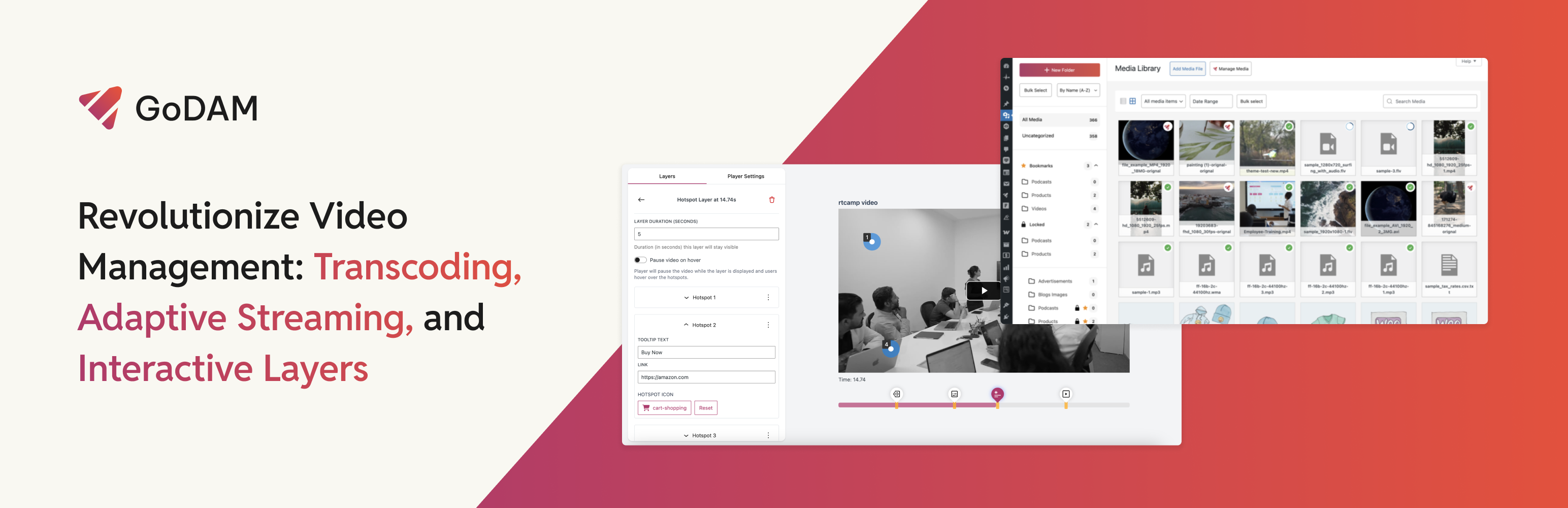
GoDAM combines multiple media tools into one WordPress plugin and provides three key features:
✓ Advanced Media Manager / Digital Asset Management – Create unlimited folders and sub-folders to organize your media, manage everything from a central media repository, add advanced metadata, and serve automatically transcoded media optimized for each device. ✓ Interactive Video for better conversion – Embed video layers with in-video forms to capture leads directly from videos, add polls and CTAs to prompt user action, and use hotspots to tag and identify products during playback. ✓ Video Hosting – WordPress-native video hosting with a customizable player. Upload large videos that get automatically transcoded, stored in the cloud, and delivered through a global CDN with adaptive bitrate streaming.
Let’s dive into each of these in detail.
Paid plans start at $7.5 per month (annual subscription) (for unlimited sites) or Start for free.
Check out our source code and contribute to the plugin on GitHub: Official GoDAM GitHub.
👉 Read Our Blog : link
👉 Official Free Demo Link: Try out GoDAM Demo
👉 Learn More About GoDAM Pro : All The Features of GoDAM
Advanced Media Manager
Organize your media library for better workflow efficiency with:
📌 Media Library Manager ✓ Unlimited folders & subfolders ✓ Drag-and-drop file organization ✓ Advanced search, sort & filtering ✓ Bookmark & lock folders ✓ Download as zip ✓ Image, video, audio, and PDF are supported
Check full description here
📌 GoDAM Central (Digital Asset Management for WordPress) [Paid] ✓ Centralized media library with unified cloud storage & CDN delivery ✓ Sync and use assets across multiple WordPress sites (upload media at one site, insert it anywhere across connected sites) ✓ Single video pages with comments, reactions, and role-based team collaboration ✓ Media sharing & embeds ✓ Supports video, audio, images & PDFs
Check full description here.
Interactive Video
Interactive videos turn viewers into customers, boosting conversion and revenue.
📌 Video Layers ✓ Embed lead capture forms inside videos ✓ Video CTAs to display offers, deals, etc. ✓ Interactive video hotspots ✓ In-video polls to gather viewer opinions during playback ✓ Video form recorder (upload or record via webcam/screen inside forms)
Check the full description here.
📌 Ad Monetization (Video ads) ✓ Earn from your WordPress videos by displaying ads, including self-hosted ads and third-party networks like Google AdSense. Check full description here.
Video Hosting
WordPress native video hosting solution, perfect for creators, marketing teams, LMS platforms & more.
📌 Video Transcoding, Adaptive Bitrate Streaming & Cloud Storage [Paid] ✓ Offload videos to cloud storage and serve via CDN ✓ Automatic video transcoding with support for a wide range of video formats and multiple resolutions (240p to 4K) ✓ Adaptive bitrate streaming that adjusts video quality in real time for a buffer-free viewing experience ✓ Video watermarking ✓ Auto-generate up to 10 thumbnails ✓ Supported audio formats: MP3, M4A, WAV, OGG ✓ Supported video formats: 3G2, 3GP, AVI, FLV, M4V, MOV (QDM2 only), MP4, OGV, WEBM, WMV
📌 Fully Branded & Customizable Video Player ✓ Use 5 different video player themes or create your own using custom CSS ✓ Custom logo, color & branding ✓ Completely ad-free with no redirects
📌 Advanced Video Analytics [Paid] ✓ Get first-party video insights to understand viewer behavior, make data-driven decisions, and refine your content strategy. ✓ Play rate, watch time, engagement ✓ Heatmaps to understand dropoffs ✓ Geo-based traffic data ✓ Performance comparison
📌 Additional Video Features ✓ Video chapters ✓ AI transcriptions [Paid] ✓ Video SEO with in-built schema & metadata fields ✓ Video gallery ✓ Likes, comments & view counts for videos [Paid] ✓ Migrate Vimeo videos to GoDAM with essential metadata ✓ Use Screen Recorder Chrome extension to record videos & embed into WordPress [Paid]
Integrations
GoDAM works seamlessly with popular WordPress plugins to enhance interactivity and engagement:
- Gravity Forms – Add forms directly to your videos to collect leads and feedback.
- WPForms – Integrate lightweight forms for surveys, signups, or user inputs.
- Contact Form 7 – Use a classic contact form plugin inside your videos for engagement.
- Jetpack Forms – Block Editor based forms for lead generation and engagement.
- Forminator Forms – Advanced form builder with powerful features for lead capture.
- Fluent Forms – Modern form builder with advanced conditional logic and integrations.
- SureForms – Professional form solution with advanced features and analytics.
- Everest Forms – User-friendly form builder with drag-and-drop functionality.
- Ninja Forms – Powerful form builder with advanced features and conditional logic.
- MetForm – Modern form builder with drag-and-drop interface and advanced styling options.
- WP-Polls – Add live polls to your videos and gather audience opinions in real-time.
- Elementor – Drag-and-drop GoDAM widgets for easy content creation.
- WPBakery – Add GoDAM Video, Audio, and Gallery elements to WPBakery pages.
- LifterLMS – Integrate GoDAM with LifterLMS for course management and video delivery.
Important Links
✓ Upgrade to a paid plan starting at just $7.5 per month (annual subscription) for unlimited sites (or Start for free) ✓ All features ✓ All integrations ✓ Demo ✓ Documentation ✓ Support
Pricing Plans
✓ 7-Day Free Trial available for each subscription plan. ✓ Flexible pricing options to suit different needs. ✓ Upgrade or cancel anytime based on usage.
External Services
This plugin relies on third-party services to provide specific features. Below is a detailed explanation of the external services used, what data is sent, and under what conditions.
godam.io
Purpose: This service stores feedback submitted by users during plugin deactivation to help us improve the plugin and understand user concerns.
Data Sent:
-
Site URL
-
Reason for deactivation
-
Name
-
Email ID
When Data is Sent: Data is sent only when a user submits the deactivation feedback form after clicking the deactivate button.
Service Provider: godam.io
Terms of Service | Privacy Policy
app.godam.io
Purpose: This service is used for transcoding media uploaded by users and verifying the API Key to ensure the plugin is authorized for use.
Data Sent:
-
Site URL
-
API Key
-
Author Email (optional, can be filtered out)
-
Author First Name (optional, can be filtered out)
-
Author Last Name (optional, can be filtered out)
When Data is Sent:
-
During media transcoding when the user uploads a video.
-
When the plugin checks for a valid API Key.
Service Provider: app.godam.io
Terms of Service | Privacy Policy
analytics.godam.io
Purpose: This service collects analytics data when a user watches a video on the frontend. It helps track video performance, user engagement, and campaign effectiveness.
Data Sent:
-
IP Address
-
Email
-
Author of the post’s display name
-
Browser version, name, and browser language
-
User Agent String
-
The operating system of the user’s device (e.g., Windows, macOS, Android)
When Data is Sent:
-
When the page containing the video loads.
-
When the user exits the page after watching the video.
Service Provider: analytics.godam.io