
Gyta BuyBack turns your WooCommerce store into a professional trade-in and buyback operation. Instead of selling products to customers, you purchase products from them — with automated payments, prepaid shipping labels, and a fully streamlined workflow built right into the WordPress admin.
📖 Full Documentation | 🌐 Official Website | 🛒 Upgrade to Premium
🔄 How It Works
WooCommerce is built for traditional ecommerce — the customer pays you. Gyta BuyBack flips the script. It adds reversed payment gateways so you pay the customer, automatically generates prepaid return shipping labels, and gives you every tool you need to run a professional buyback or trade-in business.
- Customer submits a trade-in — They add their item to your WooCommerce cart and check out as normal.
- You generate a shipping label — A prepaid EasyPost label is created automatically (or in batch) and emailed to the customer.
- Customer ships the item — Real-time tracking events keep both sides informed via webhooks.
- You inspect and pay — Once the item arrives, you pay the customer through one of the reversed payment methods (Check, PayPal, Zelle, Venmo, and more).
🏢 Who Is This For?
Gyta BuyBack is purpose-built for businesses that buy products from consumers:
- Used Phone & Electronics Buyers — Run a phone or electronics trade-in program directly from your WordPress site.
- Recommerce & Refurbishment Companies — Streamline the intake of used goods for refurbishment and resale.
- Gold, Jewelry & Precious Metal Buyers — Accept mail-in shipments with prepaid labels and pay sellers on approval.
- Textbook & Media Buyback — Operate a textbook buyback program with automated shipping and payouts.
- Sneaker & Fashion Resellers — Purchase authenticated items from sellers with a professional storefront.
- Trade-In Programs for Any Retailer — Add a trade-in program alongside your existing WooCommerce shop.
- Recycling & E-Waste Programs — Accept items for recycling with automated logistics.
✅ Free Features
- Reversed Payment Gateways — WooCommerce-native payment methods (Check, PayPal, Amazon Gift Card) that pay the customer instead of charging them.
- EasyPost Shipping Integration — Automatically generate USPS, UPS, and FedEx prepaid return shipping labels from within WooCommerce orders.
- Customer Shipping Labels — Customers can print or download their prepaid return label from the order confirmation page and order emails.
- Buyback Button Labels — Product and checkout buttons read as a sale to you (“Trade in / Sell to us”, “Get my offer”) instead of “Add to cart” — fully customizable.
- Real-Time Tracking Webhooks — Receive EasyPost tracking event updates via a secure REST API webhook endpoint. Tracking events are stored on the order.
- Custom Order Statuses — Optional “Waiting for Customer Approval”, “Customer Approved”, and “Customer Disapproved” statuses for a complete approval workflow.
- WP-CLI Commands — Manage labels, verify addresses, and debug orders from the command line for advanced users and automation.
- WooCommerce HPOS Compatible — Fully compatible with WooCommerce High-Performance Order Storage (Custom Order Tables).
- Cart & Checkout Block Support — Works with the modern WooCommerce block-based cart and checkout.
- Admin Dashboard — A dedicated Gyta BuyBack menu in wp-admin with quick links, settings, and order tools.
- Privacy & GDPR Ready — Built-in privacy policy content suggestions for your site’s privacy page.
- Multisite Compatible — Works on WordPress multisite installations with network or local activation.
- Design Templates — Pick a look for everything your customers see (Classic, Card, or Minimal) and set an accent colour to match your brand.
- Getting-Started Checklist — A guided first-run checklist with a one-click sample trade-in product, so you can see the whole flow before configuring anything.
📖 View full feature documentation →
⭐ Premium Features
Upgrade to unlock powerful tools for scaling your buyback business:
- Store Modes — Run your store as Dual (buy + trade-in side by side) or Net settlement (trade in toward a purchase and pay the difference), instead of buyback-only.
- More Payout Methods — Pay customers via Zelle, Venmo, Interac eTransfer, ACH, UK Bank Transfer, Crypto / Stablecoin, or Store Credit (with an optional bonus %).
- Trade-In Device Details — Capture each item’s condition, IMEI / serial number, and notes on the product page, cart, or checkout.
- Re-Quote & Counter-Offer — Revise the payout after inspection and send the customer a new offer to approve or decline.
- Customer Status Timeline — A live progress tracker on the customer’s order page, from label sent to payment sent.
- Buyback Reports — Total paid out, pending payouts, and devices awaiting action at a glance.
- Batch Labels & Scan Forms — Generate shipping labels for many orders at once from a dedicated admin page.
- Shipping Label & Tracking in Admin — View label PDFs, tracking numbers, and delivery status directly from the WooCommerce order edit screen.
- Hide Variation Fields — Declutter WooCommerce product variation panels by hiding fields you don’t use (image, SKU, stock status, description).
- Automatic Payouts — Send real money to customers via PayPal Payouts or Wise in one click, with batch sending, status tracking, safe retries, and a QuickBooks-friendly accounting CSV export.
- Condition Quiz — Apple-style instant quotes. The customer answers a few questions and the offer adjusts automatically, in every store mode.
- Quote Expiry — Offers lock for a set number of days, with a clear countdown for the customer.
- Apple-Style Trade-In Picker — In Net mode, customers choose their old device while viewing the new one, and the credit follows them to cart and checkout.
- My Trade-Ins Account Tab — Customers get live status, labels, tracking, and one-click offer approval in their WooCommerce account; re-quotes can include inspection photos.
- Shipping Kits & QR Drop-Off — Mail a prepaid empty box first, with the return label printed inside or emailed when the kit ships. QR drop-off codes mean no printer at the carrier counter.
- Catalog CSV Import — Load your whole device price list (models, conditions, prices, categories) in one upload, with a dry-run preview.
- Net Reconciliation — Record the inspected value and let the difference settle itself: a pay-link invoice when a device grades lower, extra store credit when it grades higher.
- Resale Loop & Margin Reports — Turn received devices into sellable stock with cost tracking, margin reporting, and VAT margin-scheme flags for EU/UK second-hand dealers.
- SMS & Reminder Notifications — Twilio SMS updates (label ready, device received, payment sent), a shipping-kit reminder email, and one-time abandoned-quote recovery.
- Priority Support — Get faster, dedicated support for your buyback operation.
🚀 Upgrade to Premium → | 🆓 Start with a 30-day free trial
💡 Example Workflows
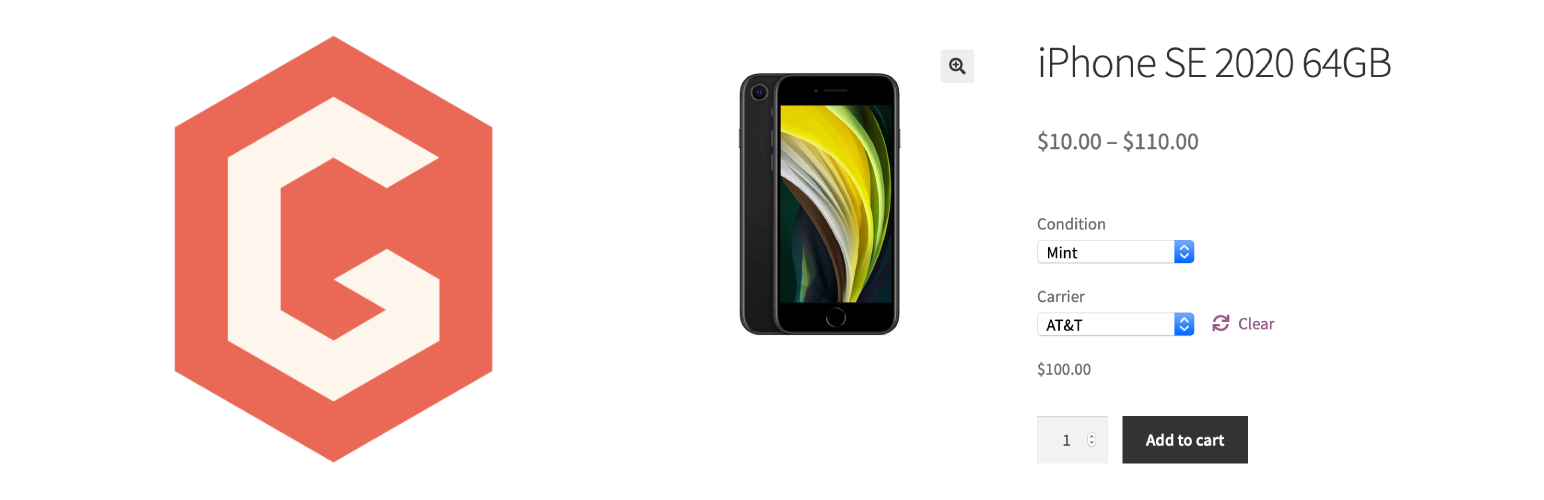
Example 1: Used Phone Buyback You list phone models as WooCommerce variable products (e.g., iPhone 15, 128GB, Good Condition = $320). A customer selects their phone, checks out, and receives a prepaid USPS label via email. They ship the phone. You inspect it, optionally use the customer approval flow, and pay them via PayPal or Zelle.
Example 2: Textbook Trade-In Program A university bookstore lists textbooks with buyback prices. Students check out with their books, get a prepaid FedEx label, and ship the books in. The store generates labels in batch at the end of each day and pays students by check.
Example 3: Gold & Jewelry Mail-In A precious metals dealer lists buyback categories. Sellers check out, receive a shipping label, and mail their items in an insured package. The dealer inspects, sets the order to “Waiting for Customer Approval” with a final offer, and pays upon approval.
🔌 EasyPost Integration
Gyta BuyBack uses the EasyPost shipping API to power its label generation. With EasyPost you get access to discounted rates from all major carriers:
- USPS — First Class, Priority, Priority Express
- UPS — Ground, 2nd Day Air, Next Day Air
- FedEx — Ground, Express Saver, 2Day, Overnight
Labels are generated right from the WooCommerce order screen, attached to the order as metadata, and automatically included in customer notification emails — no copy-pasting required.
🧑💻 WP-CLI Support
For developers and power users, Gyta BuyBack includes a full set of WP-CLI commands:
wp gyta diagnose — Run plugin diagnostics
wp gyta status — Show EasyPost connection status
wp gyta settings — List all settings (also `wp gyta get <key>` and `wp gyta set <key> <value>`)
wp gyta test-address — Validate an address against EasyPost
wp gyta test-label <order_id> — Create a shipping label for an order (this buys a real label)
wp gyta refund <order_id> — Request a refund for an order's shipping label
Creating labels for many orders at once is done from the Batch Labels admin tab rather than WP-CLI.
🆘 Support: WordPress.org support forum (free) | gytabuyback.com (premium)
GAUCHO PLUGINS PORTFOLIO
Payment Page: Start accepting payments in a beautiful payment form in less than 60 seconds
Split Pay Plugin: Split WooCommerce payments across multiple connected Stripe accounts.
Login for Stripe Customer Portal: Create an Account login area for your Stripe customers.
Gyta Buyback: Create a trade-in / buyback business using WooCommerce.
Version Info: Show WP, PHP, MySQL & Web Server Versions in the WP-Admin Dashboard.
China Payments Plugin: Accept WeChat Pay and Alipay payments from Chinese customers.
Blocked in China: Check if your website is available in the Chinese mainland.
Speed in China: Check your website’s speed in the Chinese mainland.
External Services
This plugin connects to the following external services when you enable the related features.
EasyPost (api.easypost.com)
When you configure an EasyPost API key, this plugin connects to EasyPost to generate prepaid shipping labels, verify addresses, and receive tracking webhook events for buyback orders. Order and address data required for label creation is sent to EasyPost.
Freemius (api.freemius.com, freemius.com)
This plugin includes the Freemius SDK for premium licensing and updates. Data is sent to Freemius when you opt in through the Freemius connect screen.
Twilio (api.twilio.com)
Used only if you enable SMS notifications and enter your own Twilio credentials. When a status SMS is sent, the customer’s phone number and the message text are sent to Twilio.
PayPal Payouts (api-m.paypal.com, api-m.sandbox.paypal.com)
Used only if you enable automatic payouts via PayPal and enter your own PayPal credentials. When a payout is issued, the payee’s PayPal address, the payout amount and an order reference are sent to PayPal. The sandbox host is used only while Sandbox mode is switched on.
Wise (api.transferwise.com, api.sandbox.transferwise.tech)
Used only if you enable automatic payouts via Wise and enter your own Wise API token. When a payout is issued, the recipient’s name and bank account details, the payout amount and an order reference are sent to Wise. The sandbox host is used only while Sandbox mode is switched on.