
File Manager for Dropbox
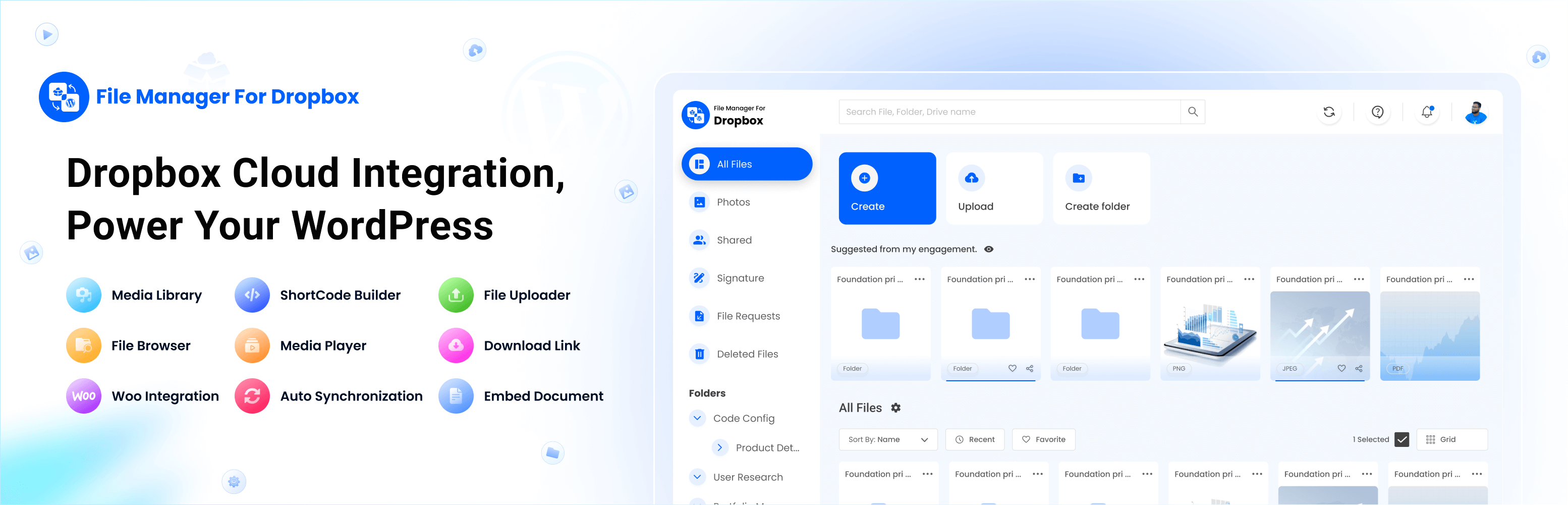
Manage your Dropbox files directly from WordPress with ease. File Manager for Dropbox lets you connect your Dropbox to your site so you can upload, embed, and share files without touching your server space. Use it to build galleries, play videos, manage WooCommerce downloadable products, or add course materials with LMS plugins. It’s designed to save your time, reduce hosting costs, and keep everything in one place, right from your WordPress dashboard.
👁️ More Features | 👑 Get Pro | 📄 Docs | ▶️ Video Tutorial | 🎧 Support
Key Features
✅ Team Folder Supported ✅ WordPress Multisite Supported ✅ User-Specific Folders: Create folders dedicated to individual users. ✅ Auto Sync/Update: Automatically sync and update new images on web pages every 1–3 minutes. ✅ Media Library Integration: Easily integrates with the WordPress media library. ✅ Widgets for Elementor: Ready-to-use widgets for Elementor. ✅ Folder & File Management: Create, upload, rename, delete, share, download, preview, and sync files with ease. ✅ Shortcode Builder: Generate shortcode modules for maximum flexibility. ✅ Slider & Carousel: Create sliders and carousels from your Dropbox files. ✅ File Browser: Navigate folders and files easily. ✅ Image Gallery: Build stunning image galleries using Dropbox images. ✅ Media Player: Create a fully customizable media player for Dropbox videos. ✅ Embed Documents: Embed Dropbox files in WordPress with just a few clicks. ✅ Download Links: Generate direct download links for Dropbox files. ✅ View Links: Create view-only links for Dropbox files in one click. ✅ File Search: Quickly search through files and folders.
Connect to Account
Authorize using your app. It’s simple and secure.
✅ Free Features ✅
⚙️ Easy Setup – Connect your Dropbox account by adding your App and Secret Key. View Documentation
🔎 Search Module – Search files and folders by name and use them in shortcodes, featured images, or across posts and pages
🗂️ Upload & Create Files/Folders – Upload files and create folders directly from your WordPress dashboard
👷♀️ Shortcode Builder – Build and customize modules like Media Player, Slider, File Browser, Gallery, Download, and Embed links
🌆 Gallery – Showcase images and videos in a clean, interactive gallery
🛠️ Shortcode Module – Select and insert built-in shortcodes from a dropdown menu
📄 Embed Documents – Display documents directly on WordPress pages
🔗 Download Links – Share files for download, perfect for digital products
👁️ View Links – Share files in view-only mode to protect downloads
🛟 Preloader – Choose from predefined preloaders to enhance your site’s loading experience
🌈 Customize Backend Colors – Change dashboard colors with predefined options
📱 Responsive Design – Works on desktop and mobile
📲 Use Own App – Connect with your own Dropbox app for a personalized setup Watch Video
⚙️ Reset Settings – Reset plugin settings back to default
🚀 Pro Features 🚀
⏯️ **Dropbox Integration For Media Library ** – Access Dropbox files directly from the WordPress Media Library
💰 Sell Downloadable Products – Manage WooCommerce downloadable products from Dropbox
↕️ Upload & Download – Sync uploads and downloads with Dropbox automatically
🔎 Advanced File Search – Add live search with thumbnail previews for users
🖥️ File Browser – Browse and manage files from a web interface
🎵 Media Player – Play audio and video files with a customizable player
🛝 Slider Carousel – Create image and video sliders from Dropbox files
♾️ Unlimited Shortcodes – Create and name your own shortcodes for any theme or builder
🛟 Custom Preloader – Add unique preloaders for site loading
🎨 Color Customization – Fully customize backend colors
🧩 Integration with Popular Plugins
▶️ Dropbox Integration For Media Library – Add Dropbox images to posts, pages, featured images, and galleries
🅱️ Dropbox Integration For Gutenberg Editor – Includes 7 Gutenberg blocks (File Browser, Gallery, Media Player, Slider, View, and Download links)
⚡ Dropbox Integration For Elementor – Comes with 7+ Elementor widgets for all modules
🏫 Dropbox Integration For MasterStudy LMS – Use Dropbox for course videos and thumbnails
🏫 Dropbox Integration For Tutor LMS – Add course assets from Dropbox for enrolled students
🛒 Dropbox Integration For WooCommerce – Manage downloadable products from Dropbox
🧩 Dropbox Integration For Advanced Custom Fields (ACF) – Attach Dropbox files to custom fields
✉️ Dropbox Integration For Contact Form 7 – Let users upload files directly from Dropbox via forms
🌿 Dropbox Integration For Envira Gallery – You can use any image from Dropbox to make a gallery.
📦 Dropbox Integration For Easy Digital Downloads – Easily store and deliver your digital products from Dropbox using secure, automatic file access.
🔥 COMING NEXT 🔥
🔀 Dropbox Integration For LearnPress Using this plugin will allow you to add course assets from the Cloud to share with paid students.
🎯 Basic Usage
👉 Link your Account After activating the plugin, you’ll need to link your account. This allows the plugin to integrate with your WordPress site.
👉 Shortcode Builder You can create various types of modules with different configurations with the shortcode builder and can use them anywhere using the shortcode.
👉 Embed Documents You can embed images, documents, and videos to your page or post using the shortcode builder or the editor button.
👉 Insert Download/ View Links You can insert direct links in any page/ post to download and view from Dropbox.
Data Privacy
This Application uses the user’s app and secret key information when you authenticate and link the Application with your Account.
This plugin is an independent third-party software and is not affiliated with, endorsed, or sponsored by Dropbox Inc. It securely uses the official Dropbox API and is a trusted solution for integrating Dropbox with WordPress.
ℹ️ IMPORTANT: All communications between your server and the cloud storage service servers are strictly encrypted and do not pass through our servers.
📚DOCUMENTATION & SUPPORT
🔥 WHAT’S NEXT 🔥 Consider checking out our other products:
📂 Integration Google Drive – Easily use any Google Drive files to WordPress with awesome gallery, slider carousel, file browser, and embed documents.
🌙 Dusky Dark Mode – A beautifully designed dark mode plugin for WordPress that enhances user experience day and night.
🧑🦯 CodeConfig Accessibility – Easy One-Click Accessibility Toolbar.
🛒 Essential Addons for WooCommerce – Packed with 14+ must-have features to supercharge your WooCommerce store.
External Libraries and Links Used
We use the following external libraries and links in this plugin – Dropbox PHP SDK – To browse and upload files from Dropbox
-
https://docs.google.com/viewerng/viewer?embedded=true&url= To view PDF files in the pop-up preview. Privacy Policy: https://www.google.com/drive/terms-of-service/
-
https://view.officeapps.live.com/op/embed.aspx?src= To view Office files in the pop-up preview. Privacy Policy: https://www.microsoft.com/en-us/privacy/
Contribute
File Manager for Dropbox is an open source project. You can view the full sources (unminified JS) and contribute to the project on GitLab: https://gitlab.com/jakirul/integrate-dropbox