
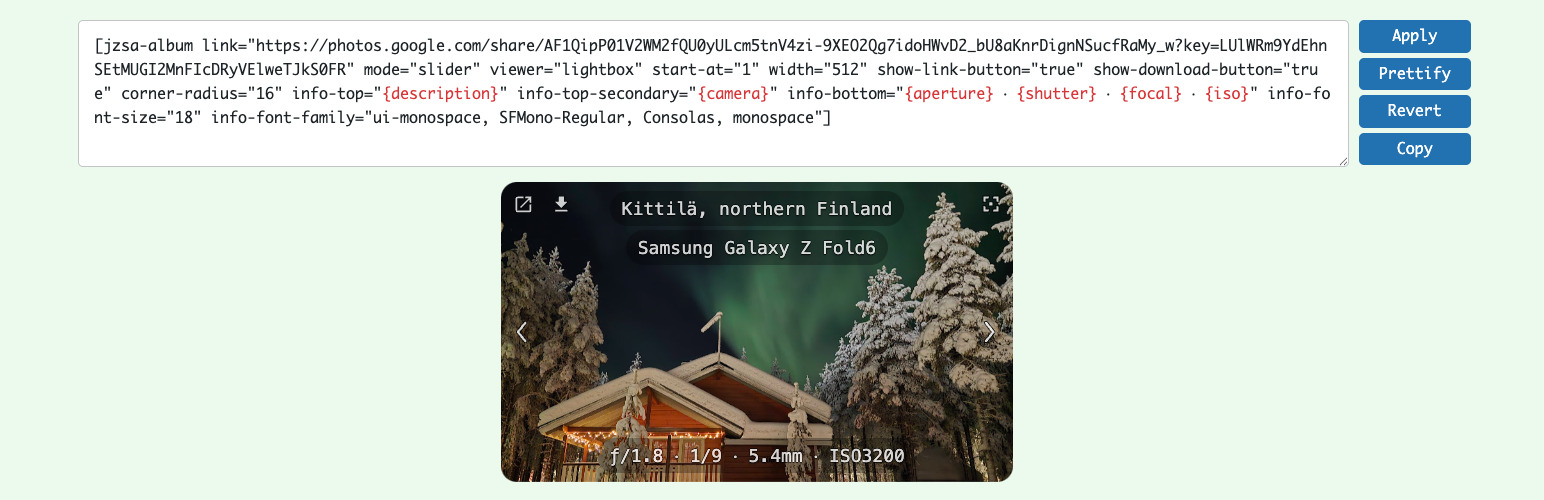
Embed a Google Photos shared album directly from the source, without uploading copies to your WordPress media library. Add one shortcode, choose a gallery, slider, or carousel layout, and the plugin turns your album into a responsive photo experience for desktop and mobile visitors.
It is built for photographers, bloggers, clubs, families, travel sites, event pages, and anyone who already organizes photos in Google Photos and wants to show them beautifully on a WordPress site.
Why Install It
- No duplicate uploads – Keep your photos in Google Photos and show them on your WordPress site.
- Less gallery maintenance – Update the album at the source instead of rebuilding galleries by hand.
- A better visitor experience – Give people a responsive gallery, slider, carousel, fullscreen view, or lightbox.
- Photo and video support – Share mixed albums without splitting them into separate WordPress galleries.
- Mobile-friendly browsing – Let visitors swipe, tap, zoom, navigate, and enjoy slideshows naturally.
- Useful presentation options – Show descriptions, dates, counters, buttons, and image details when they help.
- Built for real albums – Caching, lazy loading, and progressive loading help larger albums stay practical.
Why People Use It
Google Photos is convenient for storing and sharing albums. WordPress is where your audience is. This plugin connects the two.
Instead of exporting photos, uploading them to the media library, rebuilding galleries, and repeating the work after every album change, you can share the Google Photos album once and embed it where you need it.
What Happens After Installing
The plugin adds its own WordPress admin menu with a friendly Guide page, ready-to-use examples, a live shortcode playground, and the current parameter reference.
Start with a sample, paste your own Google Photos share link, preview the result, and place the shortcode where you want the album to appear.
Community Inspiration
The optional Community Directory helps you discover what other users are building with the plugin.
- Browse real shortcode examples for layout ideas.
- Copy a configuration and adapt it to your own album.
- Rate useful examples and share your own.
- Add a sample page URL if you want curious visitors to find your site.
Community features are optional. You can use the gallery plugin without joining or publishing anything.
Community Acknowledgements
This plugin has been shaped not only by code, but also by people willing to test early versions, question design decisions, and explain their real-world needs. Their ideas and thoughtful feedback continue to make it more useful and easier to use.
Special Recognition
- Naveen Bachwani (
@naveenbachwani) – An early adopter with a sharp eye and analytical mind. His feedback often improved usability while new features were still being designed, before they reached a public release. His many feature ideas, extensive testing, UX feedback, and detailed design discussions have helped shape photo information and descriptions, mobile and Fullscreen behavior, the Community Directory, and the current Lightbox and Fullscreen experience.
Personal note: It has been a genuine pleasure working with you, Naveen!
Key Contributors
- Peter Berger (
@peterpolow) – Detailed feature requests and patient real-device testing that helped drive video support, Gallery mode, separate inline and Fullscreen controls, and more discoverable button behavior on iPhone and other mobile devices. - Ulf (
@toonwolf) – Real-world testing and thoughtful presentation requests based on using the plugin for digital signage on a screen in his tennis club cafe.
Additional Acknowledgements
- Valter Bruno (
@valterbruno) – The original Lightbox feature request and continued real-world testing of the plugin and its shortcode workflow. - Luis (
@luisbenitez777) – The request to support mosaic thumbnails in Fullscreen, which became the Fullscreen mosaic feature. - Mateusz Starzak (GitHub
@matiaspl) – A public fork that inspired the original mosaic feature. - GMRobbins (
@gmrobbins) – An early usability review that led to clearer onboarding and helped inspire Gallery mode and the carousel-to-single experience.
Credits
Privacy Policy
This plugin does not collect or store any user data for its core gallery functionality.
Use of external Google services
- The plugin fetches public Google Photos album pages from
https://photos.google.comand image files from*.googleusercontent.comin order to render the galleries. - Only publicly shared album links are supported; the plugin has no access to private albums or any content that is not already available via a public share link.
- The plugin does not collect, store, or transmit user credentials or personal data. It only caches album HTML and image URLs in WordPress transients for performance, and this cache is stored locally in your WordPress database.
Community Directory (optional, opt-in)
The Community Directory is optional. Browsing samples loads public examples from sa.janzeman.com. Sign-in, ratings, and publishing are used only when you choose to connect to the community.
If you publish an entry, the community service stores the information you submit, such as title, shortcode, description, tags, optional sample page URL, and optional display name. You can delete your community account from the plugin admin page.
The community backend does not use cookies, analytics, advertising, or newsletters.
Support
- Bug reports: Open an issue on GitHub
- Feature requests: Post on the support forum
- Privacy, account, or sensitive questions: email support@janzeman.com
- Leave a rating: Review on WordPress.org
- Buy Me a Coffee: buymeacoffee.com/janzeman