
Selfhost Podcasting – Create Podcasts Easily
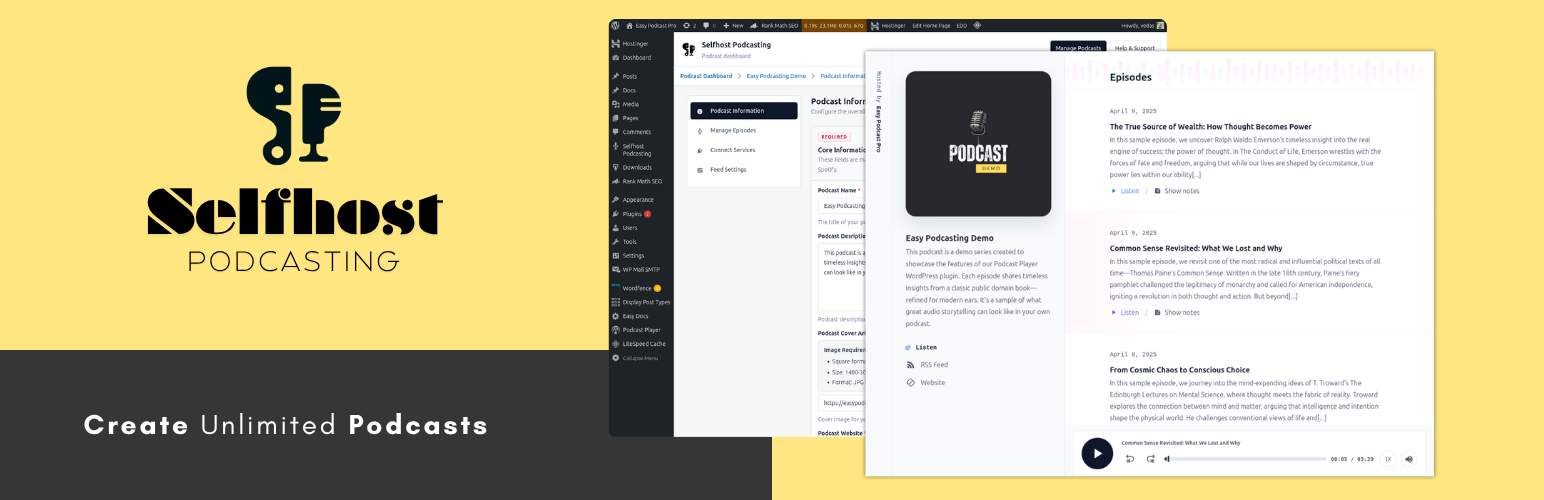
Selfhost Podcasting is a clean and efficient WordPress plugin that helps you create and host multiple audio or video podcasts directly from your WordPress dashboard. It provides a clean and focused admin interface where you can enter podcast and episode details. The plugin then generates a fully formatted RSS feed that meets the technical specifications of Apple Podcasts and Spotify.
Watch this introductory video to learn about the Selfhost Podcasting.
Unlike bulky podcasting plugins that try to do everything, Selfhost Podcasting focuses on what really matters: your podcast feed. Whether you’re launching a single show, publishing video episodes, or managing a podcast network, this plugin makes it easy to generate valid, standards-compliant RSS feeds for Apple Podcasts, Spotify, and other major directories.
Key Features
- Create and manage multiple podcast shows from a single dashboard
- Clean, distraction-free and well-organized input forms for entering podcast and episode metadata
- Automatically generates podcast RSS feeds that comply with Apple and Spotify guidelines
- Supports audio and video episode media, including MP3, M4A, MP4, M4V, MOV, WebM, and VideoPress-hosted videos
- Captures episode media length, MIME type, and extension metadata for valid RSS enclosures
- Podcast feed preview includes an inline player for audio and video episodes
- Supports custom fields such as episode type, season, duration, and explicit flag
- Optional private podcasting extension supports private RSS delivery and website-only listening access
- Lightweight with no impact on your site’s frontend
- All data stays in your WordPress site — no lock-in
Use Cases
- Independent creators who want to self-host their podcast
- Agencies managing podcasts for clients
- Developers building podcasts inside WordPress
- Privacy-conscious publishers who want to own their RSS feed
Integrations
Podcast Player
Selfhost Podcasting now comes with built-in integration for the popular Podcast Player plugin. With this feature enabled, every new podcast episode you publish will automatically include a clean, responsive audio player powered by Podcast Player — right inside your episode post content. This means your listeners can play the episode directly from the page without any extra setup on your part. To use this feature, you must have the Podcast Player plugin installed and activated on your WordPress site.
For users who prefer not to add an embedded player automatically, this feature can be easily disabled from the Selfhost Podcasting settings. This gives you full control over how your episodes are displayed while still allowing you to take advantage of the seamless integration when you want it. By combining Selfhost Podcasting’s feed creation power with Podcast Player’s playback experience, you can offer your audience a smooth, professional, and mobile-friendly way to enjoy your content.
Thrid Party Analytics Prefix
Selfhost Podcasting now supports adding prefix URLs for third-party podcast analytics services. This feature allows you to easily integrate with services like Podtrac, Blubrry, and OP3 by simply entering the prefix URL in the plugin settings. Once added, the prefix will automatically be applied to all your podcast episode media URLs, enabling these services to track and report analytics without requiring any manual edits to your feed.
Currently supported services include:
- Podtrac – How to manually add the Podtrac prefix to your RSS feed
- Blubrry – Statistics Documentation
- OP3 – Setup Guide
This gives you full flexibility to choose the analytics provider you prefer, while keeping your workflow simple and efficient.
Cloudflare R2 Bucket
Selfhost Podcasting now supports seamless integration with Cloudflare R2, allowing you to automatically upload and manage your podcast media files in a Cloudflare-powered S3-compatible storage bucket. Once you enter the required Cloudflare credentials — including your Access Key, Secret Key, Bucket name, and domain — the plugin takes care of the rest.
With this integration enabled:
New podcast episodes will have their media files automatically uploaded to your Cloudflare R2 bucket.
If you delete an episode, its associated media file will be removed from the bucket, keeping your storage clean and in sync with your content.
The process is fully automated — no additional steps are required after setup.
Cloudflare R2 offers a fast, scalable, and cost-effective storage solution, making it easier than ever to host your podcast audio and video files while retaining full control over your data. This integration empowers you to focus on creating content while the plugin handles the technical details.
Privacy
Selfhost Podcasting stores podcast and episode data in your WordPress site. Optional integrations can send data to external services only when you enable and configure them.
Analytics Prefix Integrations
If you enable a third-party analytics prefix, the plugin rewrites episode media URLs in your feed so listener requests pass through the selected provider before reaching your media host. This can allow the provider to receive request and delivery data associated with podcast downloads, such as the requested URL, time of request, IP-derived or network information, user agent, referrer, range headers, and similar HTTP request metadata, subject to the provider’s own implementation and policies.
Review the privacy terms of any analytics provider you enable:
- Podtrac Product Privacy Statement: https://analytics.podtrac.com/product-privacy-statement
- Blubrry Privacy Policy: https://blubrry.com/about/privacy-policy/
- OP3 Privacy Policy: https://op3.dev/privacy
You should only enable an analytics prefix if you want that provider involved in delivery measurement for your podcast.
S3-Compatible Cloud Storage
If you enable S3-compatible storage, the plugin can upload your media files from your WordPress site to the storage provider you configure. Depending on your setup, the provider may process uploaded objects, object names, file metadata, account identifiers, access credentials, request logs, and related operational or security data under its own terms.
Supported providers may include:
- Cloudflare R2: https://developers.cloudflare.com/r2/ and https://www.cloudflare.com/privacypolicy/
- Amazon S3 / AWS: https://docs.aws.amazon.com/AmazonS3/latest/userguide/UsingEncryption.html and https://aws.amazon.com/privacy/app/
- Wasabi: https://wasabi.com/legal/privacy-policy and https://docs.wasabi.com/v1/docs/data-access-restrictions-in-the-usa-for-wasabi-users
Make sure your privacy policy explains which storage provider you use for podcast media and what data is transferred there.
Private Podcasting
If the private podcasting extension is enabled in your site build, the plugin may store subscriber names, email addresses, hashed email references, access tokens, token status, expiration dates, and usage records for private feed delivery inside your WordPress database. Private podcasts can be configured to send subscribers private RSS feed links for podcast apps or website-only listening links that require a WordPress login.
Depending on your private podcast settings, guest purchases without an existing WordPress account may be skipped for automatic website-only access or may create a WordPress user account and send the listener a password setup email. The plugin may also send email notifications containing private feed links, website listening links, or token-status updates using your site’s WordPress mail configuration.
Site owners are responsible for deciding how long that data should be retained and for responding to privacy, export, and erasure requests as required in their jurisdiction.