SheetLink Forms to Google Sheets & Excel – CF7, WPForms, Elementor, Gravity Forms (Free Zapier Alternative)

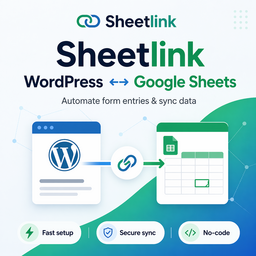
Stop paying Zapier every month just to land form submissions in a spreadsheet. SheetLink delivers submissions from 12 major WordPress form plugins directly to Google Sheets – free, unlimited, and with no third-party middleware in the path – and can mirror every submission to Excel Online, Airtable, and Notion at no extra cost.
Setup takes about three minutes: pick your form plugin, map fields to spreadsheet columns, and connect your Google account in one click – SheetLink creates the sheet for you (or you pick an existing one with Google’s own file picker) and rows start appearing immediately. Prefer not to connect an account? The classic Apps Script method is still built in: paste the generated script into your sheet and nothing but your own Google script ever touches the data. Either way, every submission flows straight from your WordPress server to your sheet over HTTPS, with automatic retries if Google is briefly unavailable.
Who this is for
- Marketers and lead-gen teams who need lead data in Sheets for triage, reporting, and handoff – without adding another monthly SaaS line item.
- Agencies managing forms across many client sites who want one consistent tool instead of ten different form-to-sheets plugins.
- Developers and site owners who want a local-first tool that doesn’t call home, doesn’t require registration, and doesn’t break when a third-party API changes.
Why SheetLink
- Free Zapier alternative. Unlimited form submissions at $0/month – no per-task fees, no trial caps, no feature gates on the core delivery pipeline.
- 12 form plugins, one interface. Contact Form 7, WPForms, Gravity Forms, Elementor Pro, Fluent Forms, Formidable, Ninja Forms, Forminator, Everest Forms, Beaver Builder, Divi, and WS Form – all from the same admin screen.
- More destinations than Google Sheets. Mirror the same submission into Excel Online, Airtable, and Notion for free – or make any one of them your rule’s only destination with the Primary Destinations add-on. Multi-CRM Routing (HubSpot, Salesforce, Pipedrive, Zoho) is a separate paid add-on.
- Never lose a lead. Automatic retry queue recovers failed deliveries up to three times, so a brief Google outage doesn’t cost you a customer.
- Full marketing attribution. UTM parameters, GCLID, fbclid, msclkid, IP, page URL, and referrer captured automatically on every submission and mapped to columns you control.
- Local-first architecture. Form submissions go directly from your WordPress server to Google – never through SheetLink’s servers. The one-click connection talks to SheetLink’s sign-in broker only to link and renew your Google account (your form data never passes through it), and the classic Apps Script method contacts nothing but Google at all. No telemetry, no activation pings, no required account.
The free core plugin covers the entire delivery pipeline (12 form integrations, retry queue, delivery logs, UTM capture, conditional routing, GDPR tools, local analytics, smart mapping, and a guided setup wizard) and works on any WordPress site without registration or account creation. Premium add-ons – Advanced Routing, CRM Fan-Out, Two-Way Sync, WooCommerce Sync, Extra Integrations, White-Label, Branded Reports, Agency Dashboard, and Role-Based Menu Visibility – require an active SheetLink license; see sheetlinkwp.com/pricing for tiers.
Supported Form Plugins
- Elementor Pro Forms
- Contact Form 7
- Gravity Forms
- WPForms
- Fluent Forms
- Formidable Forms
- Ninja Forms
- Forminator
- Everest Forms
- Beaver Builder
- Divi
- WS Form
How It Works
- Install SheetLink Forms
- Create a sync rule – pick your form plugin, map fields to spreadsheet columns
- Connect Google Sheets in one click: sign in with Google, and SheetLink creates a sheet for you or lets you pick an existing one with Google’s file picker
- Every form submission automatically appears in your Google Sheet
Prefer a zero-account setup? Use the classic method instead of step 3: copy the generated Google Apps Script into your sheet and deploy it as a web app. Both methods are free and fully supported.
Free features (no license required)
- All 12 form integrations – Elementor Pro, Contact Form 7, Gravity Forms, WPForms, Fluent Forms, Formidable, Ninja Forms, Forminator, Everest Forms, Beaver Builder, Divi, WS Form
- One-click Google Sheets connect – sign in with Google, create a new sheet in one click or pick an existing one with Google’s file picker, and rows appear with a labeled header. Uses Google’s most restrictive
drive.filescope: SheetLink can only ever see sheets it creates or that you pick – never the rest of your Drive - Unlimited sync rules – different forms to different sheets
- Field mapping – choose exactly which fields go to which columns
- Smart mapping suggestions – local heuristic that proposes Google Sheets column headers from your form field names (no external calls)
- Guided setup wizard – first-run wizard walks new installs from activation to a working Google Sheet connection in three minutes
- Auto-timestamps – optional timestamp column on every submission
- Delivery logs – see every submission with status and error details
- Automatic retry queue – failed deliveries are retried up to 3 times
- UTM & marketing data capture – auto-append IP, page URL, UTM parameters, GCLID/fbclid/msclkid
- Conditional routing – route submissions to different sheets or tabs based on field values
- Local analytics – submissions-per-day, peak hours, top forms, duplicate detection, week-over-week trend; stored in your own WordPress database
- Test button – send sample data to verify your setup
- Classic Apps Script method – prefer no connected account? SheetLink generates the Google Apps Script for you, just copy & paste
- GDPR data export and deletion – integrates with WordPress privacy tools
- Multisite central management – network admin overview of all subsites
Premium features (require an active SheetLink license)
The following features require a license key activated on the SheetLink → License page. See sheetlinkwp.com/pricing for tiers.
- Advanced Routing – multi-destination fan-out with priority order and optional fallback webhooks (Multi-Node add-on, or any MRR tier with fan-out slots)
- CRM Fan-Out – mirror submissions into HubSpot, Salesforce, Zoho, or Pipedrive alongside your Google Sheet (CRM Fan-Out add-on)
- Two-Way Sync – edit a row in Google Sheets and have the change arrive back in WordPress via REST hook (Two-Way Sync add-on)
- WooCommerce Sync – push orders, refunds, and customers to Google Sheets in real time (WooCommerce Sync add-on)
- Primary Destinations – make Excel Online, Airtable, or Notion a rule’s sole destination, with no Google Sheet involved. One add-on covers all three; mirroring to them alongside Google Sheets stays free (Primary Destinations add-on)
- Extra Integrations – JetFormBuilder, Bricks Builder, MetForm, Kali Forms, HappyForms (Integrations Bundle)
- White-Label Admin – replace the plugin menu label, logo, and colors (White-Label add-on or Agency Plus)
- Agency Dashboard – multisite summary across all network sites (Agency Plus)
- Branded Reports – generate client-facing HTML reports with your own branding (Agency Plus)
- Role-Based Menu Visibility – hide SheetLink menu items from non-administrator roles (Agency Plus)
- Hosted Lead Scoring – optional 0-100 lead scoring via the SheetLink scoring API (AI Lead Scoring add-on; still requires an explicit consent checkbox before any data is transmitted)
External services
This plugin contacts the following external services. Google is core to the plugin’s function – via the Google Sheets API (one-click connection) or a user-deployed Google Apps Script, depending on which connection method you choose per rule. The others are optional: Microsoft Graph only when you connect Excel Online, the SheetLink License Server only if you activate a paid license, and the SheetLink Lead Scoring API only behind an explicit consent checkbox (disabled by default).
Google Sheets API + Google Drive (one-click connection, v1.12.0+)
- What it is: Google’s official Sheets and Drive APIs, used when you connect a Google account with the one-click method.
- When it is called: Only after you click “Connect Google” on the SheetLink settings page and grant consent at Google’s own sign-in screen. With no connected account, no calls are made.
- What data is sent: Per matching submission, the form field values mapped by the user (plus optional enrichment data such as timestamps, UTM parameters, IP address, and page URL if enabled), written directly from your WordPress server to
https://sheets.googleapis.com/. Creating a sheet and listing tabs use the same API; the file picker useshttps://www.googleapis.com/drive/v3/and loads Google’s Picker JavaScript fromhttps://apis.google.com/in wp-admin only. - Scope:
drive.fileonly – SheetLink can access only spreadsheets it creates or that you explicitly pick with the picker. It can never see the rest of your Google Drive. - Token broker: The OAuth sign-in and periodic token renewal go through SheetLink’s broker at
https://sheetlinkwp.com/api/sheetlinkwp/oauth/google/so the Google client secret stays on SheetLink’s servers and not in the plugin. Your form submission data never passes through the broker. The refresh token is stored encrypted in your own WordPress database and is cleared the moment you disconnect. - Privacy considerations: If your forms collect personal data and you use the one-click connection, list
sheetlinkwp.com(the OAuth broker) andgoogleapis.com(Google’s API) as data processors in your privacy notice. - Google Sheets API documentation: https://developers.google.com/sheets/api
- Google Terms of Service: https://policies.google.com/terms
- Google Privacy Policy: https://policies.google.com/privacy
Google Apps Script (classic method)
- What it is: A user-deployed Google Apps Script web app that receives form data and writes it to your Google Sheet.
- What data is sent: The form field values mapped by the user, plus optional enrichment data (timestamps, UTM parameters, IP address, page URL) if enabled by the site administrator.
- When it is called: Each time a WordPress form submission matches a sync rule that uses the classic method.
- Where data goes: User-deployed Google Apps Script web app URLs hosted at
https://script.google.com/orhttps://script.googleusercontent.com/. The plugin validates that all receiver URLs begin with these prefixes. - No account required: With this classic method the plugin does not use Google API keys or OAuth – you deploy a free Google Apps Script receiver in your own Google Sheet, and nothing but Google is ever contacted.
- Google Apps Script documentation: https://developers.google.com/apps-script
- Google Terms of Service: https://policies.google.com/terms
- Google Privacy Policy: https://policies.google.com/privacy
SheetLink License Server (only if you activate a license)
- What it is: The SheetLink activation server that issues and verifies entitlements for paid features.
- When it is called: (a) Once when you paste a license key on the SheetLink → License page, (b) every 12 hours in the background to refresh the cached entitlements, and (c) when you click “Re-check entitlements” in the admin. If you never activate a license, this server is never contacted.
- What data is sent: Your license key (or purchase email as a fallback) and this site’s domain (
home_url()). No form submissions, no user accounts, no site content are ever sent to this endpoint. - Where data goes:
https://sheetlinkwp.com/api/sheetlinkwp/verifyandhttps://sheetlinkwp.com/api/sheetlinkwp/entitlements, over HTTPS. (Installs older than 1.13.1 contactsiteanswerai.comfor the same endpoints – a legacy domain the API used to be hosted under, which now forwards to the address above.) - Opt-out: Deactivate from the License page. The free features keep working indefinitely with no further calls.
SheetLink Lead Scoring API (optional, off by default)
- What it is: A hosted lead-scoring service provided by SheetLink. It returns a 0-100 score for each submission.
- When it is called: Only when the Analytics feature is enabled, an API token is configured on the Analytics settings page, AND the administrator ticks the “I understand form submission data will be transmitted…” consent checkbox. If any one of these is missing, no data is sent.
- What data is sent: The submitted form field values, the form identifier, the source form plugin name, and the site URL (
home_url()). No WordPress user account data, admin passwords, or database records unrelated to the submission are sent. - Where data goes:
https://sheetlinkwp.com/api/sheetlinkwp/lead-scoreover HTTPS, authenticated with a Bearer token provided by SheetLink. - Opt-in and opt-out: The feature is off by default. Removing the token, unchecking the consent box, or disabling the Analytics feature immediately stops all requests.
- Privacy considerations: If your forms collect personal data, you should list
sheetlinkwp.comas a data processor in your own privacy notice before enabling this feature. - Terms of Service: https://sheetlinkwp.com/terms
- Privacy Policy: https://sheetlinkwp.com/privacy
3. Microsoft Graph API (only when the Excel Online destination is connected, v1.10.0+)
- What it is: Microsoft’s REST API for OneDrive + Excel Online. Used to insert new rows into a customer-selected Excel table after each form submission.
- When it is called: Only after a customer (a) clicks “Connect Excel” in
SheetLink Forms -> Destinations -> Excel Onlineand grants consent at Microsoft’s sign-in page, (b) picks a workbook + table, and (c) enables the Excel mirror on a specific rule. With no connection, no calls are made. - What data is sent: Per submission, the form field values mapped to your chosen Excel columns. No WordPress user account data, admin passwords, or any field you have not explicitly mapped.
- Where data goes:
https://graph.microsoft.com/v1.0/me/drive/items/{workbook}/workbook/tables/{table}/rowsover HTTPS, authenticated with an OAuth access token. Token refresh goes through SheetLink’s OAuth broker athttps://sheetlinkwp.com/api/sheetlinkwp/oauth/microsoft/refreshso the Azure client secret stays on SheetLink’s servers and not in the plugin. - Opt-in and opt-out: The feature is off by default. Disconnecting the Microsoft account immediately stops all calls and clears the encrypted refresh token from
wp_options. Field mappings are preserved for one-click reconnection. - Token storage: The Microsoft refresh token is encrypted with AES-256-GCM (key derived from
wp_salt('auth')via HKDF) before being written towp_options. The access token is short-lived (~1 hour) and is also stored inwp_options. - Privacy considerations: If your forms collect personal data and you enable the Excel mirror, list
sheetlinkwp.com(the OAuth broker) andgraph.microsoft.com(the Microsoft 365 API) as data processors in your privacy notice. - Microsoft Privacy Policy: https://privacy.microsoft.com/
- Terms of Service: https://sheetlinkwp.com/terms
- Privacy Policy: https://sheetlinkwp.com/privacy
No other external services are contacted by this plugin. All other features – smart mapping suggestions, local analytics charts, duplicate detection, conditional and advanced routing, branded reports, role-based views, white-label, and the agency dashboard – run entirely on your own WordPress server.