
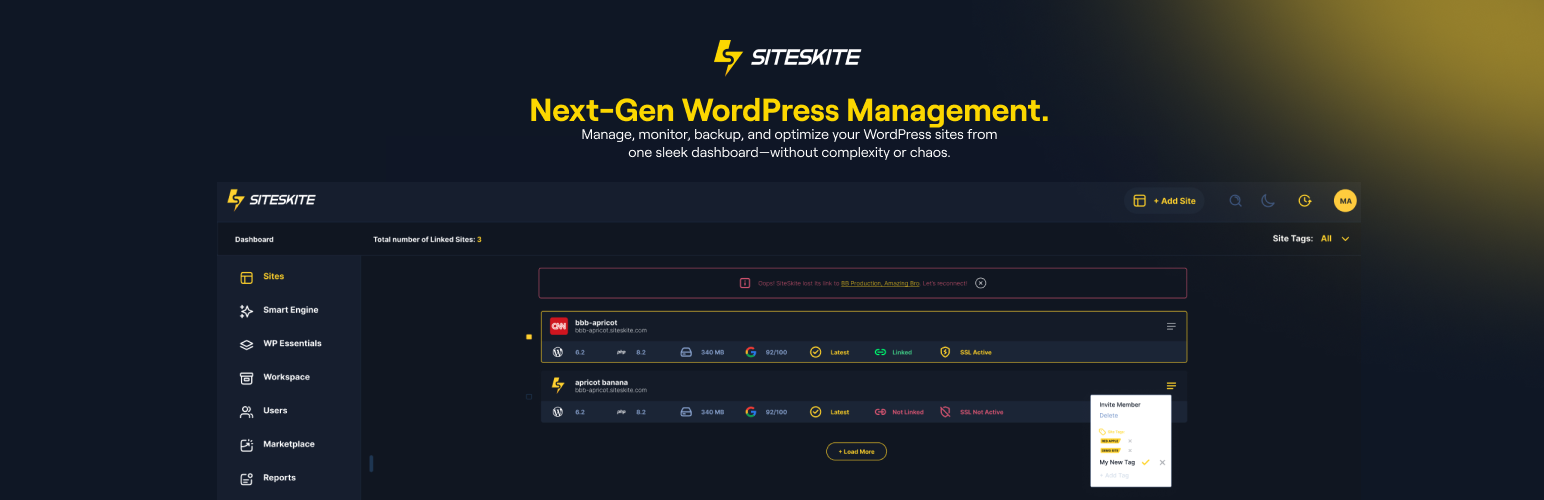
SiteSkite is a WebOps for WordPress built for agencies, developers, and site owners who manage one site or many.
Connect your sites for backups, updates, monitoring, sandboxes, and team workflows — and, with SiteSkite AI, edit a live WordPress site using assistants like Claude, ChatGPT, and Cursor. Live on-site edits with WordPress AI do not use SiteSkite AI Site Studio credits.
Whether you manage 1 site or 100+, SiteSkite simplifies WordPress maintenance and scales with your workflow.
Important: SiteSkite only manages your website after you connect it with a secure API key. Plugin installs, activations, and maintenance actions are initiated from your SiteSkite account so you stay in control.
What SiteSkite Helps You Do
✔️ Manage multiple WordPress sites from one dashboard ✔️ Automate backups and restore anytime ✔️ Edit live sites with AI (Claude, ChatGPT, Cursor) via SiteSkite MCP ✔️ Choose Off, WordPress AI, or Platform AI per linked site ✔️ Create pages, menus, forms, and page-builder layouts with WordPress AI ✔️ Privacy-minded SiteSkite AI Chat for portal workflows ✔️ Advanced Site Recovery: keep working even after many fatal errors ✔️ Snapshot and incremental backups ✔️ Create blueprints for rapid deployment ✔️ Launch sandbox sites ✔️ Spin up new sites from existing backups (on SiteSkite servers) ✔️ Store backups in your own cloud (bring your own storage) ✔️ Vulnerability detection guard ✔️ Monitor uptime and site health across all sites ✔️ Bulk update, activate, deactivate, and delete plugins/themes ✔️ Roll back plugin and theme versions safely ✔️ Add team members and organize sites into workspaces ✔️ WP Canvas tools (maintenance mode, debug, search & replace, indexing, WP Reset, and more) ✔️ Manage WP admin users and roles ✔️ Track Core Web Vitals performance ✔️ Install curated plugin presets with WP Essentials ✔️ White-label the plugin for agency clients ✔️ Automated reports for your customers ✔️ Clear views for error, debug, and custom logs ✔️ and much more…
Built to simplify workflows and scale your WordPress operations without stress.
Get started in minutes.
SiteSkite AI & MCP (new in 2.1.0)
Connect once at https://mcp.siteskite.com, sign in with your SiteSkite account, and use Quick Connect for Claude or ChatGPT (Cursor and other clients supported too).
Per site, pick how AI works: – Off — AI will not change that site – WordPress AI — edit the live website (pages, menus, forms, Gutenberg, Elementor, WPBakery, and more) – Platform AI — SiteSkite portal tools (backups, sandboxes, AI Site Studio, and more)
Only one mode can be active at a time.
With WordPress AI you can: – Create, edit, and publish pages – Install and toggle plugins – Edit with the WordPress block editor (keep the Block Editor Queue page open while the assistant works) – Build Elementor and WPBakery layouts – Manage menus and add images from a URL – List forms and create Contact Form 7 forms
You stay in control: – Turn individual AI actions on or off in Abilities – Keep Advanced Power Tools off unless you want deeper server-side actions (PHP, WP-CLI, files) – Add site notes in Context so the AI follows your preferences – Use Skills (ready-made playbooks) for Gutenberg, Elementor, WPBakery, and more
Key Features
Backups, Restore, Site Migrate/Clone
Stay in control of your site backups: – On-demand, daily, or weekly backups – Full, database-only, or file-only backups – Incremental backups (resource-efficient) – Classic snapshot backups (full archive) – Restore with a click – Migrate or clone a site from Server A to Server B
BYO Cloud Storage
Use your own cloud storage, including: – Google Drive – Dropbox – AWS S3 – Backblaze B2 – pCloud
Bring your own AI model
Use your preferred AI where the platform supports it: – ChatGPT – Claude – Other supported models
Connect Claude, ChatGPT & Cursor (MCP)
- One SiteSkite connection for everyday use
- Quick Connect for Claude and ChatGPT
- WordPress AI for live site edits; Platform AI for portal tools
- No per-site config files required for normal users
Bulk WordPress Actions
- Update plugins, themes, and core
- Activate, deactivate, or delete plugins and themes
- Rollback plugin and theme versions
- Install bulk plugins from presets
Built-in Native Features
- Maintenance Mode
- WP Debug
- Search & Replace
- Permalink settings
- WP Reset
- Site indexing toggle
Performance & Monitoring
- Uptime monitoring
- BirdEye status overview
- Core Web Vitals metrics
Collaboration & Scaling
- Workspaces to group sites and clients
- Add users, team members, and clients
- White-label plugin branding
Marketplace
- Browse tools, presets, and digital assets
- Wishlist and follow sellers
1GB free space
- Enjoy free cloud storage for your site backups
Learn More
Website: SiteSkite.com Documentation: Knowledgebase
Who is SiteSkite for?
- WordPress website owners
- Agencies managing client sites
- Freelancers and developers
- Hosting providers offering WP upkeep
- Anyone who wants peace of mind and automation
External services
This plugin connects to external services to perform backups, restores, and operational callbacks. Below is a list of services, what they are used for, what data is sent, and relevant policies.
-
Dropbox
- What it’s used for: Uploading and downloading backup archives to the site owner’s Dropbox.
- What data is sent and when: Backup file contents and related metadata (e.g., file name and size) during backup and restore operations initiated by the administrator.
- Endpoints:
https://content.dropboxapi.com,https://api.dropboxapi.com - Policies: Terms https://www.dropbox.com/terms · Privacy https://www.dropbox.com/privacy
-
Google Drive
- What it’s used for: Uploading and downloading backup archives to the site owner’s Google Drive.
- What data is sent and when: Backup file contents and related metadata during backup and restore operations initiated by the administrator.
- Endpoints:
https://www.googleapis.com/drive/v3/filesand related upload endpoints such ashttps://www.googleapis.com/upload/drive/v3/files(resumable/multipart uploads). - Policies: Terms https://policies.google.com/terms · Privacy https://policies.google.com/privacy
-
Amazon S3
- What it’s used for: Uploading and downloading backup archives to the site owner’s Amazon S3 bucket.
- What data is sent and when: Backup file contents and related metadata during backup and restore operations initiated by the administrator.
- Endpoints: Region-specific S3 REST API (e.g.,
https://s3.<region>.amazonaws.com). - Policies: Service Terms https://aws.amazon.com/service-terms/ · Privacy https://aws.amazon.com/privacy/
-
Backblaze B2
- What it’s used for: Uploading and downloading backup archives to the site owner’s Backblaze B2 bucket.
- What data is sent and when: Backup file contents and related metadata during backup and restore operations initiated by the administrator.
- Endpoints: Backblaze B2 API (e.g.,
https://api.backblazeb2.com). - Policies: Terms https://www.backblaze.com/company/legal/terms.html · Privacy https://www.backblaze.com/company/privacy.html
-
pCloud
- What it’s used for: Uploading and downloading backup archives to the site owner’s pCloud storage.
- What data is sent and when: Backup file contents and related metadata during backup and restore operations initiated by the administrator.
- Endpoints: pCloud API (e.g.,
https://api.pcloud.com) and regional variants such ashttps://eapi.pcloud.com(EU) andhttps://asiaapi.pcloud.com(Asia). OAuth token exchange:https://my.pcloud.com/oauth2_token. - Policies: Terms https://www.pcloud.com/terms.html · Privacy https://www.pcloud.com/privacy-policy.html
-
SiteSkite endpoints (operational callbacks and validation)
- What it’s used for: Validating the plugin API key, linking a site, downloading managed assets, and sending operational status callbacks to SiteSkite services. Some staging endpoints may be used for validation or asset download during testing. When AI / MCP features are used, the SiteSkite platform may coordinate ability requests to this linked site using your Connect API key.
- What data is sent and when: Site identifier and operation status metadata (e.g., backup/restore status) during validation and callbacks. For asset downloads, only the requested asset path is transmitted. Backup contents are never sent to SiteSkite; only selected metadata required to coordinate operations.
- Policies: Terms https://www.siteskite.com/terms-of-service · Privacy https://www.siteskite.com/privacy-policy
-
WordPress.org (downloads)
- What it’s used for: Downloading official WordPress core translation files when requested by an administrator.
- What data is sent and when: The request URL includes the WordPress core version and language code to retrieve the matching translation archive; no personal data is sent.
- Endpoints:
https://downloads.wordpress.org/translation/core/<version>/<locale>.zip - Policies: Terms https://wordpress.org/about/privacy/ · Privacy https://wordpress.org/about/privacy/
Notes: – Data is transmitted only when you initiate an action that requires it (e.g., starting a backup/restore, validating your API key, or downloading translations). – You choose and configure the cloud storage provider(s) to be used.