

bug with the text editor
-
Hello
Since yesterday I can’t write an article anymore, it’s buggy and I have this message
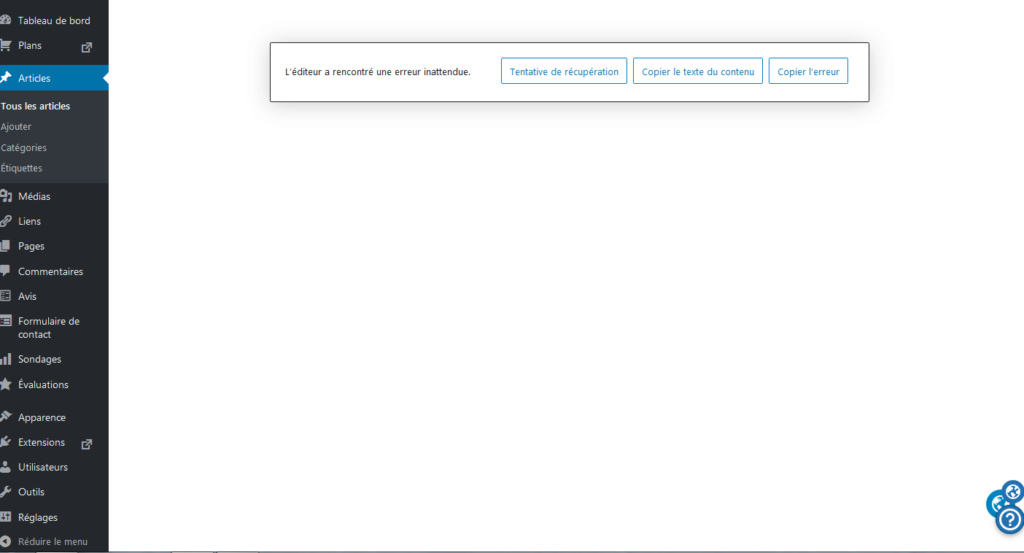
Do you know what to do in these cases?
Thank you in advance
The address of the blog concerned is : https://dedbond.wordpress.com/
The blog I need help with is: (visible only to logged in users)
-
Hi,
Can you explain a bit more about the actions you are taking that end up with this error message? Are you writing a new post? Editing an old post? Something else?
What browser are you using? Does it happen if you try a different browser? Are you using any browser extensions? Can you try disabling them and seeing if that changes things?
-
Hello
Whether I edit an old post or create a new one is the same.
I use Firefox but I’ve also tried with Chrome and I’ve also tried on another PC, always this message -
This is an issue we’re working on, but some folks have been able to fix it themselves by either clearing their browser’s cache or logging out and back in again.
-
-
-
No, we’re still tracking down an effective fix for this.
First, please make sure that your browser is up to date: https://browsehappy.com/
If it is not, please try updating your browser or switching to a different browser.
If it is, please do these two things:
1. Try clearing your browser’s cache and cookies.
2. Try with all browser extensions or add-ons temporarily disabled.
Please let us know how each step goes for you, and which browser (and version of) you’re using if you’re still having trouble.
-
Ok my Firefox browser was not up to date I had version 82.0.1 and when I updated to version 82.0.2 it worked again.
Thank you very much for your help.


- The topic ‘bug with the text editor’ is closed to new replies.
 WordPress.com Forums