

Customizing Plugin for Kindful Donation Button
-
I am working on a website for a client who has chosen to use Kindful for donation purposes.
They chose to have the site built from WordPress but I am having trouble with the location of the Kindful “donate” button. After downloading the plugin recommended by Kindful, by default, it pops up on the left side of the site above the logo, but the client would like it to appear on the right side of the site above the menu bar. I attached screenshots of both the back-end code and the front-end site for reference.
I am unclear on if I need to slightly adjust something in the code, or if I need to choose a different WordPress plugin. Please let me know if you are able to assist.
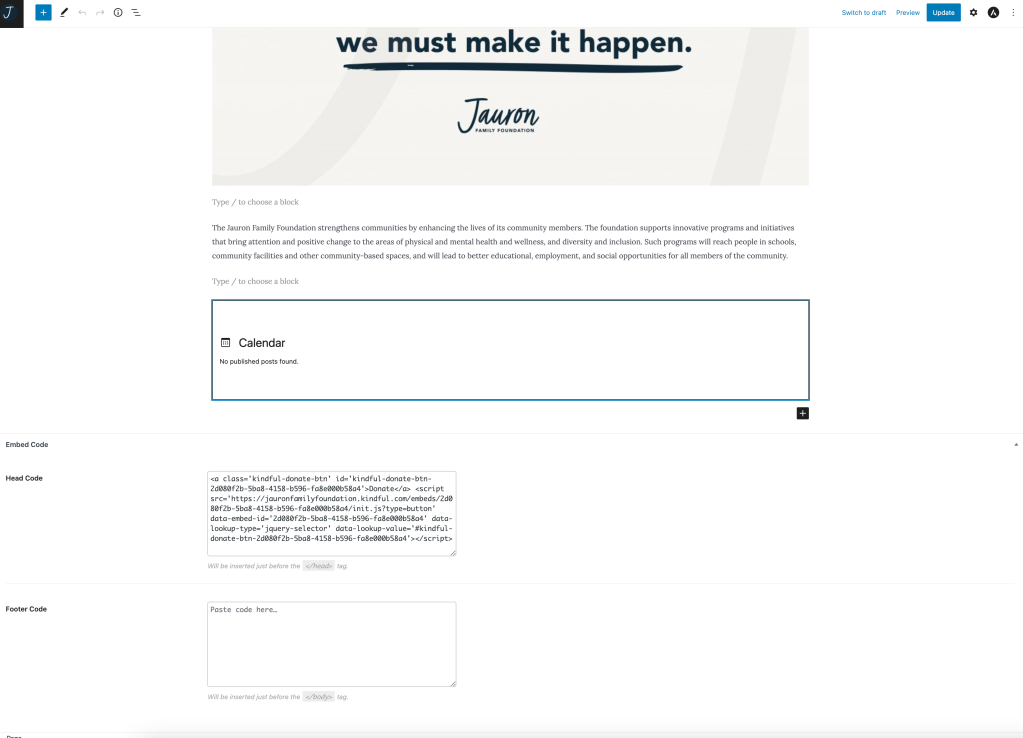

The blog I need help with is: (visible only to logged in users)
-
Hey there, could you reach out to support for the plugin? They may have controls for positioning the embed, but if they aren’t able to help, there are a handful of other plugins out there that will allow you to embed code.
If you need more help with your WordPress installation, you’ll want to be sure to use the forums for the free, DIY WordPress code instead, as these forums are primarily for our free-tier hosting.
Here’s an overview of our services vs the DIY software, but in short, we provide hosting, maintenance, security, support, and spam filtering, as well as real-time backups depending on the plan you use. If you’re interested in moving your site here, let us know your goals with your site and any questions you have. We can confirm the best plan for your case and recommend your next steps.
Cheers!


- The topic ‘Customizing Plugin for Kindful Donation Button’ is closed to new replies.
 WordPress.com Forums