Gallery
-
Hello
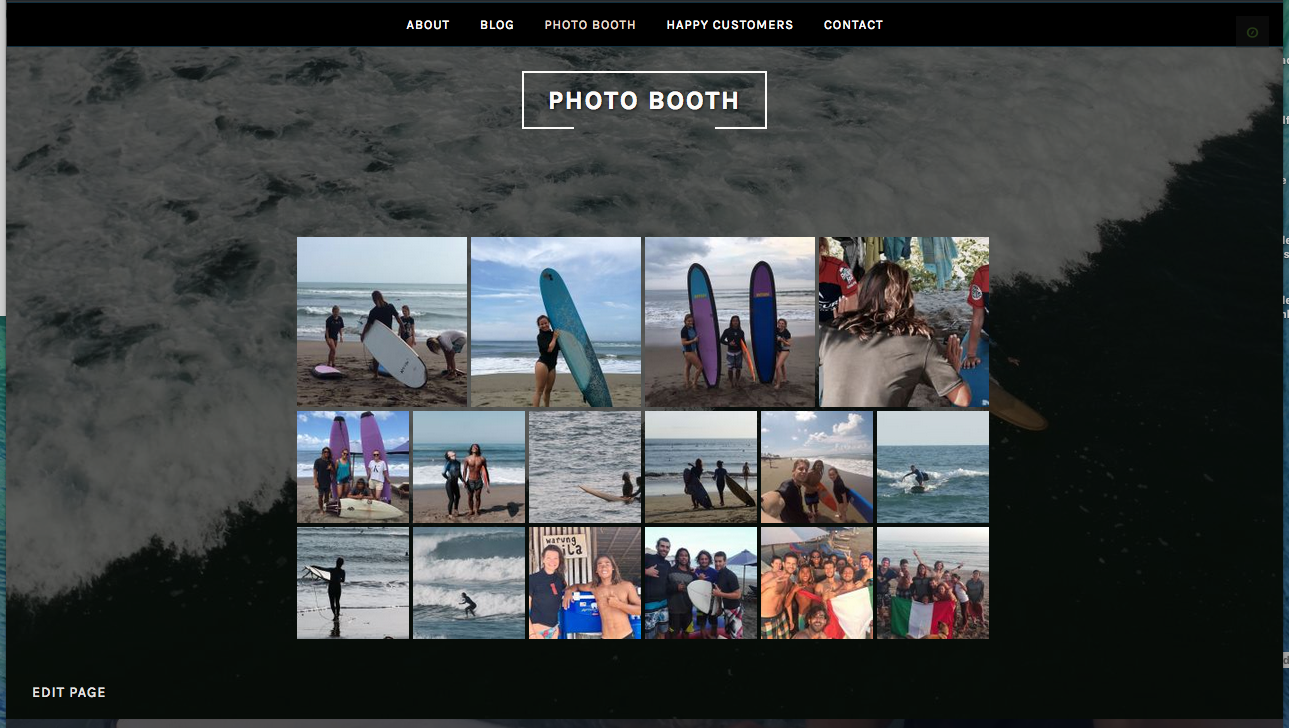
I’m using Pique template and would like to centre my gallery specifically on my home page to go the full width of the page – at the moment it is staying on the left.The blog I need help with is: (visible only to logged in users)
-
Hi there, your gallery is currently set up with the default image size, which is thumbnail. Edit that page, switch to the Text tab and add size=”medium” to the shortcode so that it looks like this and then save (update) the page and let’s see how that looks.
,[gallery ids="255,254,243,256,249,250,257,258,259,252,253,251,268,271,272,273" type="square" columns="9" size="medium"] -
Hello thesacredpath,
Thanks for you reply – I just tried your suggestion but the photos are still just to the left side of the page on the home page. The template is set to full width so I really don’t know what to do! Any other ideas?
Many thanks
Robyn
-
Robyn, I checked your site and I’m seeing the gallery centered under Photo Booth. Screenshot. Is this not what you are seeing? I checked in Chrome, Firefox and Safari on my Mac.
-
-
Let’s try this. Add the size=”medium” to your gallery shortcode and then add the following to your custom CSS.
.home .pique-panel3 .pique-panel-content .entry-content {
	max-width: 100%;
	width: 100%;
}


- The topic ‘Gallery’ is closed to new replies.
 WordPress.com Forums