

How can i display an image for the Google preview mobile result without it showing up at the top of on my web pages?
-
Hi Guys and Girls :-)
I am new to the community and hope to get some answers regarding my issue.
For each of my web pages i would like a certain image to display for the Google preview mobile results.
When i set the image that i want displayed as a featured image in page editor, It displays exactly how i want it to appear on Google preview mobile results but it also sets that image at the top of each of my web pages.
Is there a way to show these images on Google preview mobile results only and hide or remove them from displaying on my web pages?
Currently its using the first image on the web page to display on the Google preview results. Below are links to screenshots.
Home page: https://flippingcars.co.za
Google preview mobile results when the featured image is not selected:

How i want the Google preview mobile results to display when i set the featured image in page editor:

What happens on my web page when i set the featured image in page editor:
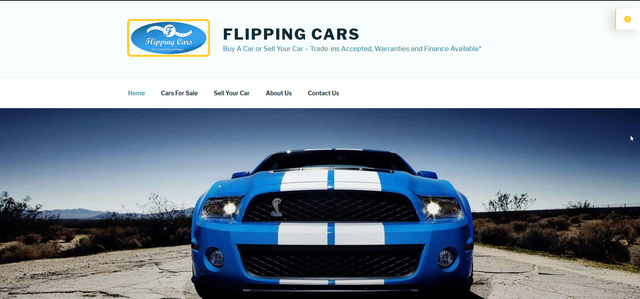
The theme i am using is: Twenty Seventeen
Thanks for reading this and i hope to get some solutions on the matter!
-
Hi there –
The site mentioned does not use our managed hosting environment from WordPress.com. Instead, it’s set up on the open source WordPress.org software which is something different.
This page talks about this differences in more detail:
Help with that site comes from https://wordpress.org/support/forums/
-


- The topic ‘How can i display an image for the Google preview mobile result without it showing up at the top of on my web pages?’ is closed to new replies.
 WordPress.com Forums