

Inserting feature pictures in puzzle theme.
-
I am having major trouble setting pictures in the puzzle theme. This is very frustrating as this is a premium theme I purchased for 79$. Images don’t fit which make the theme useless to me as it was the reason I purchased it. I have resized pictures to 545 wide by 280 tall and still no success.
If there are only selected images that are compatible with this theme there should be a warning before purchase.
The blog I need help with is: (visible only to logged in users)
-
Hi there!
I’m happy to help you out with the Puzzle theme. Is this the site you’re having trouble with:
http://werummtl.wordpress.com/
It looks like this theme has a few different image display options. You can find these settings in the Customizer under Options.
In the Puzzle format on a desktop, the images are displayed in blocks that are 398 pixels tall or rectangles that are 198 pixels tall both have a width that is dependent on the width of the browser.
In the tablet view of the Puzzle format, the blocks are all the same size with a height of 238 pixels and a width dependent on the browser width again.
Mobile view blocks are full width of the browser with a height of 238 pixels.
Does that help? Let me know how I can help!
-
Hi Shawnajroberts,
thanks for the prompt reply. I think what I really need to understand is what should I do to a picture before putting it as a feature picture for a post so that the picture fits perfectly just like in the (puzzle) theme’s demo.
Every picture I upload as a feature picture never seems to fit…heads cut out, not the right size, etc…
Yes this inquiry is for http://werunmtl.wordpress.com
Regards,
David
-
Sure! I just took a look at a few of the images we’re using in the demo. It looks like what they all have in common is a width of 1280 pixels and fairly similar heights. Here’s the dimensions of some of those images:
- 1280 × 853
- 1280 × 720
- 1280 × 853
- 1280 × 714
- 1280 × 854
In contrast, your images are quite small.
Additionally, because these images will displayed in rectangular form, and something close to a square, you should make sure that the sides of the rectangular images can be cut off without losing meaning or vital content.
For example, here’s one of the images from the Puzzle demo front page:
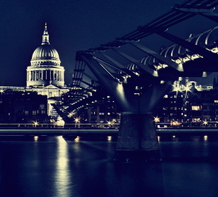
But here’s what the original image looks like:

You can see that both the right and left sides of the image are not displayed in the puzzle-style gallery.
Hope that helps! Let me know if I can do anything else for you! :)
-
Thanks for the help,
from what I understand is the pictures have to be a pre determined sized where the sides of the images can be cut off without losing meaning…unfortunately most of my pictures don’t have that predetermined size to allow the required leeway.
I’m leaning towards trying other themes
-
-
Hi dvdjoseph!
I was just checking back in and it looks like my response got caught in our spam filter. I’ve unspammed it now so you can see my other theme suggestions.
Let me know if I can help further!


- The topic ‘Inserting feature pictures in puzzle theme.’ is closed to new replies.
 WordPress.com Forums