

Security Certificate Issues
-
A commenter on my blog beyondreqs.com (beyondrequirements.wordpress.com) received the following error when trying to comment on a post using Twitter:
Your connection is not private
Attackers might be trying to steal your information from beyondreqs.com (for example, passwords, messages, or credit cards).This server could not prove that it is beyondreqs.com; its security certificate is from *.wordpress.com. This may be caused by a misconfiguration or an attacker intercepting your connection.
NET: ERR_CERT_COMMON_NAME_INVALID
The blog I need help with is: (visible only to logged in users)
-
Hi there,
That is actually very standard behavior and is a bit misguided (sorry about the scare!). Please note that only you and other registered users of the blog will see it when logged in.
When you connect to your Dashboard over an HTTPS connection, we use an SSL certificate to encrypt your connection. SSL certificates need to be signed to a specific domain, and we can’t provide certificates for every mapped domain, so our certificate is signed for WordPress.com.
When you connect to your Dashboard via your own domain but your security software sees a certificate signed to http://wordpress.com/ it’s altering you that WordPress.com may be intercepting your connection, which of course is perfectly fine.
To prevent your readers running into this in their browsers, just make sure that whenever you provide a link to your blog or post it anywhere, that you post it as http:// and not https://.
You can read more about this here.
Cheers!
-
Hi Grace,
Thanks for your response, however you didn’t actually address the situation.The reader received it (and I just recreated) when he was commenting on my blog (using an http url from me mind you) and wanting to comment using his Twitter account.
He (and I ) got the message when he went to enter a comment and wanted to enter the comment using his twitter account.
-
If you proceed you should be able to comment as seen here:
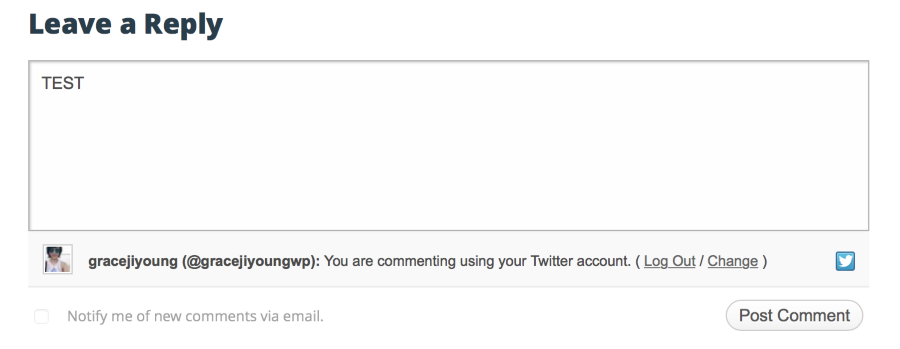
Click on Advanced and then proceed. You will only have to do that once. After that it won’t warn you again.
Cheers!


- The topic ‘Security Certificate Issues’ is closed to new replies.


 WordPress.com Forums