

This is probably not the site you are looking for
-
Readers to my site get this message. You can see the full version here:
https://twitter.com/brendan_haddock/status/450342470513999872/photo/1
How do I fix this?
The blog I need help with is: (visible only to logged in users)
-
I’ll tag this thread for a Staff follow-up. Please subscribe to the thread so you are notified when they respond and please be patient while waiting.
-
Thanks, I’m getting snowed with messages about this one, it’s good to know readers care enough :-)
-
Hi Bill,
You’re welcome. There’s a backlog of threads tagged for Staff so patience is required. -
Bill,
The WPcom shortlink for that post is http://wp.me/p4JSG-4rh which should not translate to an HTTPS link, which is what is causing that warning to appear in people’s browsers when clicked on it.
How was the link to your blog post shared to twitter? Through Publicize to twitter or something else?
-
I just pulled the shortlink from the WordPress menu on the site page and posted it into Tweetdeck.
-
Hi there!
justjennifer is right about the error being caused by https. I just copied the link straight from your tweet and this is what it looks like:
To prevent your readers from running into this in their browsers, just make sure that whenever you provide a link to your blog or post it anywhere, that you post it as http:// and not https://
When you connect to your Dashboard or blog over an HTTPS connection, we use an SSL certificate to encrypt your connection. SSL certificates need to be signed to a specific domain, and we can’t provide certificates for every mapped domain, so our certificate is signed for WordPress.com.
When you go to your own domain with https:// but your security software sees a certificate signed to http://wordpress.com/ it’s alerting you that WordPress.com may be intercepting your connection, which of course is perfectly fine.
Most security systems like this should have a way to add a permanent exception so you will never see the warning again in this instance.
You can read more about this here:
http://en.support.wordpress.com/https/
I haven’t been trying to recreate what might have happened on my own site and I haven’t been able to find a shortlink that includes https. Could you take a screenshot of where you got this shortlink so I can check it out? Just upload it to your media library and I can take a look!
This could also be caused by setting in TweetDeck? I’m not very familiar with that software, but could you take a look at your settings and see if they have something that would turn your link into an https link?
Let me know if you have further questions!
-
Thanks for the reply.
I just cut and pasted a link into Tweetdeck and it didn’t happen this time.
At first I suspected it could be the Twitter sharing tool in Safari, but I checked and that doesn’t convert HTTP to HTTPS.
So this makes it the most annoying type of troubleshooting task, something that’s not easily repeatable.
I’ll keep an eye on this and report back if it happens again.
-
Great! Thanks! I’d love to know where you found the link so I can make sure that doesn’t happen in the future. I’ll keep my eye out on my own sites as well.
Let me know if I can help with anything else! :)
-
Had the certificate problem again a few minutes ago when I posted a new story. After clicking the Publish button I had a warning message from the browser. This is the URL that cause the problem:
https://billbennettnz.wordpress.com/wp-admin/post.php?post=17144&action=edit&message=6&postpost=v2
-
Might be an idea to log out of WordPress.com first, then click to Tweet the link? That way it’s not https?
-
Are you using the Get Shortlink button to grab your link?

And then you’re putting that link into TweetDeck to share to your followers, correct?
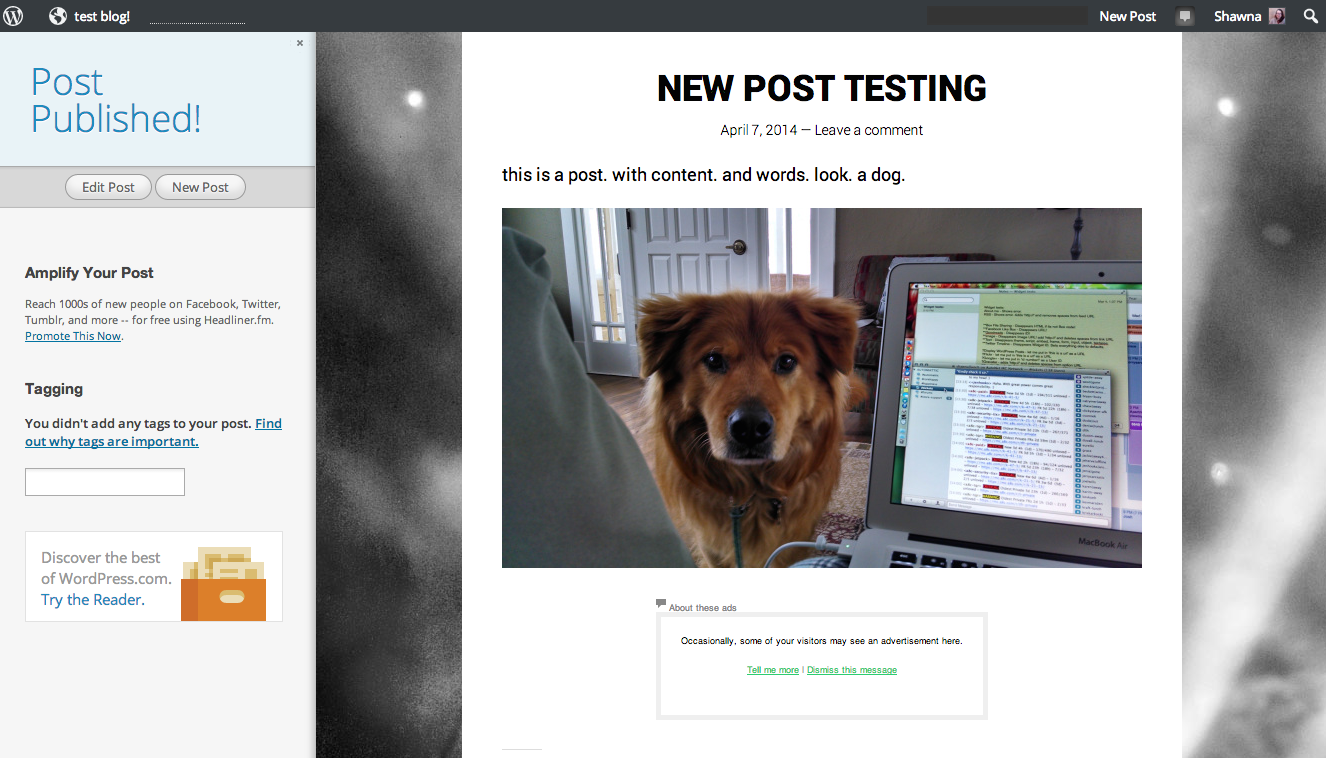
Or did you get this error on the page the Publish button directed you to, like this one?
-
This is the shortlink I use
https://www.dropbox.com/sh/qhhicvh1r1l5ffc/D0YuYCl4-o
It happens with Tweetdeck and with the Safari sharing button.
-
Thanks for that screengrab! I’m not sure why your links end up having https instead of http. The image you sent does show the correct non-https link. When you paste the shortlink into Tweetdeck, does it appear with http or https?
As far as I can tell, WordPress.com is not the one directing your links to https.
I just took a look at your Twitter feed and it looks like every so often you share a link using https. For example this link go to https, which you can see if you mouseover the link and wait for the tooltip to pop up:
But these two go to http:
https://twitter.com/billbennettnz/status/452588926662766594
https://twitter.com/billbennettnz/status/452293525367828480Did you post all of these links the same way? Through Tweetdeck or through a mobile app? If not, it may be that one of your applications forces your links into https, or a specific browser that you use, for example the browser on your work computer, or on your mobile device?
Let me know if you find an application that’s making your links use https!
-
This morning I posted to my site using the Chrome browser (I normally use Safari) and had a similar pop-up security warning as the story posted. I’ll wait until I post again and get a screen grab.
-
I’m having the same issue on my site. However, I realized that I’ve turned on a Chrome Extension called “HTTPS Everywhere”. Therefore, my browser is changing the link to add the security which then causes the certificate error. I hope this helps with explaining how this might be happening. But now I want to know how I can stop it from happening. I’m starting to think I shouldn’t have paid for the domain address for my site since the security certificate is issued to wordpress.com.
-
As I explained before, this is a known issue with the security certificates. The best way to avoid the error message is to visit your site using http:// and not https://.
You can also add an exception in your browser to avoid seeing this message when you visit WordPress.com sites. Here are some directions for doing that:
-
Thanks @shawnajroberts. Unfortunately, I’m more concerned with my users seeing the message and not checking out my site. I just wish I could somehow have the security certificate work for my .com domain.
-
I totally understand! For the most part, users will access your site through http:// unless they’re using a direct link to the https:// version or are using a browser extension like yours.
I’ll pass on your concerns to the rest of the team!


- The topic ‘This is probably not the site you are looking for’ is closed to new replies.
 WordPress.com Forums