

what is this?
-
what is free??? serious… nothing. this program free is very …erorr for my time… zero instrumentes, zero applications, zero nothing…. wrely….hm. i,bedly because that i wasted my time but, i understood samethingit doesn’t exist for free. ….even if it’s free… in rest bla,bla.
tank you for all (ironic)Site: (email visible only to moderators and staff).
WP.com: Yes
Correct account: Yes -
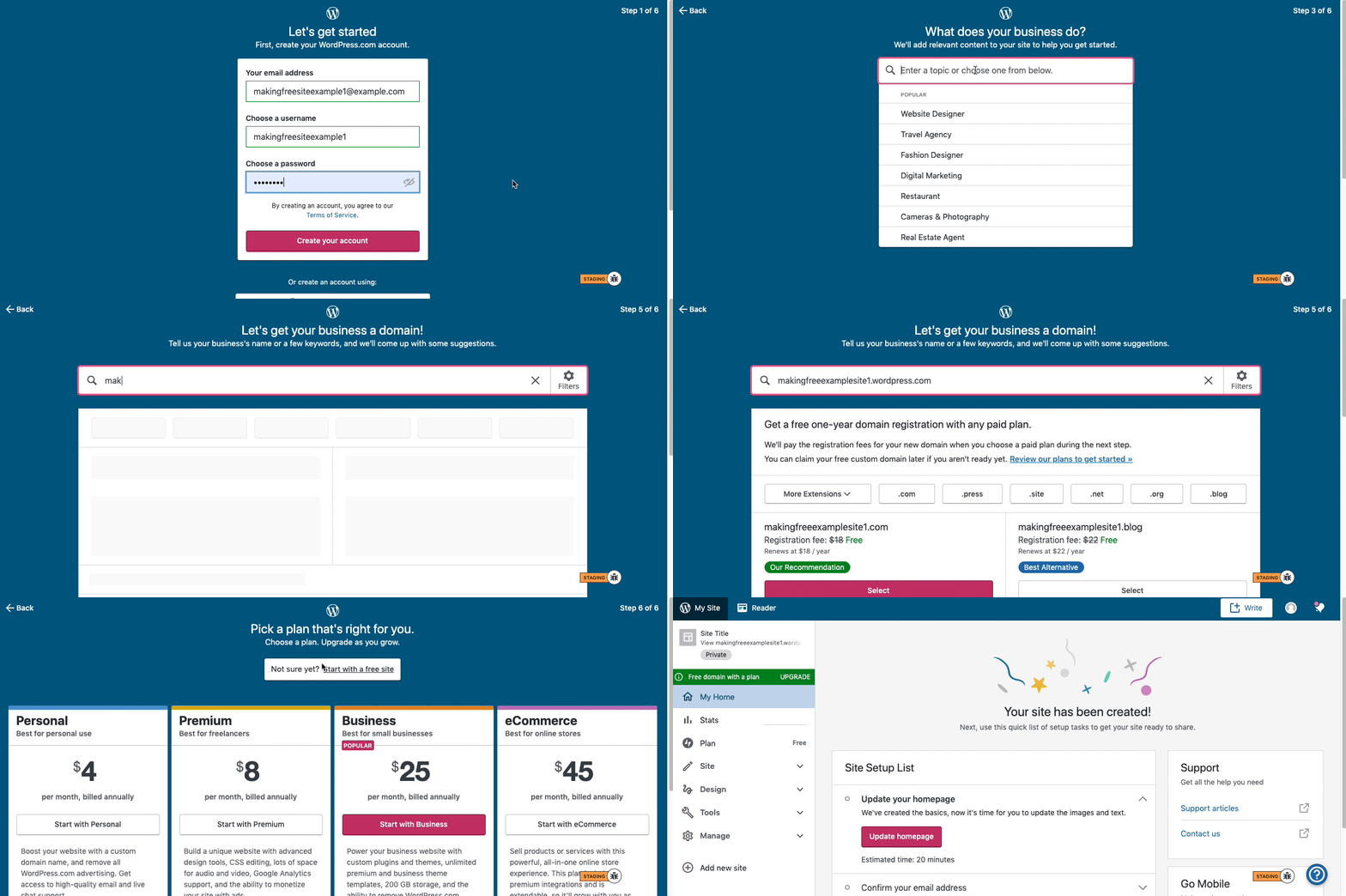
Here are visual instructions on how to create a free
.wordpress.comsite:Step 1: Select email, username, and password.
Step 2: select Blog for a.home.blogfree site or Business for a.wordpress.comsite.
Step 3: Select the Topic of your site.
Step 4: Type in the Title of site (optional).
Step 5: Type in the full, exact site address you want including the.wordpress.comor.home.blogsubdomain (ex:freeexamplesite.wordpress.com,freeexampleblog.home.blog). The first option should be the free site that you manually typed in. Click select next to that option.
Step 6: At the very top, click the link that says: start with a free site.Then, your free site should be created!
If you’re just starting out with WordPress.com, I recommend you go through our new user’s guide: https://wordpress.com/learn/
In just a few quick steps, you’ll learn about all the best and most useful features of WordPress.com, with lots of screenshots and videos.
You can also browse our support documentation at https://wordpress.com/support/
And, we have additional courses available at https://wpcourses.com/ and webinars at https://wordpress.com/webinars/


- The topic ‘what is this?’ is closed to new replies.
 WordPress.com Forums