

WordPress Editor Site Size
-
Hi,
When I go to my site editor, the site itself seems to be sized really tiny, which makes it difficult to make any changes. I’m not sure how to resize the site/editor back to full, so I would appreciate any help.
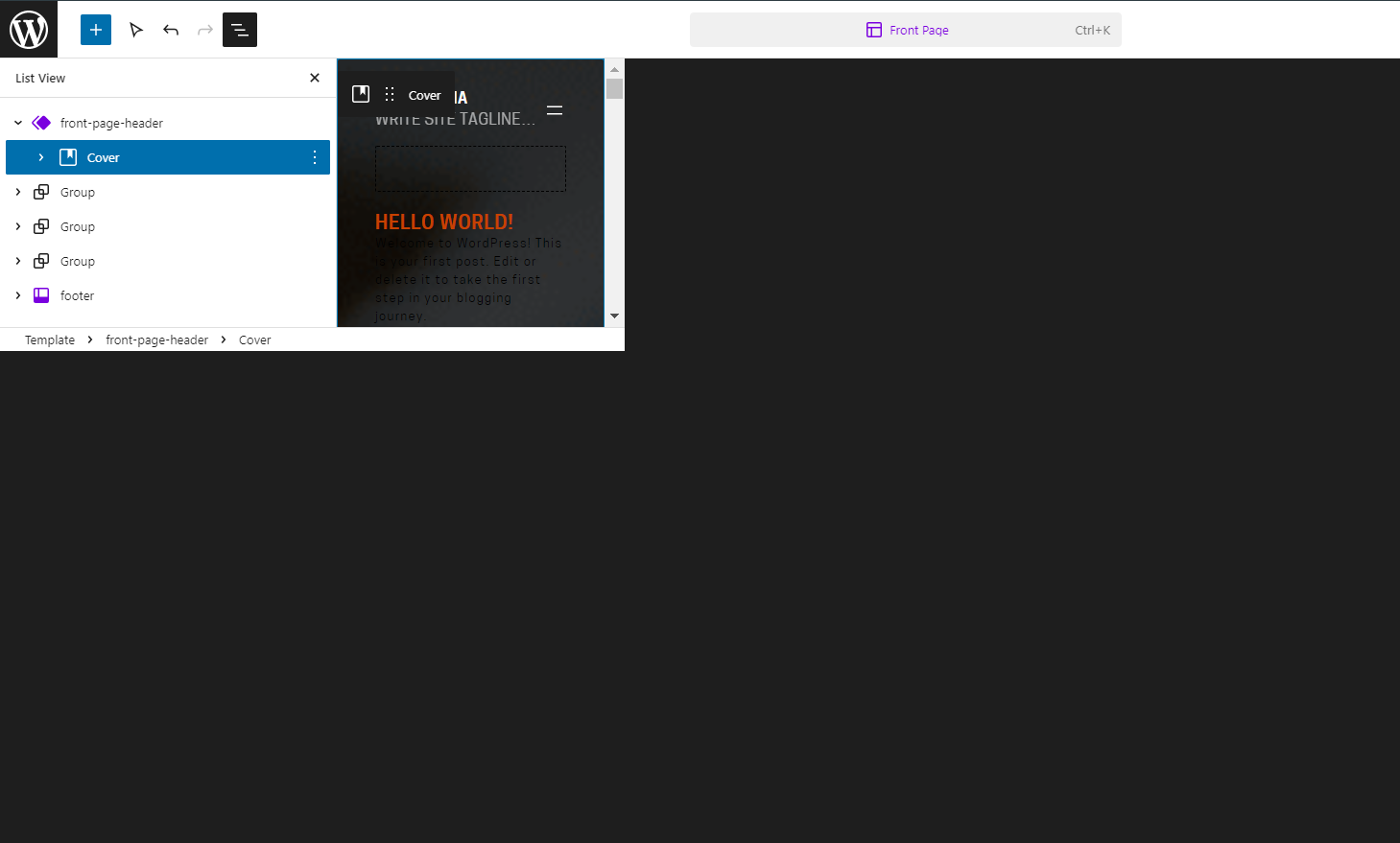
WP.com: Yes
Jetpack: No
Correct account: YesThe blog I need help with is: (visible only to logged in users)
-
Hi there!
That seems odd. Which browser are you using? Can you try the following to see if that helps?
- Press Ctrl + 0 (zero) on your keyboard to reset the zoom to 100%.
- Clear the browser cache. Here’s how to clear your browser cache: https://en.support.wordpress.com/browser-issues/#clearing-your-browser-cache
- Use a different browser to see how it works there.
Let us know how it goes. Thanks!


- The topic ‘WordPress Editor Site Size’ is closed to new replies.
 WordPress.com Forums