

The [blog_subscription_form] shortcode is a legacy option used to display a blog subscription form on a post or page. The recommended option is to instead use a Subscribe block.
The blog subscription shortcode displays a subscription box on the website front-end. Here’s how it looks for logged-in visitors:
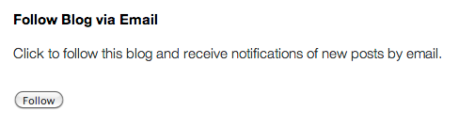
and for non-logged-in visitors:

- Open your page or post editor.
- Insert a shortcode block.
- Paste
[blog_subscription_form]into the box. - Save or publish your page.
The following arguments can be added to the shortcode to customize how it looks:
title
Specify the title of the form for visitors not already subscribed to your site
Default: Follow Blog via Email
Example: [blog_subscription_form title="Subscribe"]
title_following
Specify the title of the form for visitors who are already subscribed
Default: You are following this blog
Example: [blog_subscription_form title_following="You are already subscribed"]
subscribe_text
Specify the subscription prompt for logged-out visitors
Default: Enter your email address to follow this blog and receive notifications of new posts by email.
Example: [blog_subscription_form subscribe_text="Enter your email to subscribe to notifications from this site"]
subscribe_logged_inSpecify the subscription prompt for logged-in visitors
Default: Click to follow this blog and receive notifications of new posts by email.
Example: [blog_subscription_form subscribe_logged_in="Click to subscribe to this site"]
subscribe_buttonCustomize the text on the subscription button
Default: Follow
Example: [blog_subscription_form subscribe_button="Click me!"]
show_subscribers_total
Show total number of followers.
Default: Do not show.
Example: [blog_subscription_form show_subscribers_total=true]
You can include multiple arguments in a single shortcode. In that case, separate them with a space. Example:
[blog_subscription_form title="Subscribe" title_following="You are already subscribed" subscribe_text="Enter your email to subscribe to notifications from this site" subscribe_logged_in="Click to subscribe to this site" subscribe_button="Click me!" show_subscribers_total=true]