

Jetpack Search is a powerful replacement for the default WordPress search feature. It provides higher-quality results and an improved search experience. This guide will show you how to add Jetpack Search to your site.
In this guide
Have a question?
Ask our AI assistantJetpack Search can be used if your website has a search function. This is most commonly achieved by adding a Search block somewhere on your site. Also, many themes have a built-in search feature already.
When you activate Jetpack Search, it takes over your site’s existing search function. Jetpack Search uses advanced search capabilities to support millions of queries across millions of documents. It also indexes changes to your content in real-time. Thanks to filtering, sorting, and intelligent phrase search, your visitors can find what they’re looking for fast.
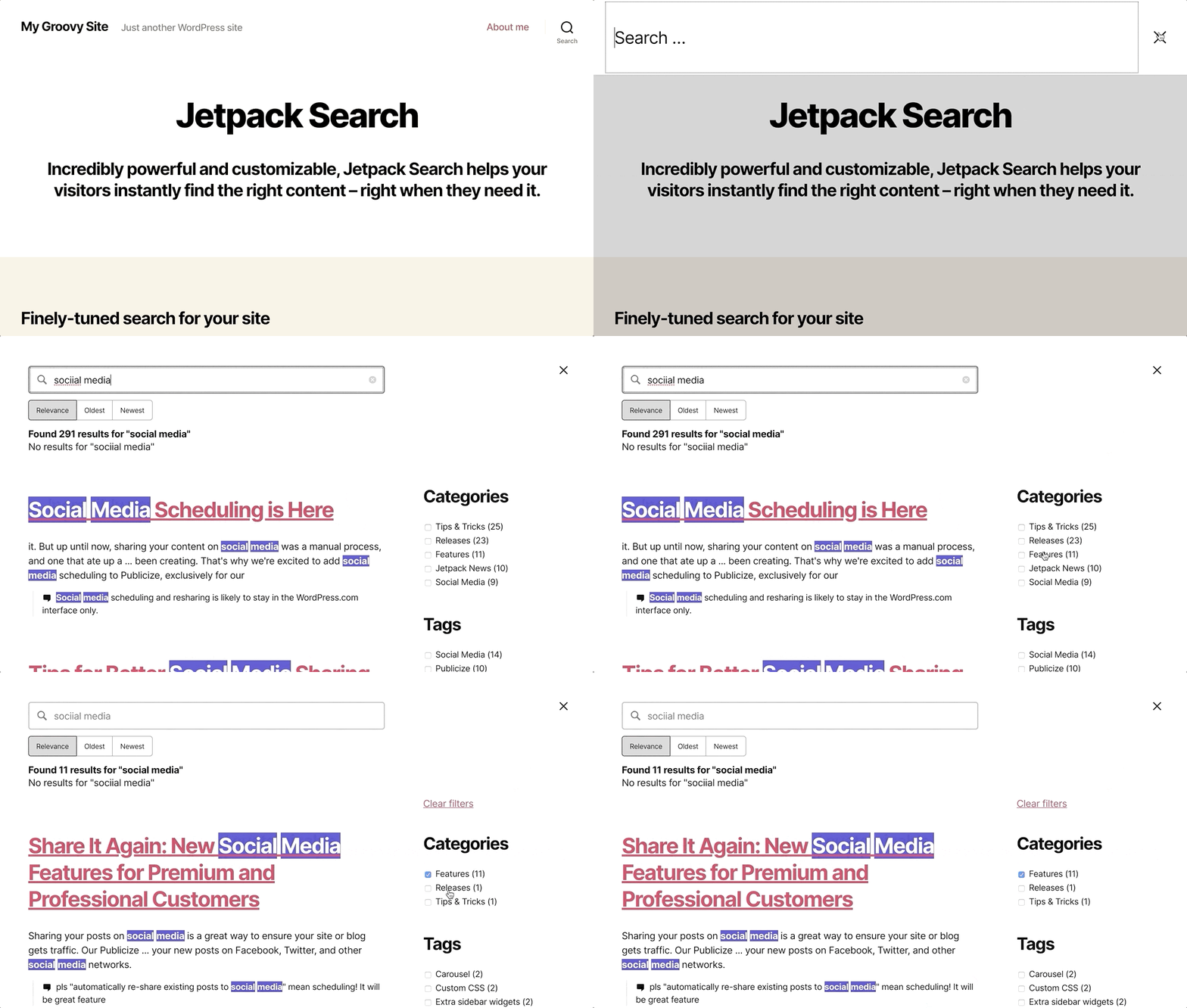
Jetpack Search includes an optional instant search experience that shows results to your visitors as soon as they start typing. You can also customize the look and feel of the Search results. This ensures the design of your search results fits in well with your theme.
Jetpack Search indexes the following content:
- All public posts.
- All public pages.
- WooCommerce products.
- The metadata of the publicly accessible items in your Media, such as alt text.
Jetpack Search does not index draft pages or posts, private pages or posts, password-protected pages or posts, or PDF files in Media.
To add Jetpack Search to your site, take the following steps:
- Visit your dashboard.
- Navigate to Jetpack → Search in the left sidebar and:
- Sites without plugins: Choose the free or upgraded option.
- Sites with plugins: Toggle on the “Enable Jetpack Search” option:

For further details about how to customize how Jetpack Search looks on your site, refer to the guides on Jetpack.com.
Jetpack Search is free for sites with up to 5000 records or 500 search requests per month. You can upgrade to the paid tier for up to 10k records and/or requests per month.
You can view your records usage in Jetpack → Search in your site’s dashboard. In general, posts, pages, products, and custom post types count as records. Jetpack Search doesn’t count media library files unless they have their post status set to publish. Most attachments are indexed for free.
To view pricing and upgrade Jetpack Search:
- First, ensure Jetpack Search is enabled on your site.
- Visit your dashboard.
- Navigate to Jetpack → Search in the left sidebar.
- Click the “Upgrade Jetpack Search” link in the upper right corner.
For more information, visit the Jetpack Search Product Billing guide.
